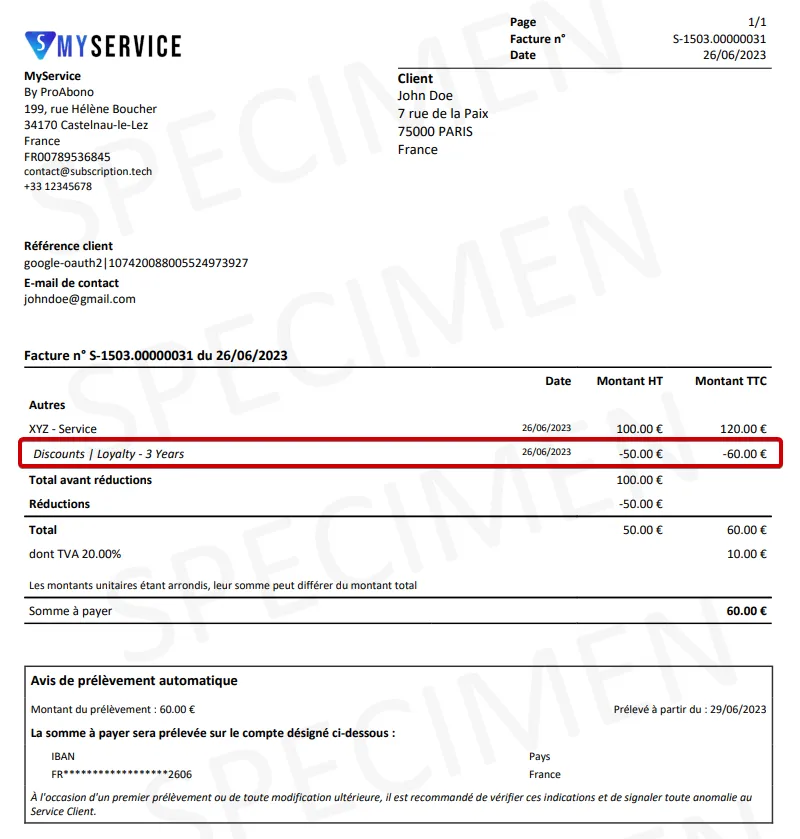
How to apply a discount to an invoice ?
Context
Section titled “Context”If you want to reduce the amount of an invoice, you can easily do so by adding a one-time charge.
Since this discount is not related to the fees of a subscription, we will directly adjust the customer’s balance by adding a credit line. Once created, this credit line will be taken into account during the next billing cycle.
Procedure
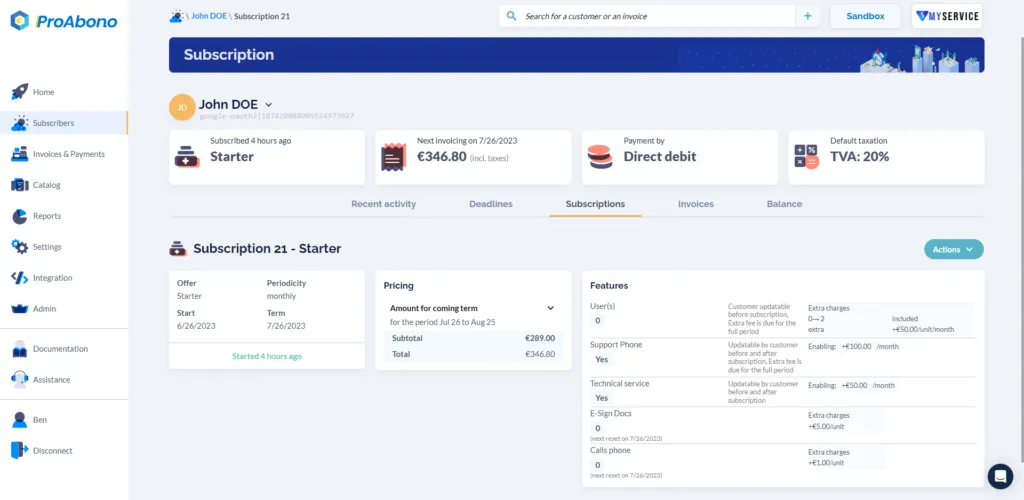
Section titled “Procedure”1. Go to the profile of the relevant customer.
Section titled “1. Go to the profile of the relevant customer.”- Click on “Subscribers” from the left menu.
- Select the relevant customer.
- Then click on the “Balance” tab.
2. Open the form to add a Credit Line
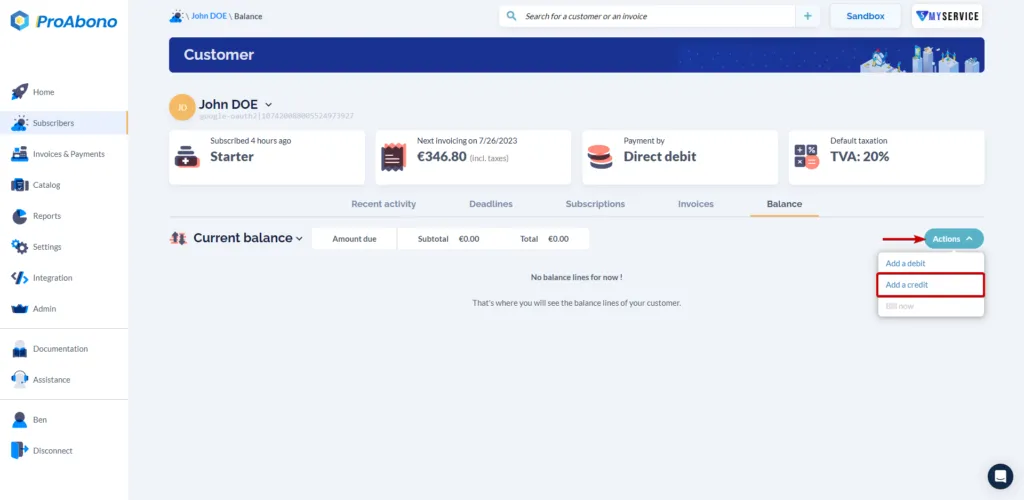
Section titled “2. Open the form to add a Credit Line”Once on the balance page:
- From the “Actions” menu, click on “Add a credit”.
3. Fill in the Credit Line creation form
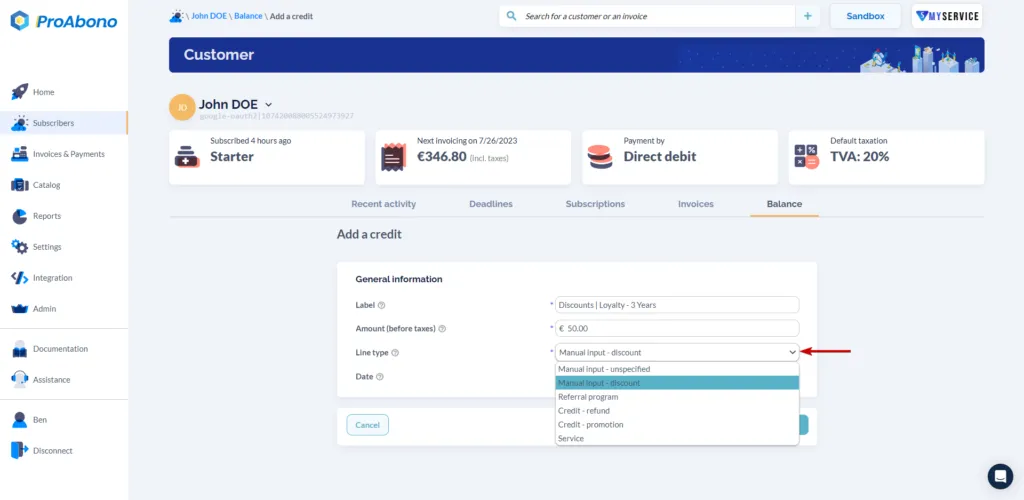
Section titled “3. Fill in the Credit Line creation form”Provide the following information:
- Description
- Discount amount in pre-tax value
- Specify the line type as: “Manual input - discount”
4. Save
Section titled “4. Save”Remember to click on the “Save” button to finalize the creation of the credit line.
5. Edit an invoice
Section titled “5. Edit an invoice”You can now edit an invoice with the items listed in the customer’s balance.
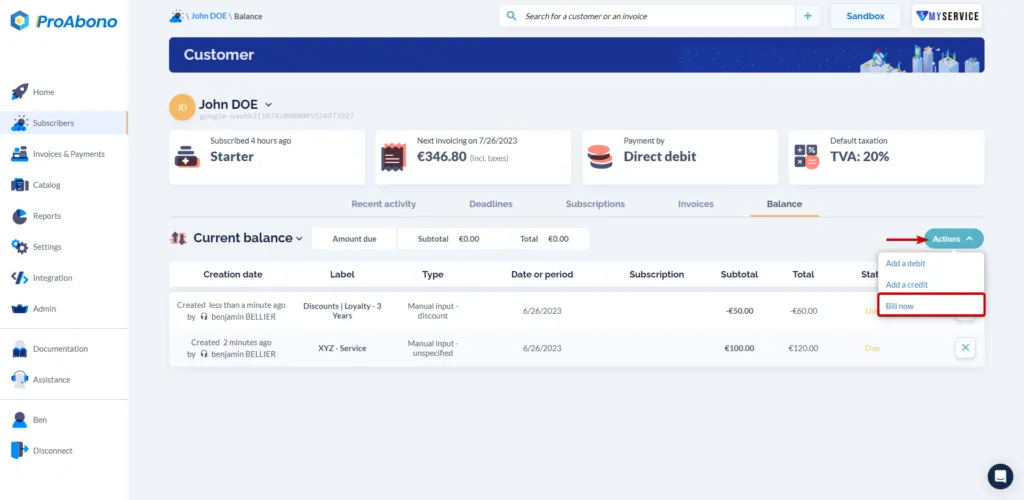
or wait for the next automatic billing of your customer.
In both cases, the discount will appear on the next invoice with the specified description and amount.