

How to display/hide the payment method registration form?
Process
Section titled “Process”1/ Go to the customer workflow settings
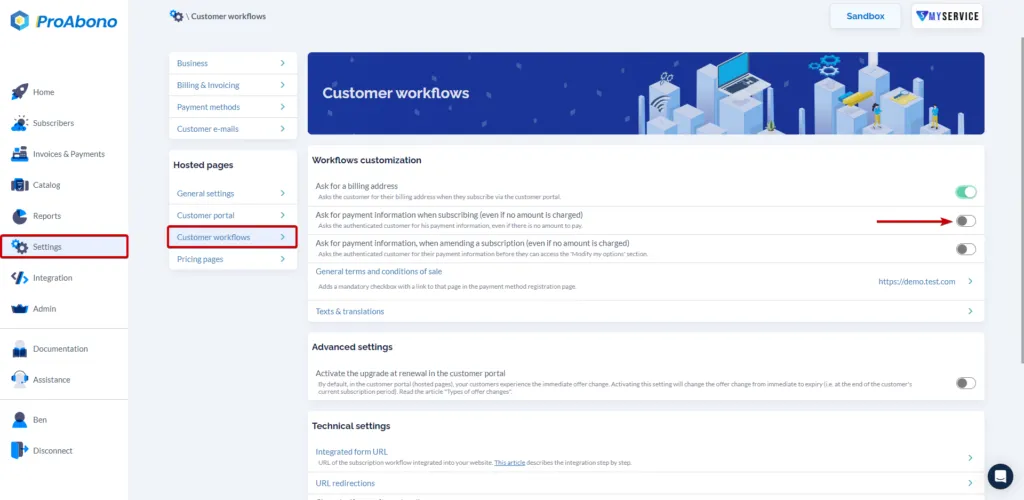
Section titled “1/ Go to the customer workflow settings”- Click on “Settings” from the left menu.
- Then click on the “Customer workflow” button in the hosted pages section.
2/ Choose the option
Section titled “2/ Choose the option”Enable or disable the display of the payment method registration using the “switch” button.