How to automaticly send invoices to customers ?
Context
Section titled “Context”ProAbono can automatically send emails to your customers with their invoices attached as PDF files.
Description
Section titled “Description”There are 3 types of emails with attached invoices:
- New invoices automatically debited by automated direct debit.
- New invoices with payment due.
Not managed automatically by ProAbono.
These invoices are generated when subscriptions start for customers who pay by check, bank transfer, cash, etc.
- Sending the invoice when it is paid (regardless of the payment method).
This allows you to send a payment confirmation to your customers.
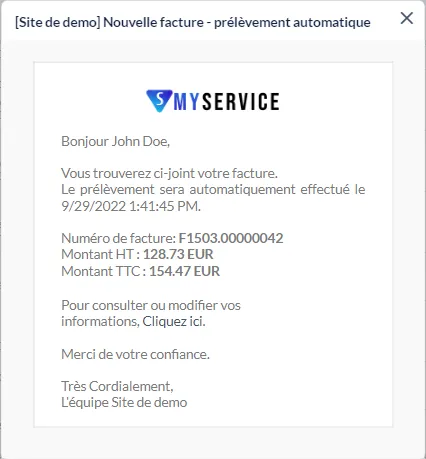
This is an example of the email template: ‘New invoices automatically debited by automated direct debit’.
Procedure
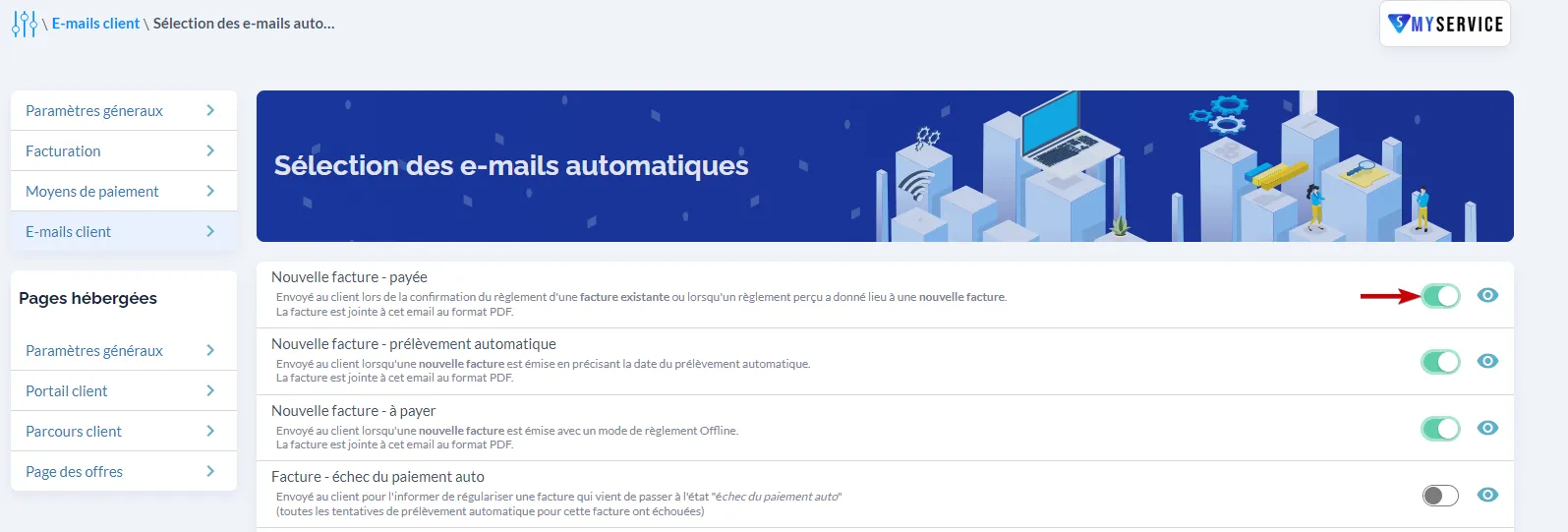
Section titled “Procedure”- From the left menu, go to the ‘Settings’ section.
- Then click on ‘Customer Emails’.
- Next, click on ‘Selection of automated emails’.
- Select the emails you want to activate.