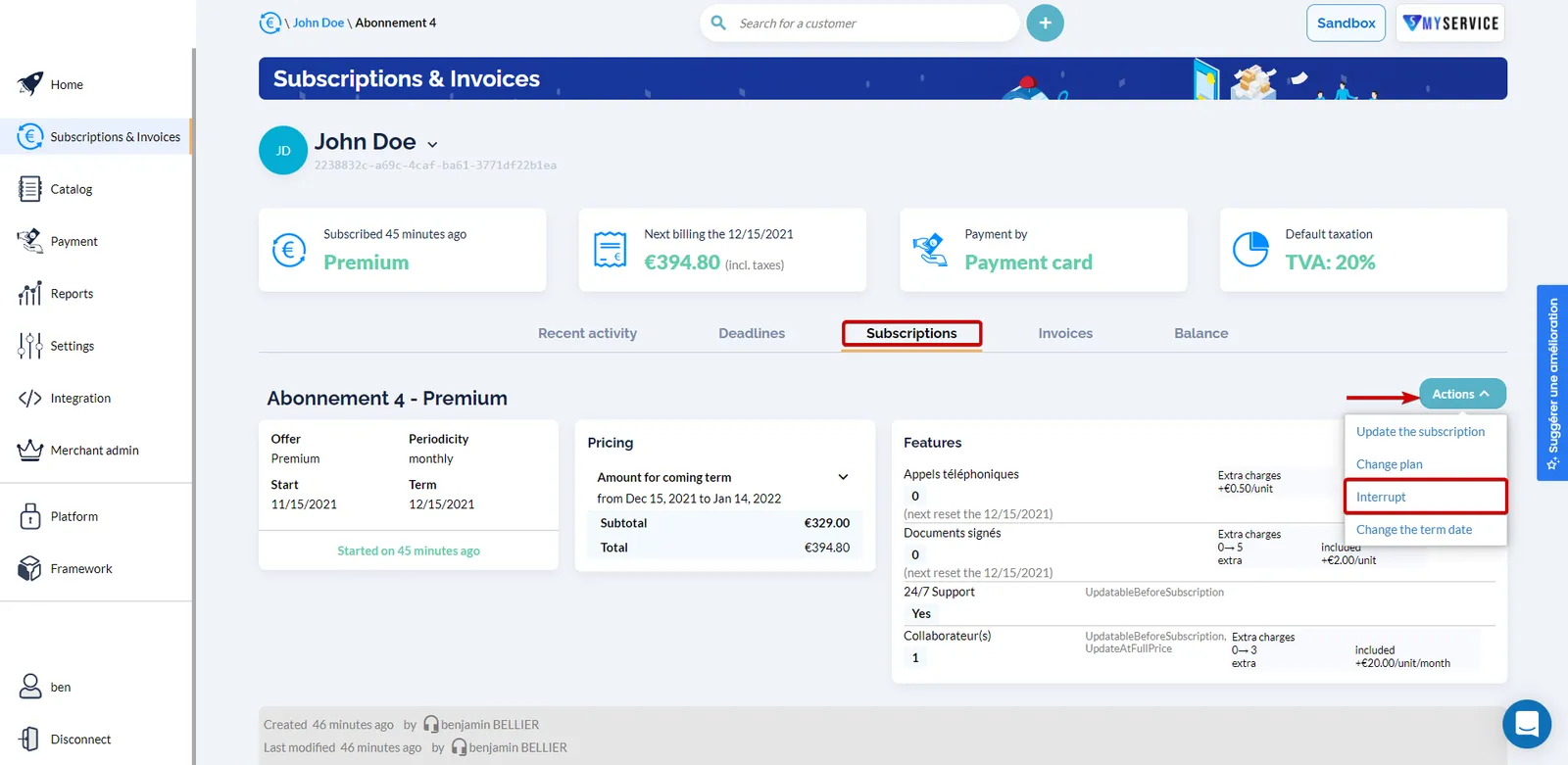
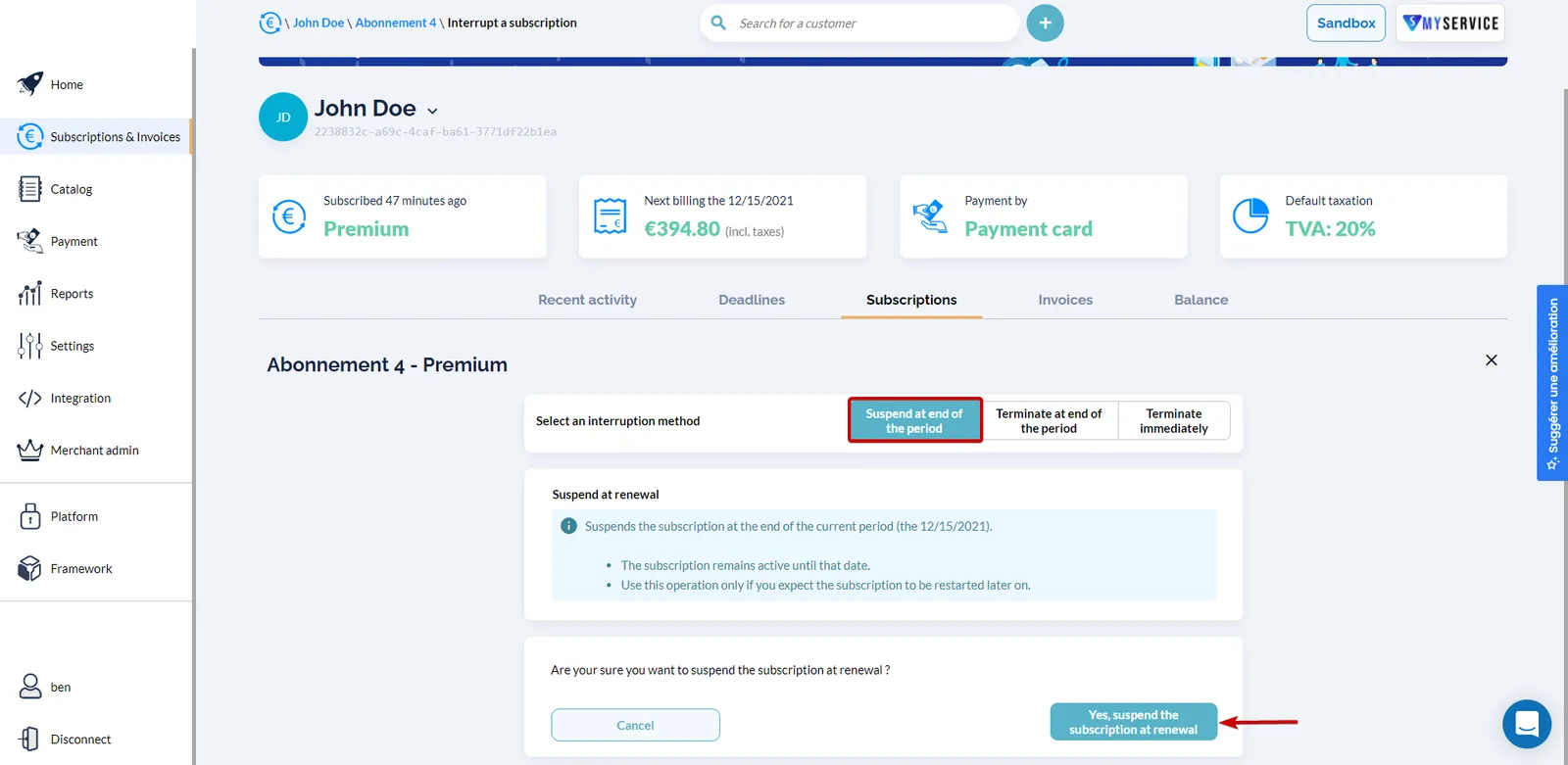
How to suspend a subscription ?
Context
Section titled “Context”If you need to temporarily stop access to your service and consequently the associated billing, you can suspend a subscription.
Example:
- One of your customers has too many unpaid invoices, and you want to suspend their subscription until they settle the accumulated debt.
- Their subscription is monthly and renews on the 1st of each month.
- Therefore, if you decide to suspend their subscription on January 15, 2022, it will take effect at the next renewal, which is February 1, 2022.
Prerequisites
Section titled “Prerequisites”- You must already have a subscription in the “started” state.
Procedure
Section titled “Procedure”1. Go to the subscription details page.
Section titled “1. Go to the subscription details page.”- Click on “Subscriptions & Invoices” in the left menu.
- Select the relevant subscription.
2. Open the suspension form.
Section titled “2. Open the suspension form.”Once on the subscription details page:
- Open the “Actions” menu.
- Click on the “Interrupt” button.
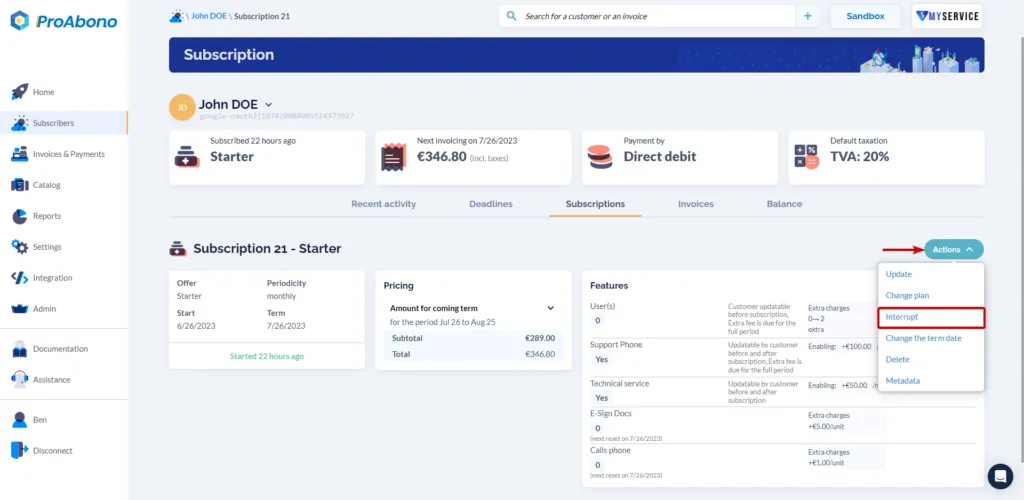
3. Choose the type of suspension
Section titled “3. Choose the type of suspension”- Select “Suspend at renewal”.
- Confirm your choice to finalize the action.
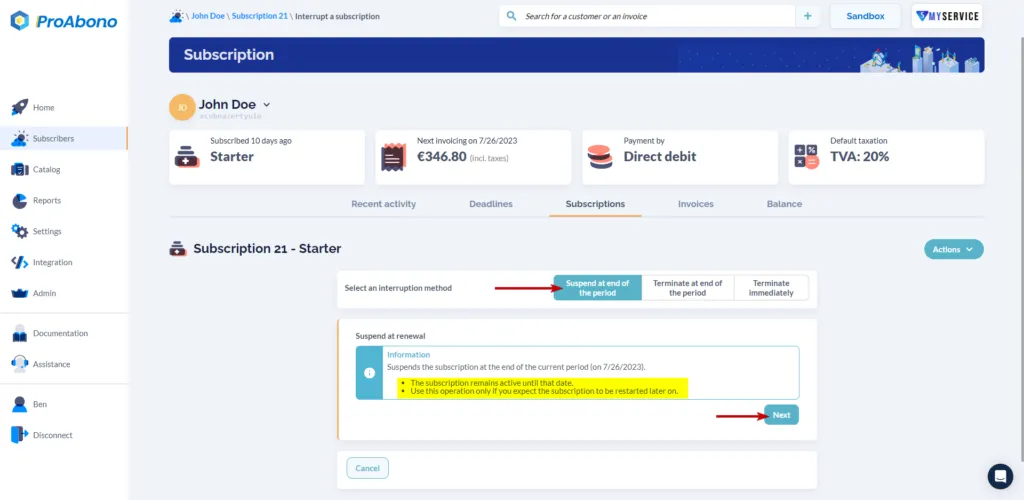
4. Confirm your suspension
Section titled “4. Confirm your suspension”Simply confirm the action by clicking “Yes, suspend the subscription at renewal.”
If everything goes well, you will see the scheduled suspension date on the subscription details page.
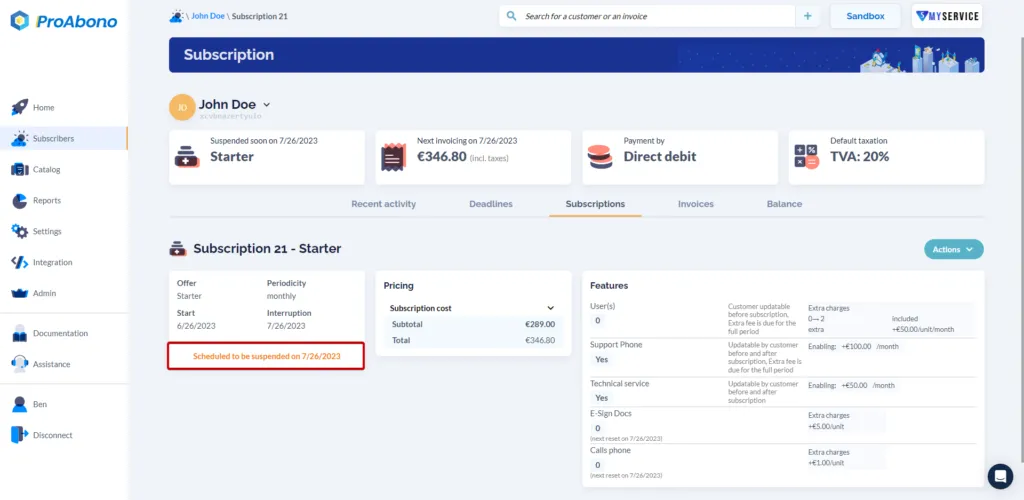
Image from the ProAbono back office showing a subscription with a scheduled suspension on 07/26/2023
Further Information
Section titled “Further Information”If you do not want to suspend but permanently terminate a subscription, please refer to the documentation: How to terminate a subscription?
If you want to restrat a suspended subscription, please refer to the documentation: How to restart a subscription?