

How to connect your Stripe account with Proabono?
Context
Section titled “Context”Connecting a payment gateway such as “Stripe” is an important step in deploying your environment.
This allows ProAbono to automatically manage payments based on issued invoices.
Prerequisites
Section titled “Prerequisites”You must first create an account on the Stripe payment gateway.
Procedure
Section titled “Procedure”1. Go to the payment gateway section
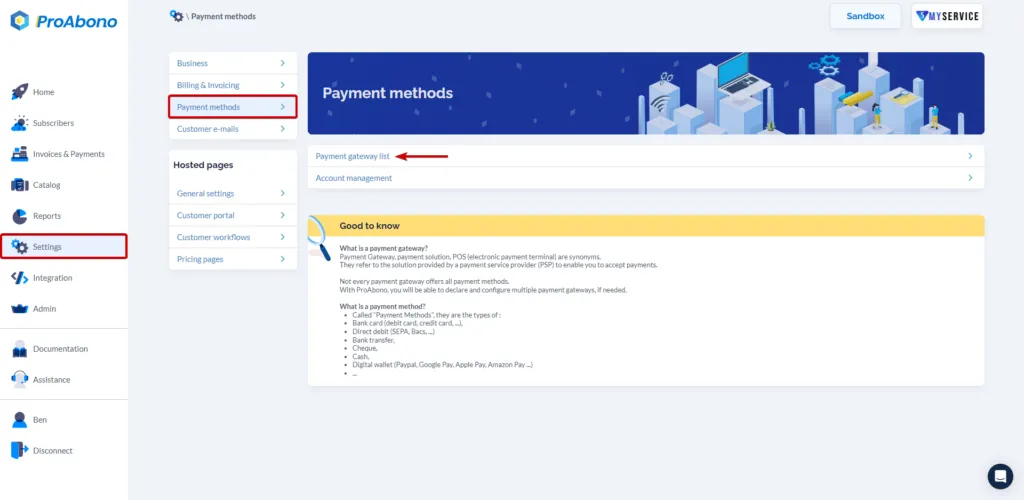
Section titled “1. Go to the payment gateway section”- Click on “Settings” in the main menu:
- Then click on “Payment Methods”
- Then on “Payment Gateways”
2. Declare a new payment gateway
Section titled “2. Declare a new payment gateway”Once on the payment gateway page, do the following:
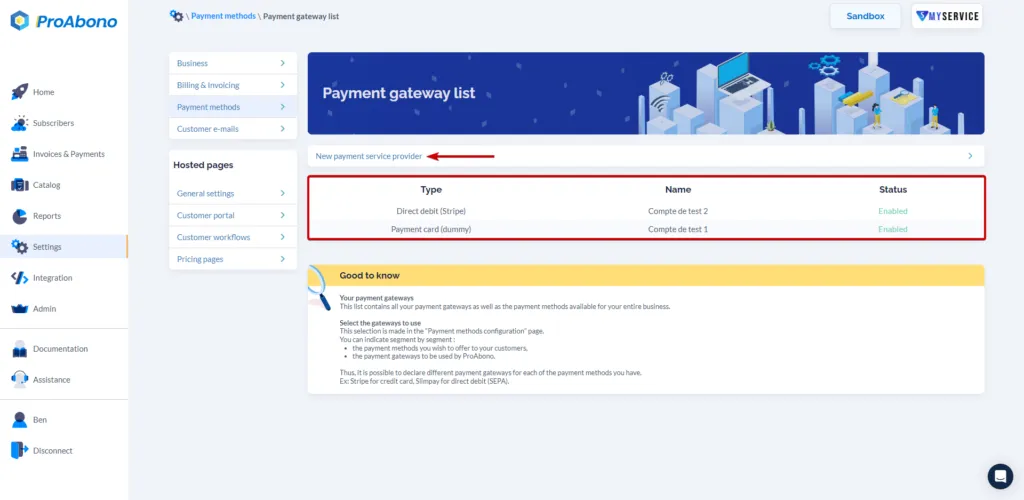
- Click on the “New payment service provider” button.
In this example, the MyService business is in Sandbox mode. Two dummy gateway accounts are already connected by default to allow you to test the payment part.
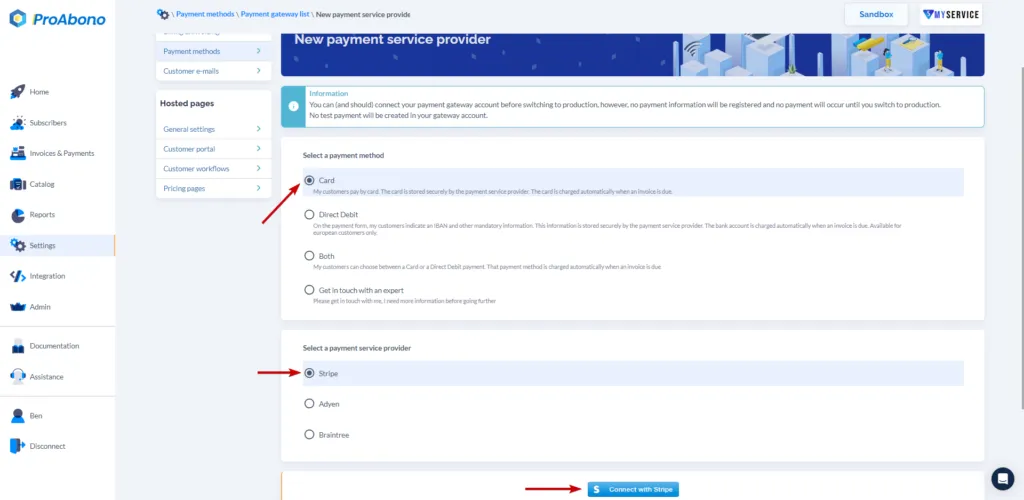
- Select the payment methods you want to set up.
- Select the Stripe payment gateway.
3. Finalize the connection
Section titled “3. Finalize the connection”To interconnect your ProAbono account with the payment gateway:
- Click on the “Connect with Stripe” button (You will be redirected to the Stripe website to complete the configuration).