

How do I define a minimum commitment period for an offer?
Context
Section titled “Context”Similar to certain online solutions like Microsoft 365, it is possible to set a minimum commitment.
Example: A customer subscribes to a monthly offer, but they cannot cancel before a 4-month period.
Procedure
Section titled “Procedure”1. Access the offer catalog
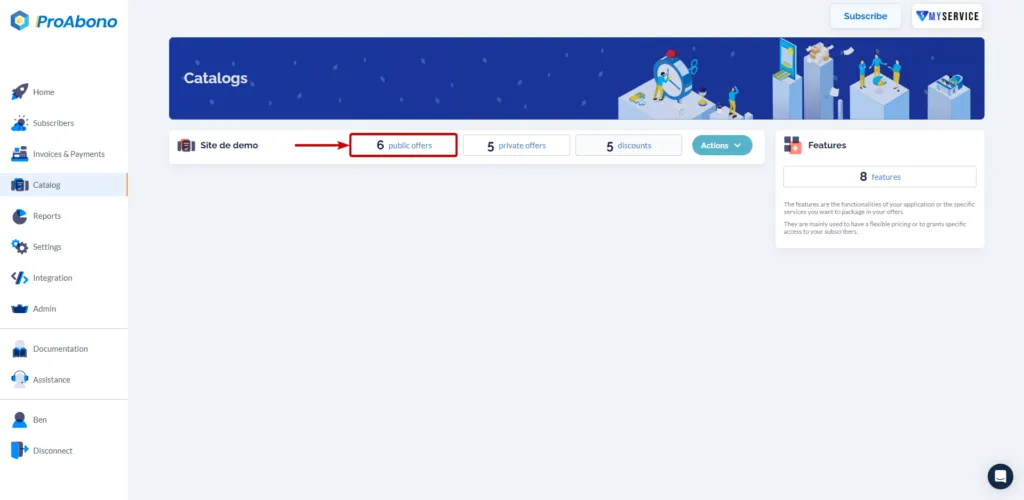
Section titled “1. Access the offer catalog”- Click on the “Catalog” button in the left menu.
- Choose one of the categories (e.g., public offers) to access the list of offers in your segment.
2. Access the creation or modification form
Section titled “2. Access the creation or modification form”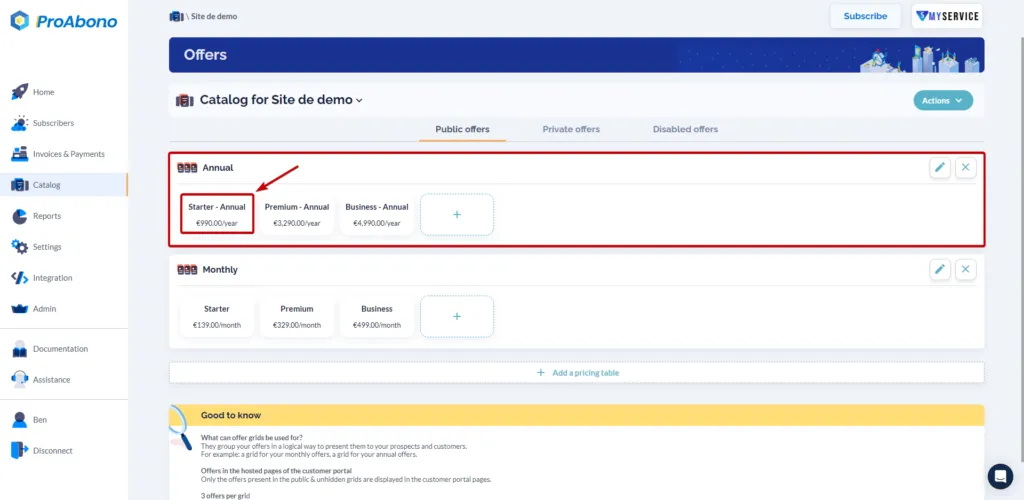
3. Configure the billing period
Section titled “3. Configure the billing period”Once on the create/modify offer page:
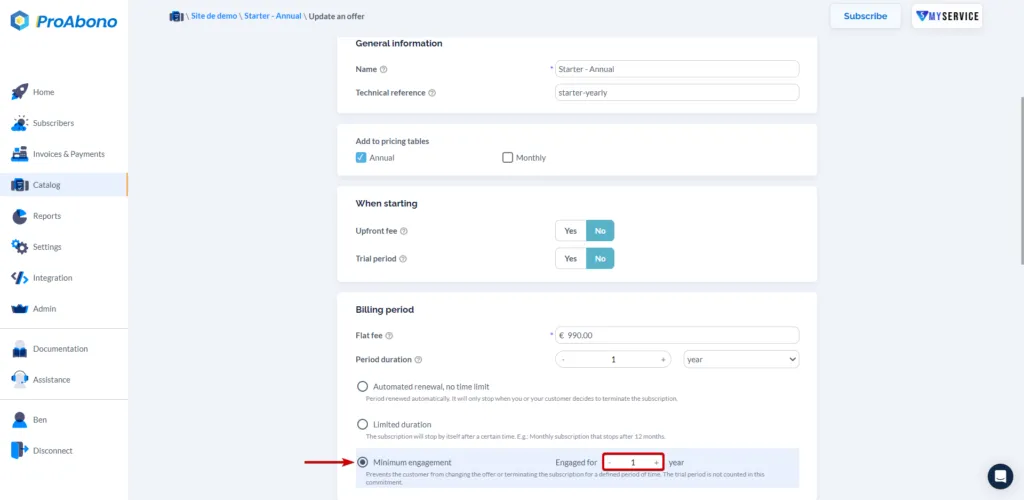
- In the “Billing Period” section,
- Choose the “Minimum Commitment” option
- and define the desired number of periods (occurrences).
 Examples: For a 12-month commitment,
- If the offer is monthly, simply indicate 12 occurrences (12 occurrences x 1 month = 12 months),
- If the offer is quarterly, simply indicate 4 occurrences (4 occurrences x 3 months = 12 months),
- If the offer is semi-annual, simply indicate 2 occurrences (2 occurrences x 6 months = 12 months).