

How do I delete a customer?
Context
Section titled “Context”If you want to clean up your data, you have the option to delete a customer, but please note that you can only perform this action if the customer has no associated invoices.
Indeed, for legal reasons, once a customer is associated with an invoice (whether it’s from a subscription or manually generated), we must keep a record of it.
Procedure
Section titled “Procedure”1. Select the desired customer
Section titled “1. Select the desired customer”- Click on “Subscribers” from the left menu.
- Go to the customer profile by searching for the customer using the search engine or the customer list.
2. Delete the customer
Section titled “2. Delete the customer”On the customer profile:
- Open the “Actions” menu.
- Then click on “Delete or Suspend”.
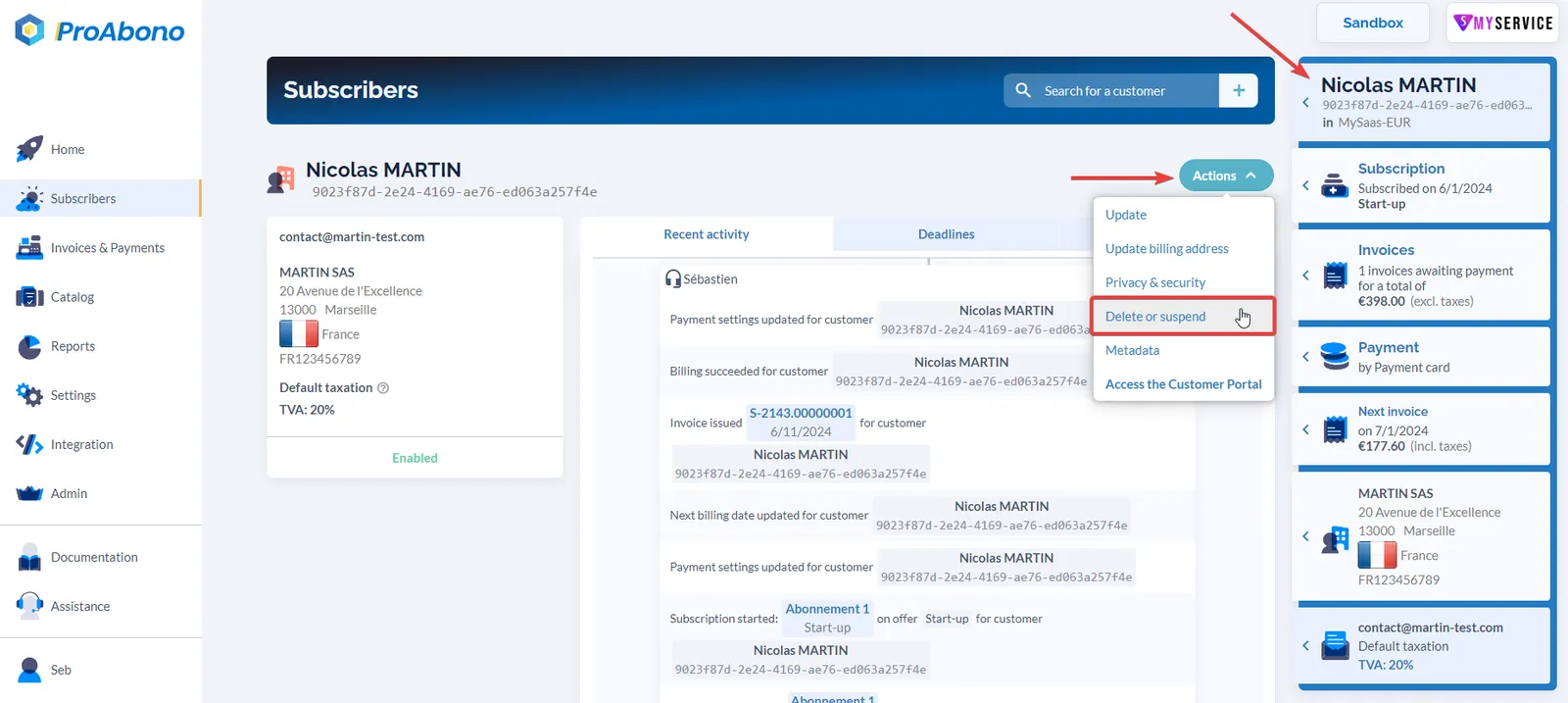
3. Confirm your deletion
Section titled “3. Confirm your deletion”All you have to do is click on “Delete” among the various choices provided.
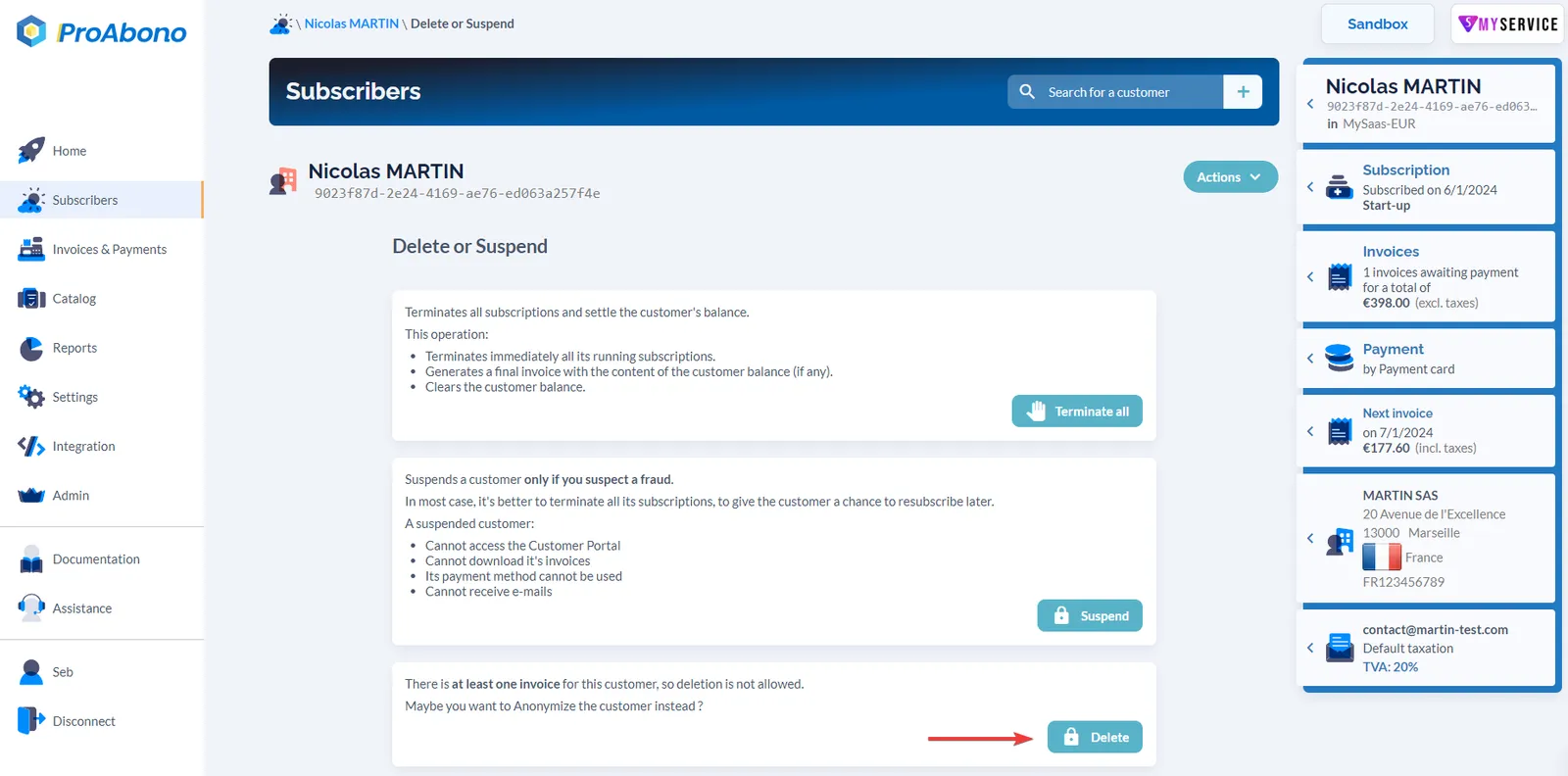
A validation pop-up appears to finalize the deletion.
- Click on the “Yes, I’m sure” button.
If everything went well, you will receive a message informing you that your customer has been permanently deleted.