How to set up or update a segment logo ?
Context
Section titled “Context”The logo is used to help personalize your user experience in the back office (login page, segment selector, etc.).
But it is also an important element used in communication with your customers:
- In the invoices sent to your customers in PDF format.
- In the “Customer Portal”
Procedure
Section titled “Procedure”From the Back Office:
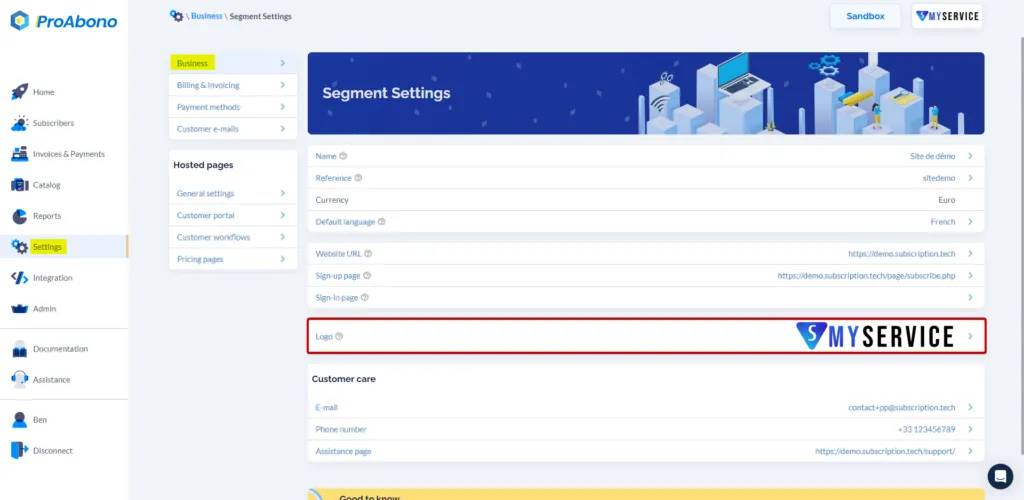
- Click on the “Settings” section in the left menu:
- Then click on “General Settings”
- Then click on “Segment Settings”
- (If you have multiple segments) Select the segment on which you want to make the modification
- And finally, click on “Logo”
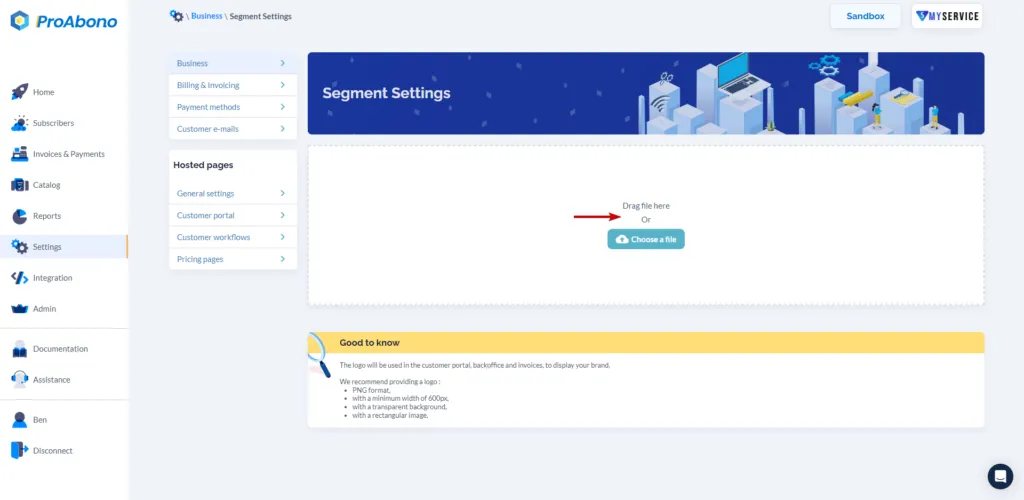
Now, simply select a file or drag and drop an image into the dedicated area to import your new Logo.