How to export invoices in PDF / CSV format?
Context
Section titled “Context”You can always consult ProAbono reports to export all your data.
- Subscriptions
- Customers
- Invoices
- Transactions
- etc..
Procedure
Section titled “Procedure”1. Access the invoice export
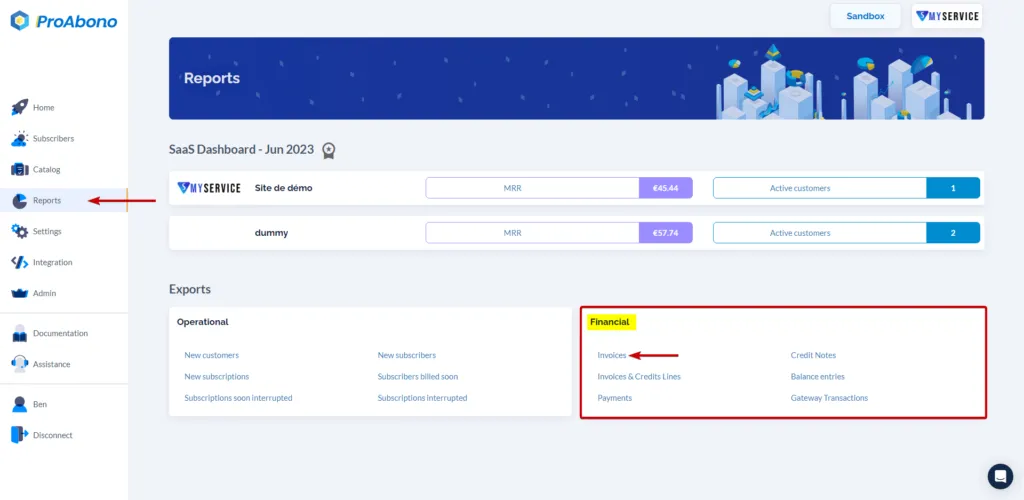
Section titled “1. Access the invoice export”- Click on the “Reports” button from the left menu.
- Select the “Invoices” report.
2. Choose the filters based on your criteria
Section titled “2. Choose the filters based on your criteria”You can filter by:
-
a range of invoice issuance dates
-
invoice status (paid, etc.)
-
associated payment methods
3. Open the export page
Section titled “3. Open the export page”- Open the “Actions” menu.
- Then choose “Download PDFs”.
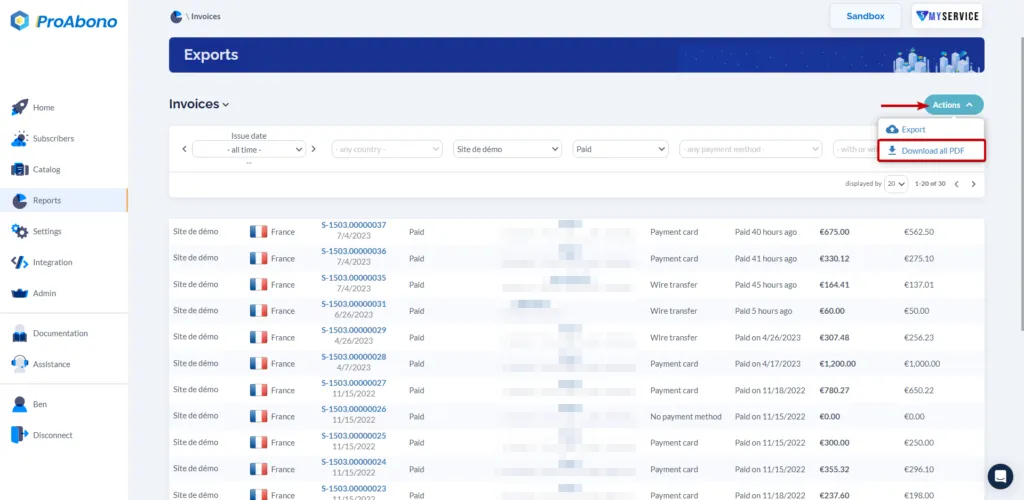
A zip file containing all the invoices in the filtered list will be downloaded to your PC/Mac.
4. Open the export page
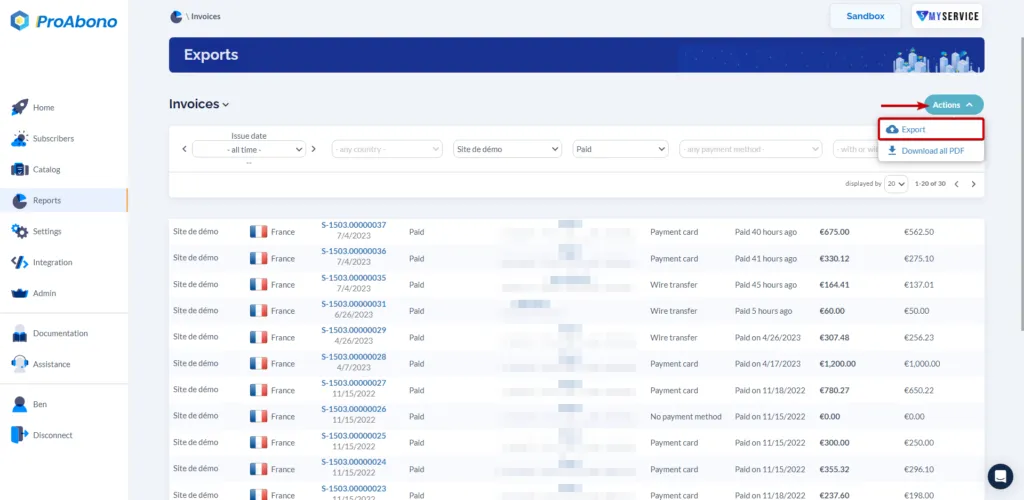
Section titled “4. Open the export page”- Open the “Action” menu.
- Then choose “Export”.
5. Launch the Export
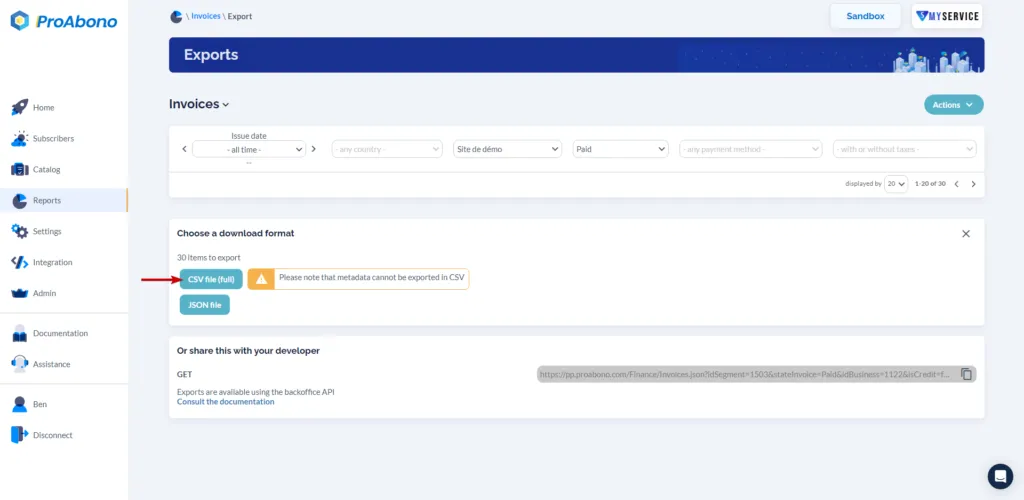
Section titled “5. Launch the Export”Click on the button corresponding to the desired output format: CSV