

How to manage a customer with a non-automatic payment method ?
Context
Section titled “Context”In order to automate processes, it is recommended to encourage your customers to use one of the following payment methods: Credit Card (CB) or SEPA Direct Debit.
However, if you have customers who pay by check, bank transfer, cash, money order, etc., simply let us know and ProAbono will send them the invoices by email according to the agreed terms.
To do this, follow the procedure: How to record payment for an invoice?.
Procedure
Section titled “Procedure”1. Go to the customer’s profile
Section titled “1. Go to the customer’s profile”- Click on “Subscribers” in the left menu.
- Type the customer’s name in the search bar.
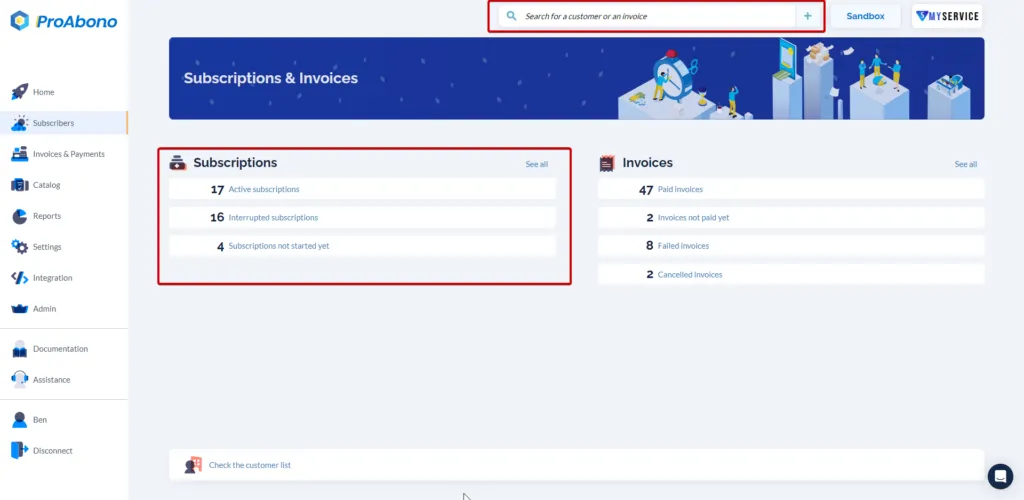
2. Access the modification form
Section titled “2. Access the modification form”- Open the “Actions” menu by clicking on the “chevron” to the right of the customer’s name.
- Then click on the “Edit” button.
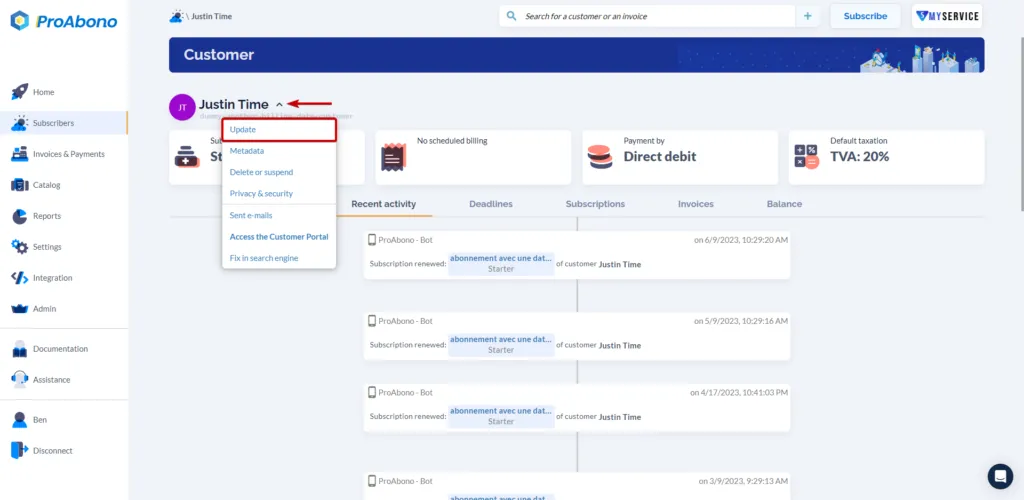
3. Modify the payment method
Section titled “3. Modify the payment method”Once on the modification page:
- Scroll down to the “Payment Method” section.
- Click on the “Offline” payment method.
- Specify the type of payment.
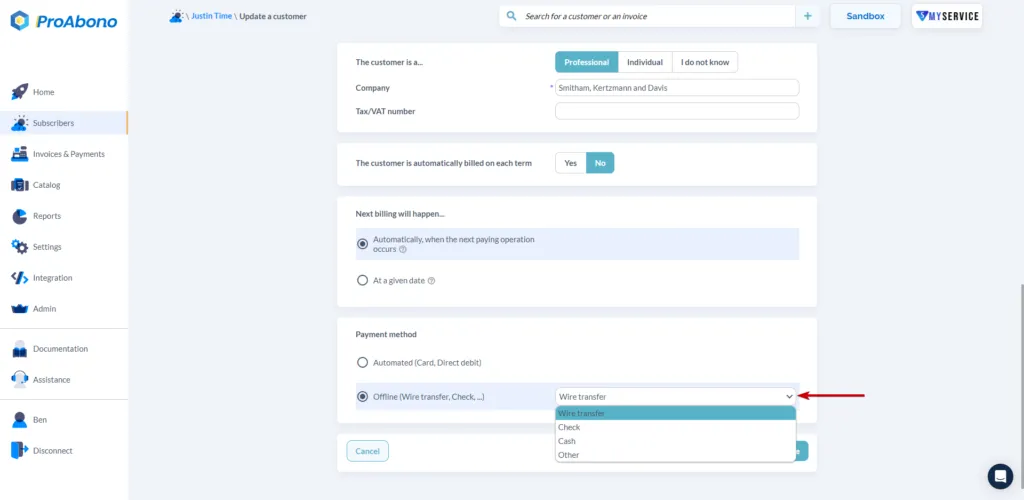
4. Save the form
Section titled “4. Save the form”Simply click on “Save” to apply your modifications.
If everything went well, you can see the selected payment method on the customer’s profile in the designated section.