

How to start a subscription at a specific date
Context
Section titled “Context”If you want to schedule the start of a subscription on a specific date for one of your customers.
Use case:
- One of your customers wants to subscribe to one of your offers but requests to start their subscription only from next month.
Procedure
Section titled “Procedure”1. Go to the profile of the relevant customer.
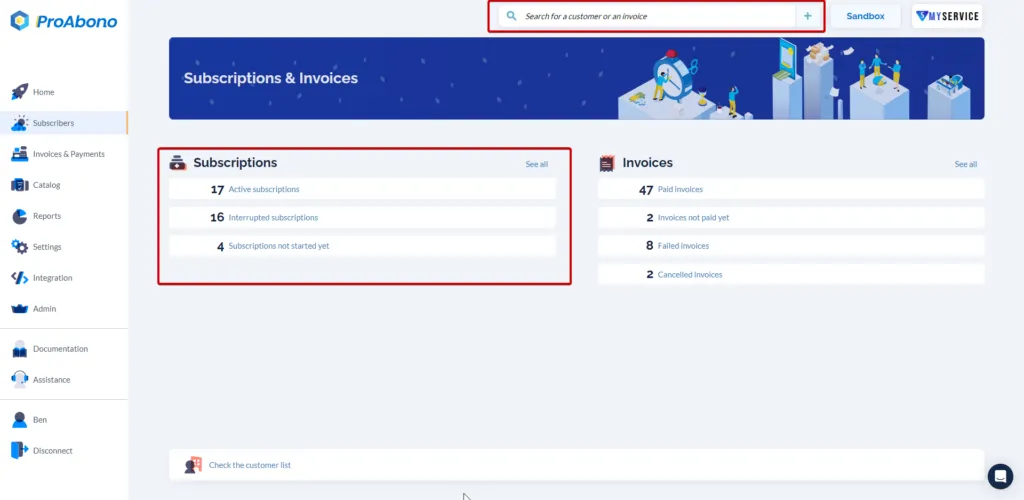
Section titled “1. Go to the profile of the relevant customer.”- Click on “Subscribers” from the left menu.
- Select the relevant customer from the search bar.
2. Select the relevant subscription or create a new one
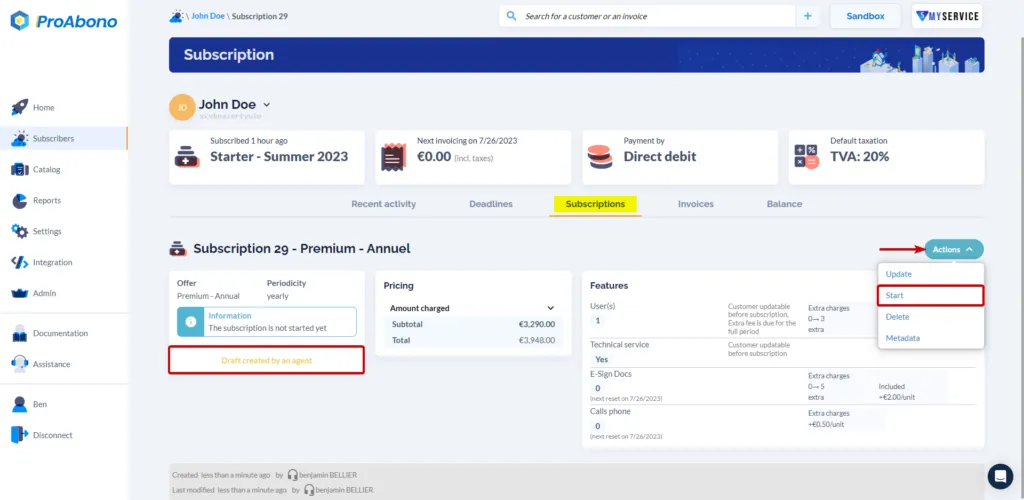
Section titled “2. Select the relevant subscription or create a new one”Once on the subscription profile:
- Open the “Actions” menu.
- Click on the “Start” button.
3. Choose who completes the subscription start.
Section titled “3. Choose who completes the subscription start.”Choose who completes the subscription, validate the subscription, and set the start date of the subscription.
Then, validate the start or send the subscription link to the customer for them to complete the subscription start themselves.
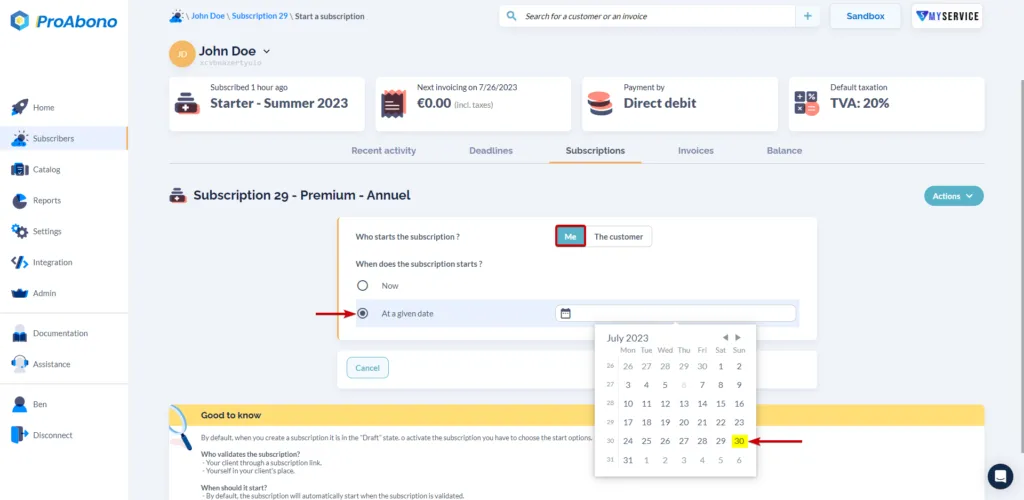
Once the scheduled date arrives, the subscription will start, the invoice will be issued, and the payment will be processed from the customer’s account.