

Change the language of the backoffice
Context
Section titled “Context”By default, the Back Office is displayed in the language of the agent who is accessing it.
If you have set your language to French during the creation of your account, then all the texts will be localized in French.
Procedure
Section titled “Procedure”1. Go to your user profile page
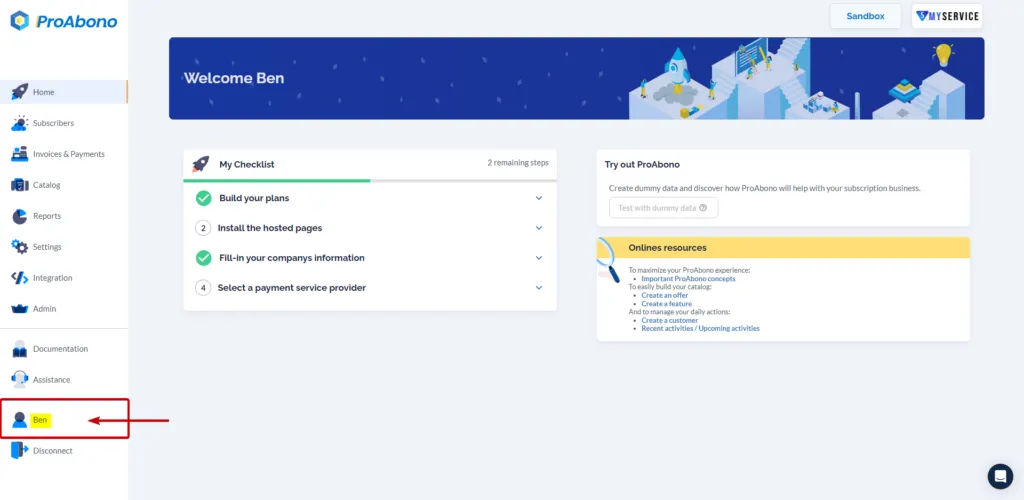
Section titled “1. Go to your user profile page”Click on “your name” in the left menu of the Back Office.
2. Change the language
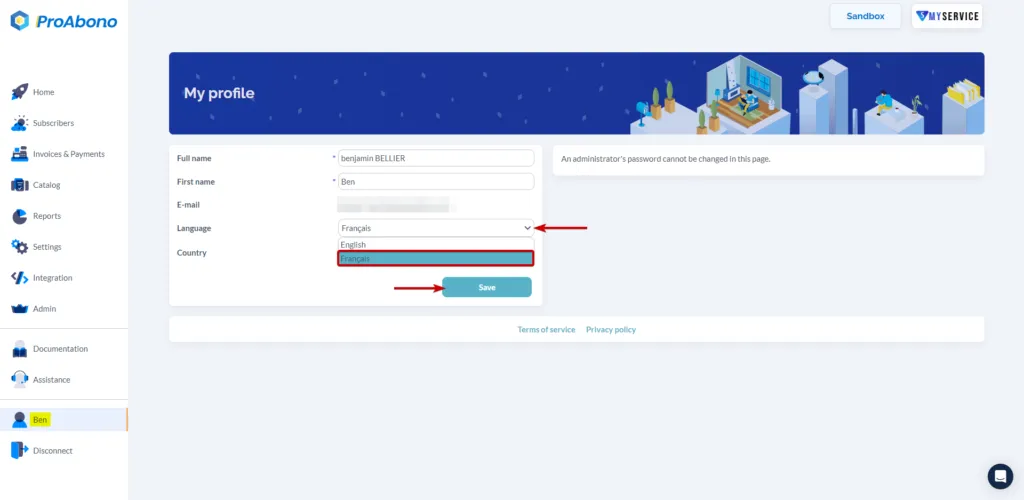
Section titled “2. Change the language”In the modification form, choose the desired language from the dropdown list next to the language field.
3. Save the changes
Section titled “3. Save the changes”Don’t forget to click on “Save” to confirm your modifications.