

How to reset data in sandbox mode ?
Context
Section titled “Context”When you create your ProAbono Business, you are in a “SandBox” mode. This allows you to test all the most important features and experience all the subscription management steps.
In order to easily start fresh and avoid accumulating fake data, ProAbono provides a functionality to easily reset your data when you are in SandBox mode.
There are 3 types of reset:
- Subscriptions, Payment methods, Invoices, Payments
- Customers, Subscriptions, Payment methods, Invoices, Payments
- Offers, Customers, Subscriptions, Payment methods, Invoices, Payments.
Procedure
Section titled “Procedure”1. Access the data reset
Section titled “1. Access the data reset”- Go to the “Integration” menu
- Click on the “Reset” section
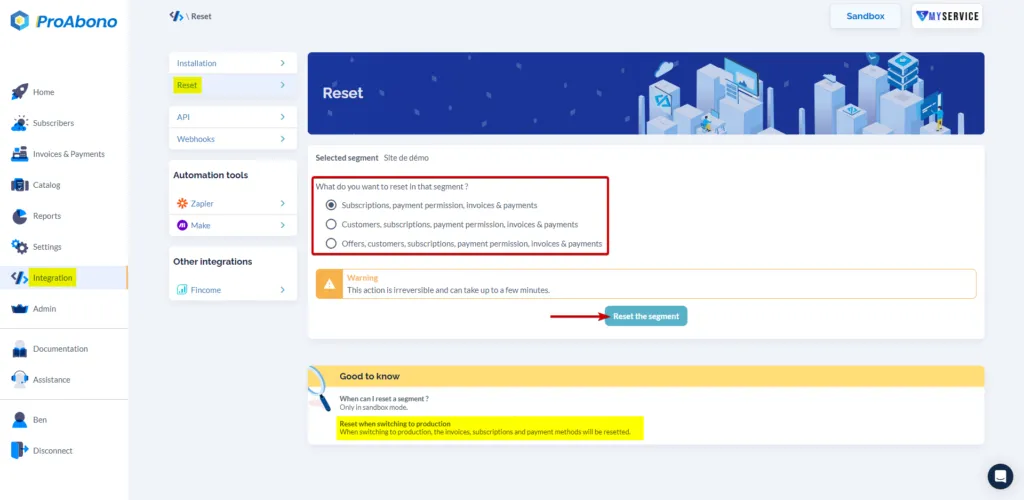
- Choose the type of Reset you want to perform
- Click on the “Reset” button