

How to reactivate an Offer ?
Context
Section titled “Context”If you want to reactivate a previously archived offer that was either outdated or no longer needed, you can do so by reactivating it from the disabled offers section.
Procedure
Section titled “Procedure”1. Go to the offer page
Section titled “1. Go to the offer page”- Click on the “Catalog” button from the left menu.
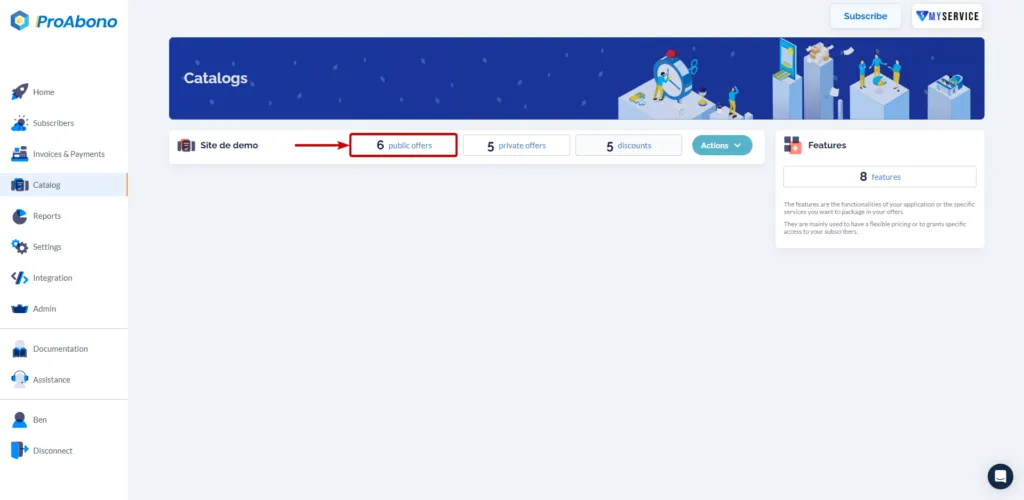
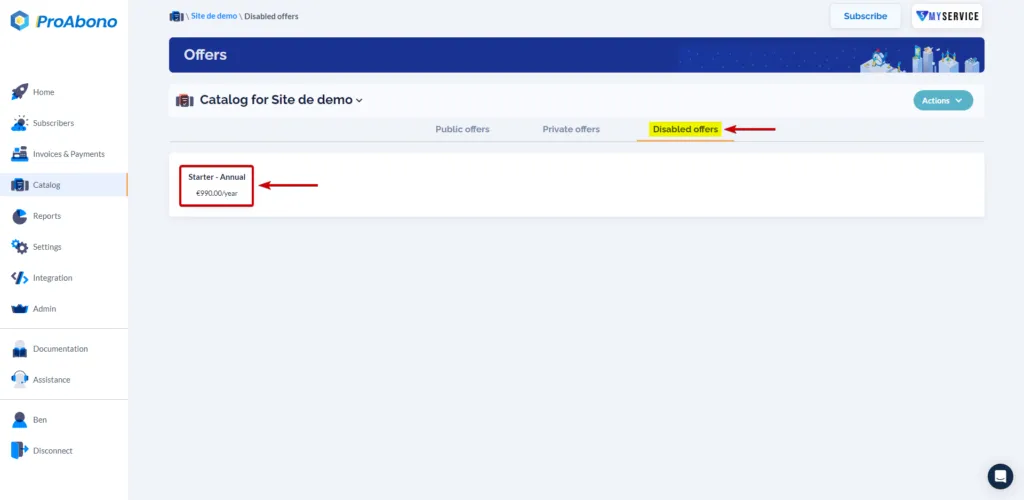
- Choose the category of disabled offers to access the list of offers in that state.
- Select the offer you want to reactivate.
2. Open the reactivation form
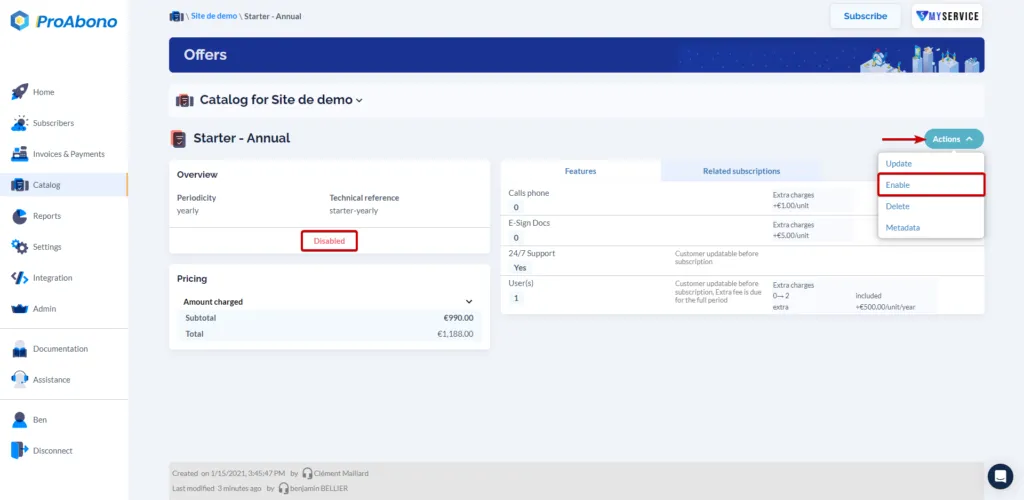
Section titled “2. Open the reactivation form”From the offer page:
- Open the “Actions” menu
- Click on “Enable”
3. Confirm the form
Section titled “3. Confirm the form”Simply click on “Enable the offer” to finalize the action.

The reactivation of an offer results in making it available again and moving it to the “Private Offers” section of the catalog.
You will be able to create new subscriptions based on this offer from the back office, and if you switch the newly reactivated offer to the public section, your customers will also be able to subscribe to it.
It will appear on the Pricing Table of the customer portal.