

How to exclude an agent from my ProAbono business?
Context
Section titled “Context”As part of using ProAbono, you have the ability to exclude agents to revoke their access to the ProAbono back office.
These agents will no longer be able to log in. If you want to grant them access again, you will need to recreate their accounts.
Procedure
Section titled “Procedure”1. Go to the Admin section
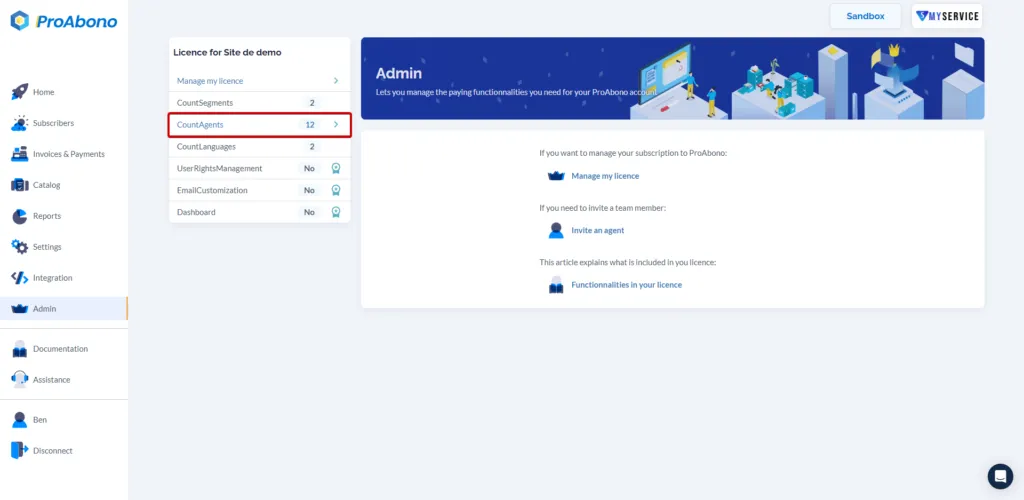
Section titled “1. Go to the Admin section”- Click on the “Admin” button from the left menu.
- Click on the “Agents” section.
2. Access the agent’s rights management form
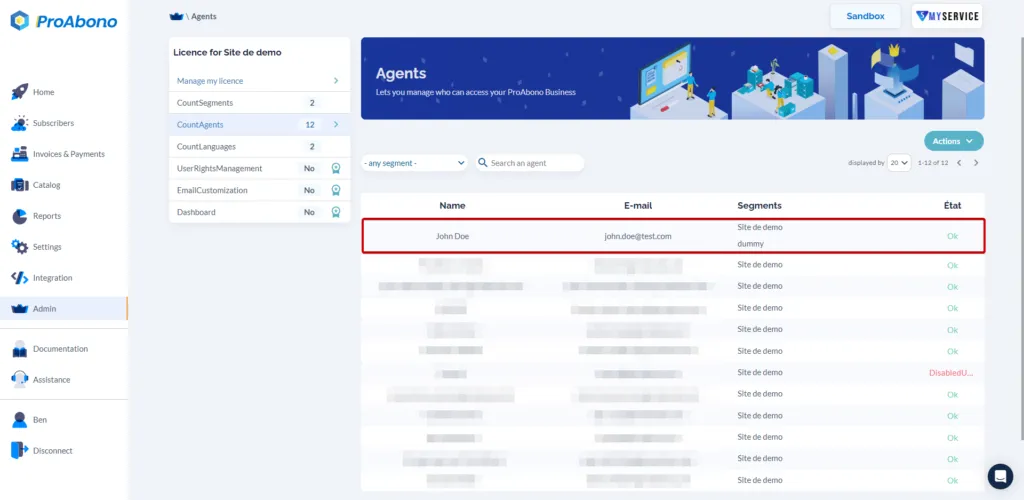
Section titled “2. Access the agent’s rights management form”- Select the agent from the list of your agents.
3. Exclude the agent.
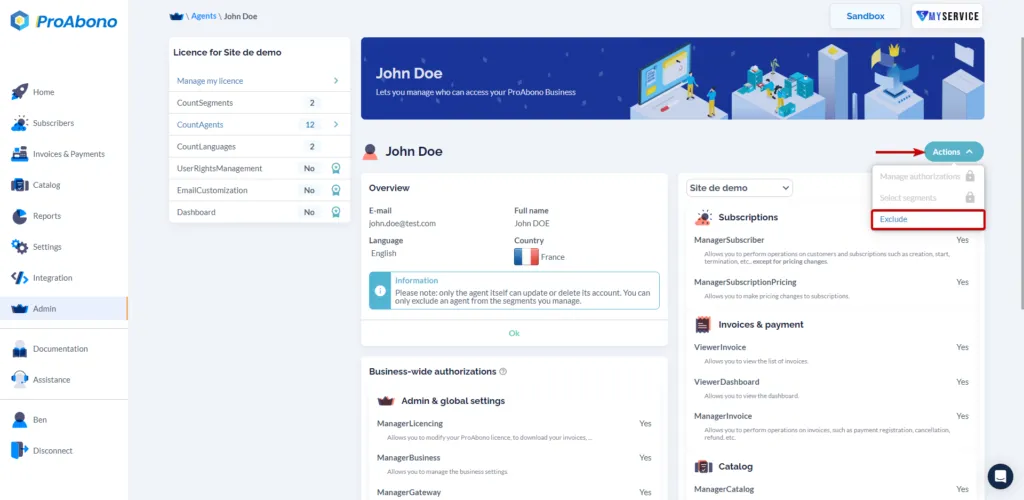
Section titled “3. Exclude the agent.”Once on the detailed page of the selected agent’s rights, you just need to:
- Click on the “Actions” button.
- Click on “Exclude”.
4. Confirm
Section titled “4. Confirm”- Simply choose the segment(s) from which you want to exclude the agent.
- Click on “Exclude”.
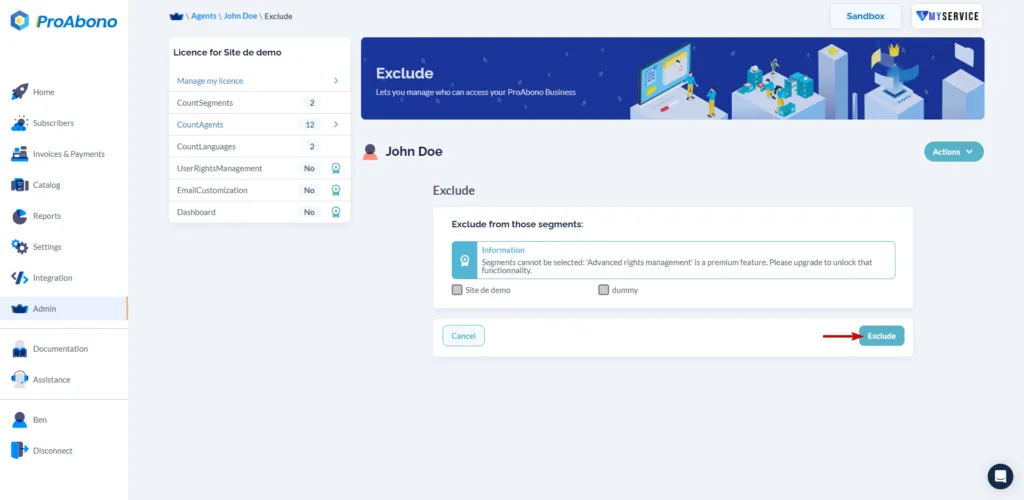 In this example, the agent will be excluded from the "_Site de demo"_ and _"dummy"_ segment.