

How to update payment information for a customer ?
Context
Section titled “Context”The payment method is an essential element for smooth billing. We recommend prioritizing a payment method that allows for automated collections (credit card, SEPA direct debit).
But if necessary, you have the option to choose a non-automated payment method.
Procedure
Section titled “Procedure”1. Access the customer record
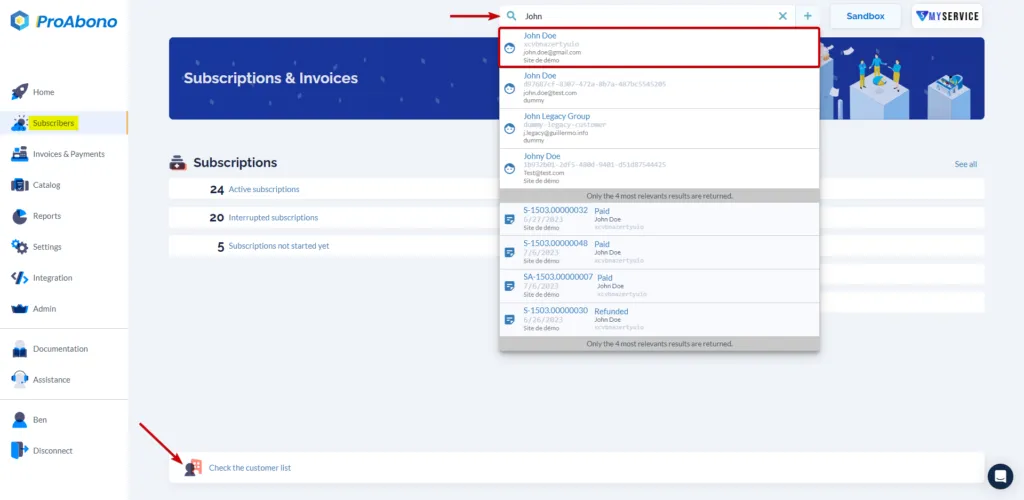
Section titled “1. Access the customer record”- Click on “Subscribers” from the left menu.
- Access the record of your customer from the search engine or the customer list.
2. Open the modification form
Section titled “2. Open the modification form”From the customer’s record:
- Open the action menu (chevron).
- Click on the “Edit” button.
3. Choose the payment method
Section titled “3. Choose the payment method”Scroll down to the “Payment method” section
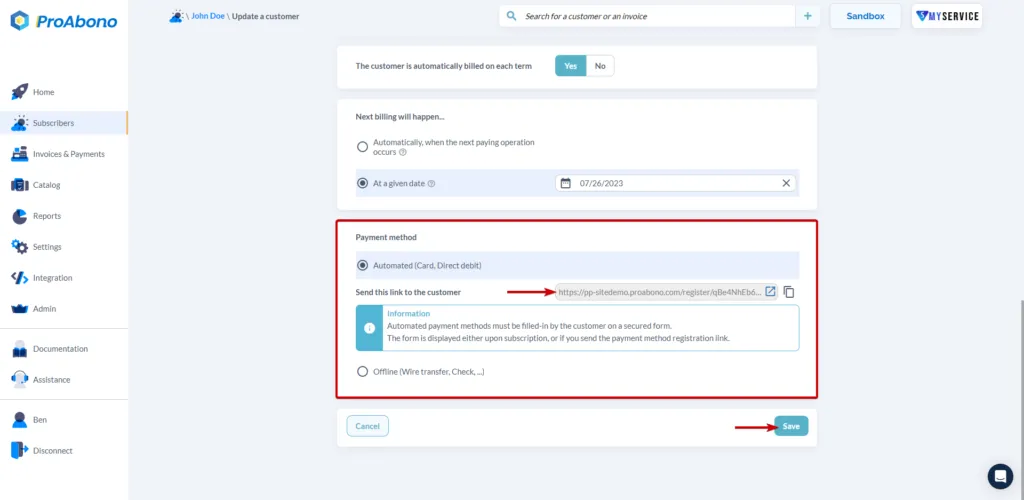
- If you choose an automated payment method:
A link will be generated and you can send it to your customer so that they can access the payment method registration form without going through a subscription process.
- If you choose a non-automated payment method:
Once you have added the bank transfer as the default payment method for a customer, all future invoices for this customer will be issued without automated debits.
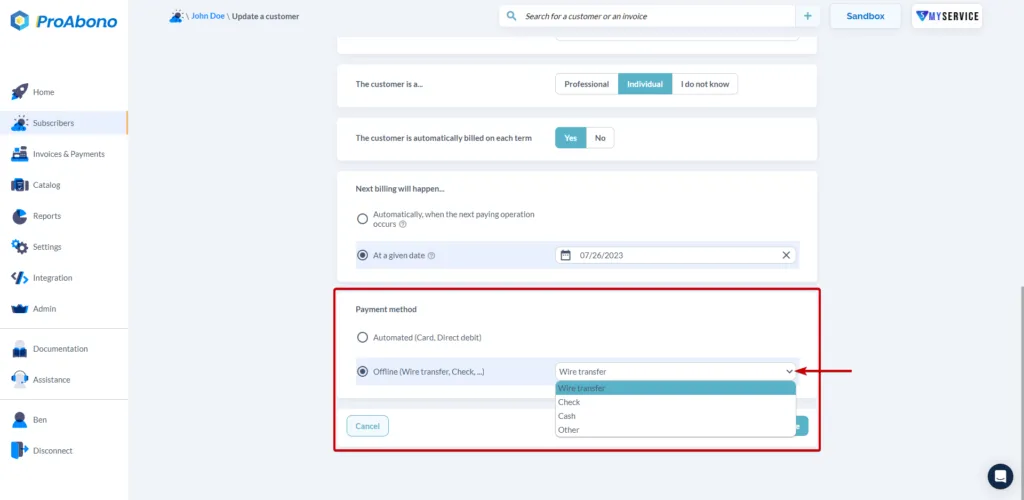
You will need to mark its invoices as “Paid” when you receive a payment.
See “How to manually mark an invoice as ‘paid’?”.
4. Save your modifications
Section titled “4. Save your modifications”Simply click on “Save” to finalize your changes.
If everything went well, the new payment method will appear on the customer’s record.
For further information
Section titled “For further information”You may also need to modify a customer’s billing address. For more information, please consult the documentation: