

How to create an offer ?
Context
Section titled “Context”If you want to learn more about the offers.
Procedure
Section titled “Procedure”1. Access the offer catalog
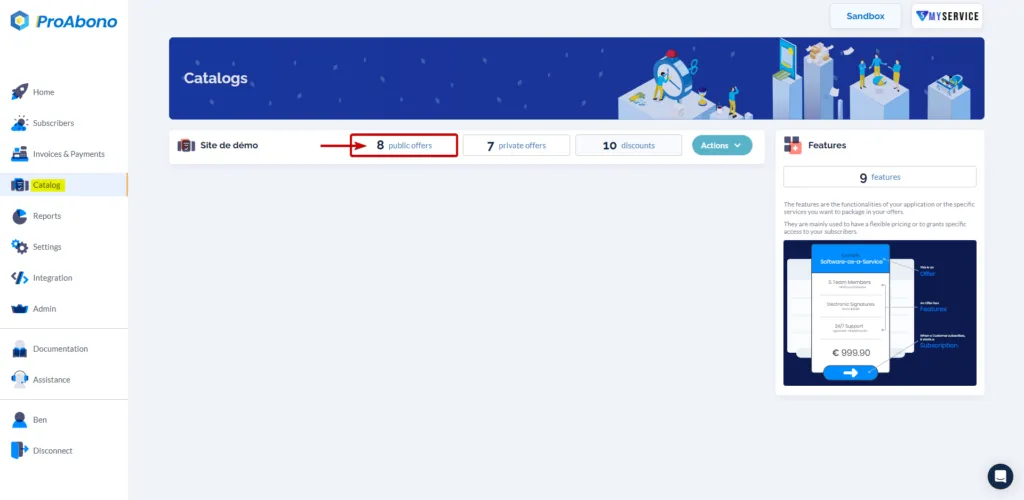
Section titled “1. Access the offer catalog”- Click on the ‘Catalog’ button from the left menu.
- Choose one of the categories (e.g., public offers) to access the list of offers in your segment.
2. Access the creation form
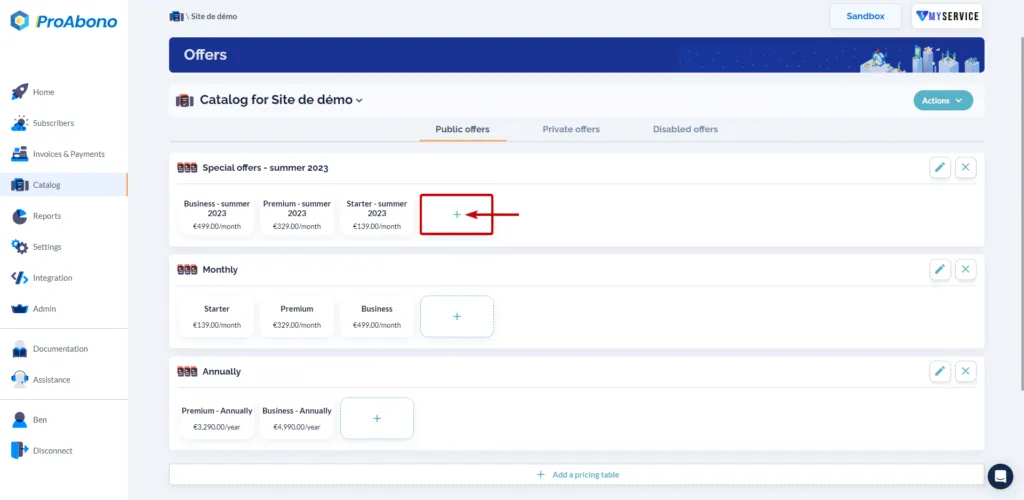
Section titled “2. Access the creation form”- Click on the ‘+’ button from the desired Pricing table.
3. Model your offer
Section titled “3. Model your offer”Discover the different configuration and customization options through the guided cascade.
4. Validate the form
Section titled “4. Validate the form”Simply click on the ‘Save’ button to finalize the creation.
If everything went well, the new offer will appear in your catalog.