

Modify a customer email template
Each type of emails has its own template.
The text of the emails and the html template can be modified.
Notice : The modification of the templates is an advanced feature of ProAbono. See your subscription if the feature is included.
1 - Select what you want to modify : content (text) or template (graphic model)
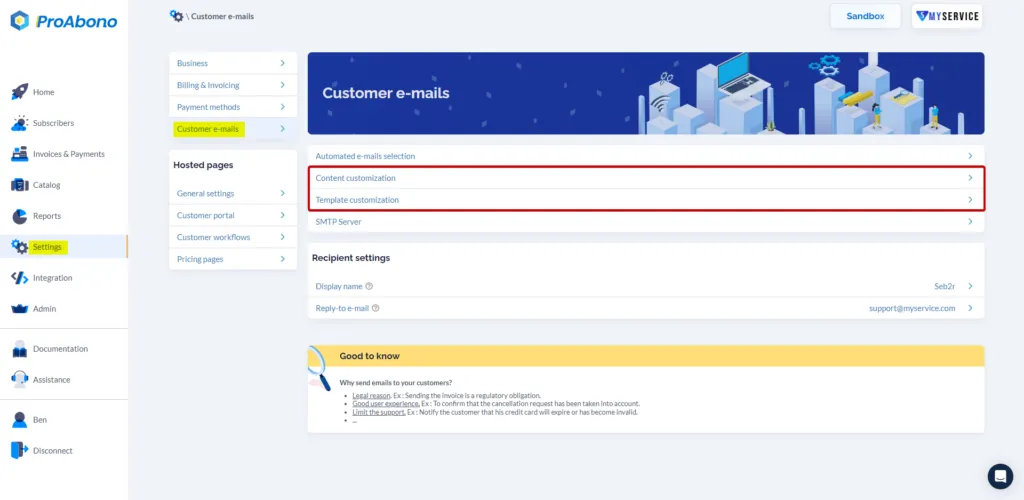
Section titled “1 - Select what you want to modify : content (text) or template (graphic model)”From the backoffice, Menu “Settings”, Submenu “Automatic e-mails”, click on “Content Customization” or “Template Customization”.
2a - Modify the content (text)
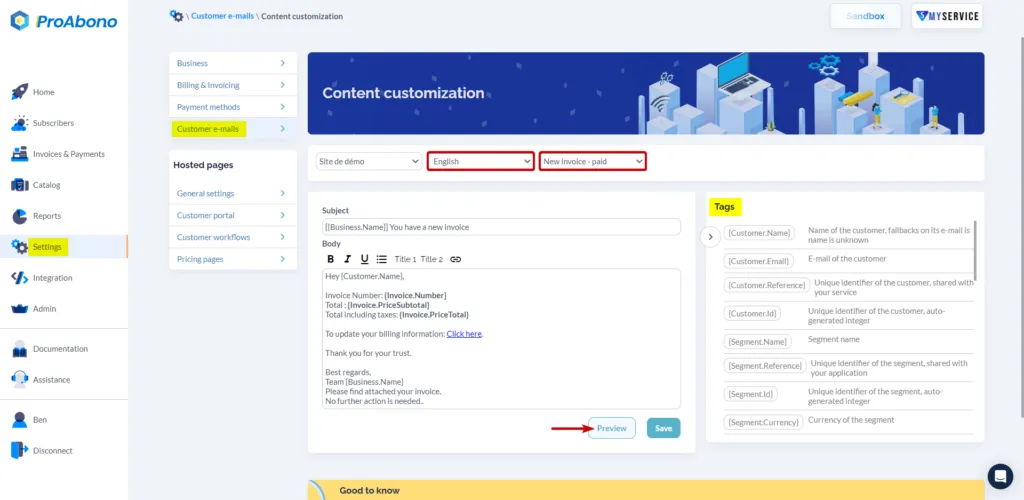
Section titled “2a - Modify the content (text)”ProAbono can insert tags (e.g. Customer name, invoice amount, links to the customer portal) in your emails for a better customization.
In the overview, ProAbono inserts automatically the logo you have provided.
A preview is available to validate your changes.
For technical reasons of performance, changes are delayed on the hosted pages.
2b - Modify the template (graphic model)
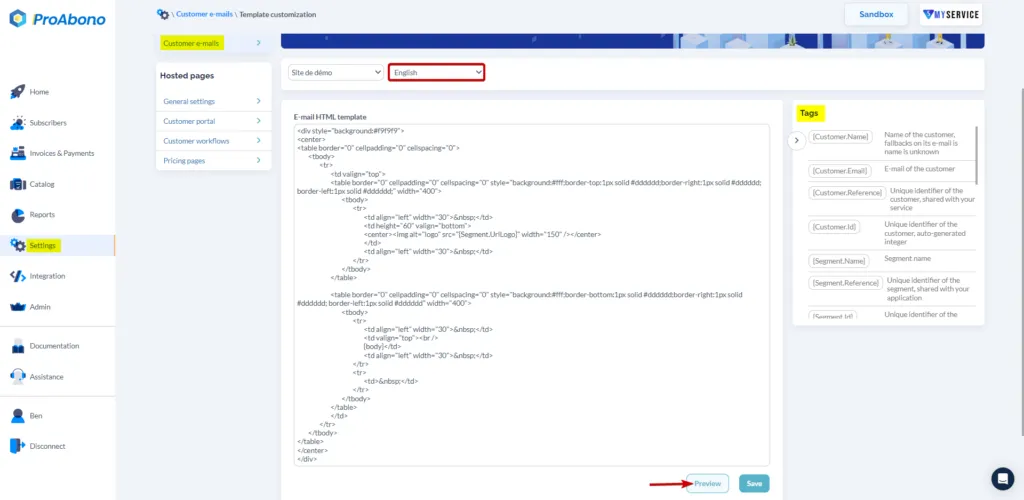
Section titled “2b - Modify the template (graphic model)”In the overview, ProAbono inserts automatically the logo you have provided.
A preview is available to validate your changes.
For technical reasons of performance, changes are delayed on the hosted pages.