

How to update a Feature ?
Context
Section titled “Context”If you want to learn more about features.
Procedure
Section titled “Procedure”1. Access the dedicated section
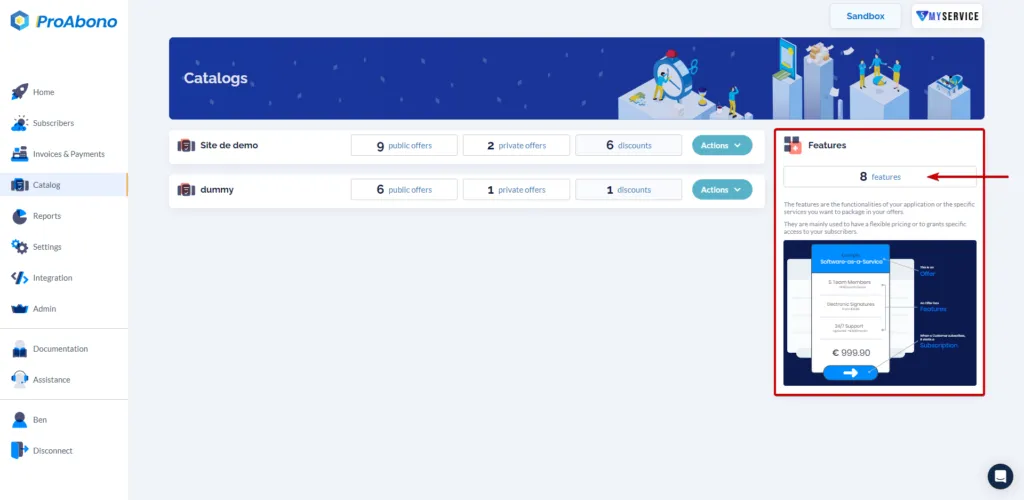
Section titled “1. Access the dedicated section”- Click on the “Catalog” button from the main menu.
- Click on the “Features” button.
2. Open the relevant feature
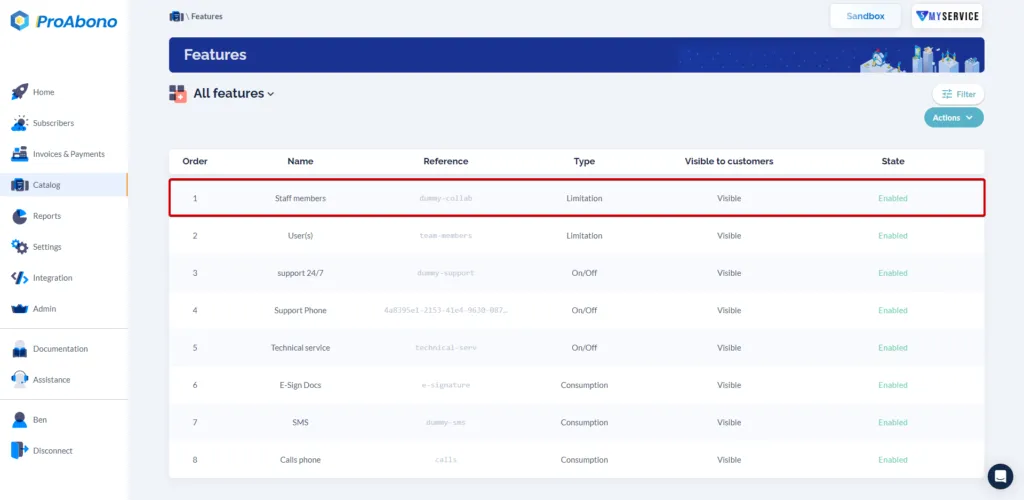
Section titled “2. Open the relevant feature”Once on the page listing all your features:
- Click on the relevant feature
3. Open the modification form
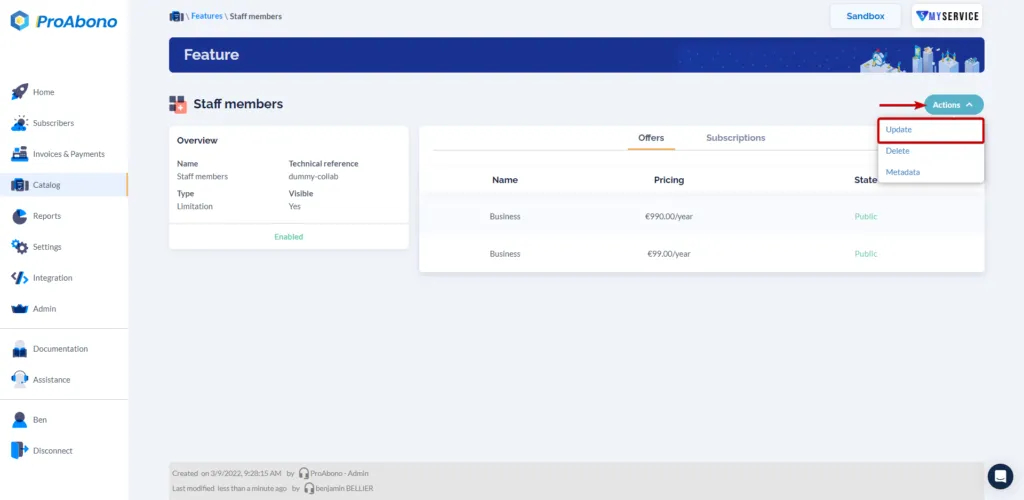
Section titled “3. Open the modification form”- Open the “Actions” menu
- Click on the “Update” button
4. Make changes
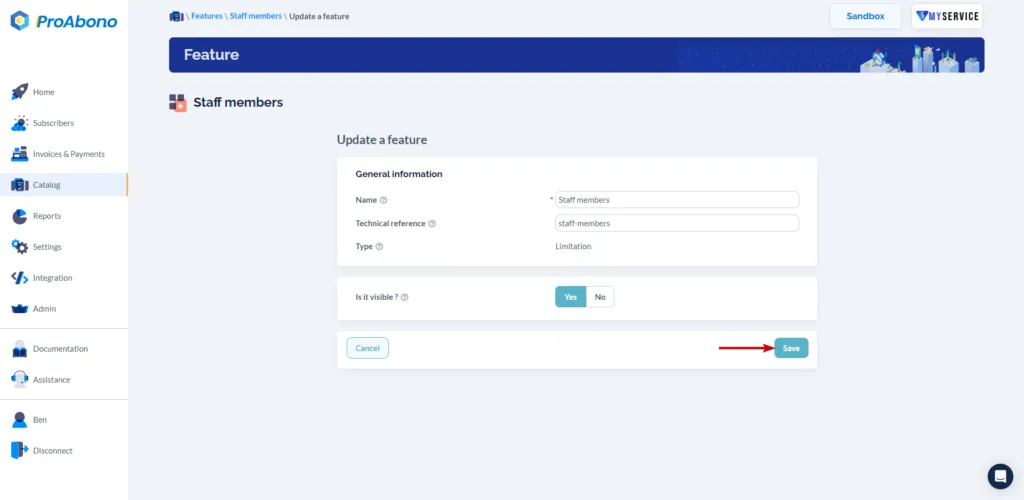
Section titled “4. Make changes”Enter the information for your feature:
- The name and the technical reference.
- The visibility.
5. Save
Section titled “5. Save”Simply click on the “Save” button to finalize the modification.
If everything went well, the modified feature will be available on the page listing your features.
For more information
Section titled “For more information”You can now associate your features with any offer or subscription.
To associate a feature with an offer, please refer to the page: How to configure a feature?