

How to configure a Feature ?
Context
Section titled “Context”A feature is a global resource, but when you associate it with an offer or a subscription, you need to add information regarding its pricing.
Prerequisites
Section titled “Prerequisites”Even though you can create a feature on the fly from the offer creation/modification form, it is recommended to create it beforehand (see the article: Creating a Feature).
Procedure
Section titled “Procedure”1. Go to the offer catalog.
Section titled “1. Go to the offer catalog.”- Click on the “Catalog” button from the left menu.
- Choose one of the categories (e.g., public offers) to access the list of offers in your segment.
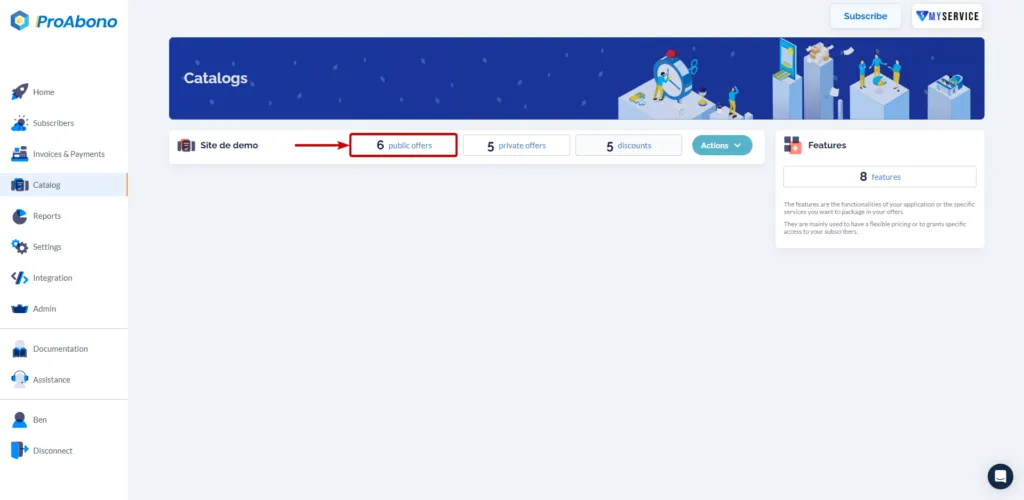
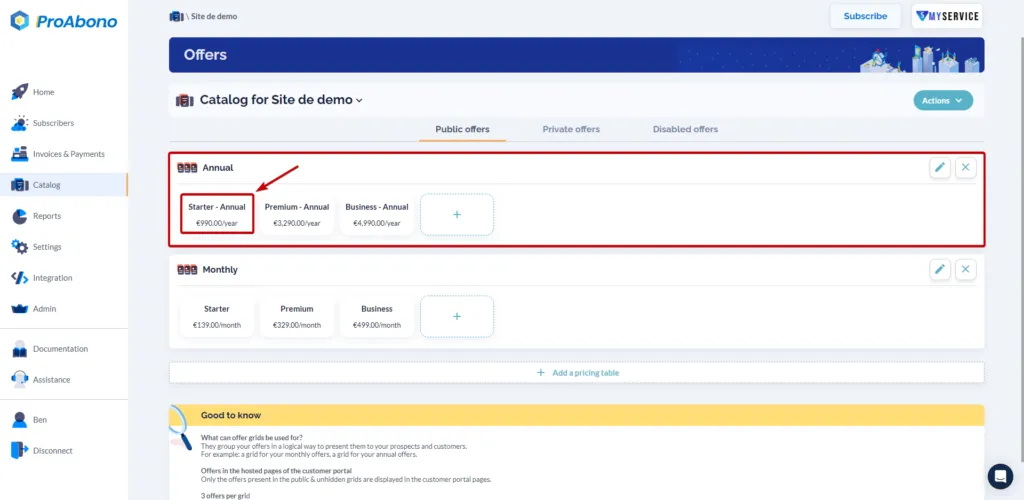
2. Access the modification form
Section titled “2. Access the modification form”- Select the offer on which you want to make the modifications.
3. Configure the desired feature.
Section titled “3. Configure the desired feature.”Once in the edit menu of the offer:
- Scroll down to the “Features” tile.
- Click on the “Update” button (pencil icon) next to the feature you want to configure.
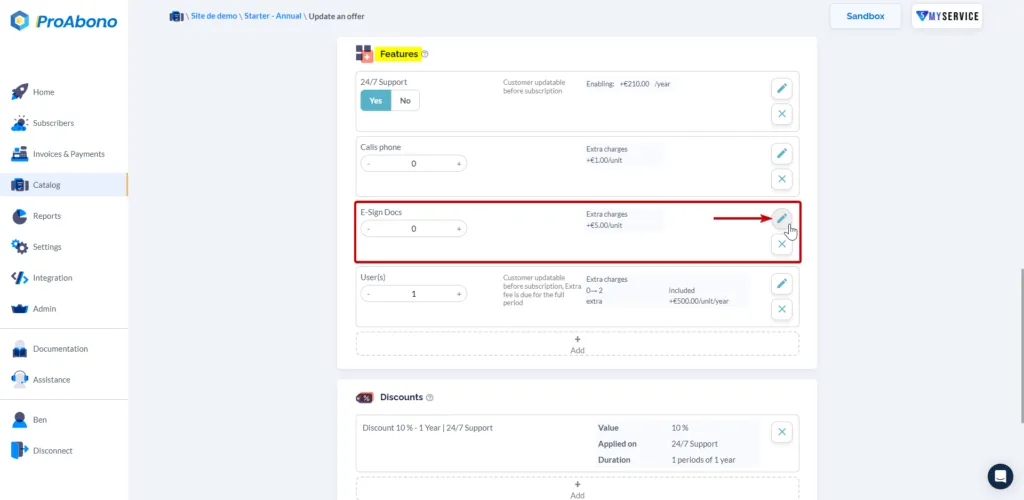
If you want more details on configuration by feature type, consult the associated documentation:
- How to configure a “Limitation” type feature?
- How to configure an “OnOff” type feature?
- How to configure a “Consumption” type feature?
4. Save the modifications
Section titled “4. Save the modifications”Simply click on the “Save” button at the bottom of the page to apply your modifications.