

How to configure a Limitation Feature ?
Context
Section titled “Context”When creating an offer or a subscription, you need to add information regarding the pricing of each feature.
These parameters vary depending on the type of feature.
Procedure
Section titled “Procedure”Follow the procedure for configuring a feature until the step “3. Configure the desired feature.”
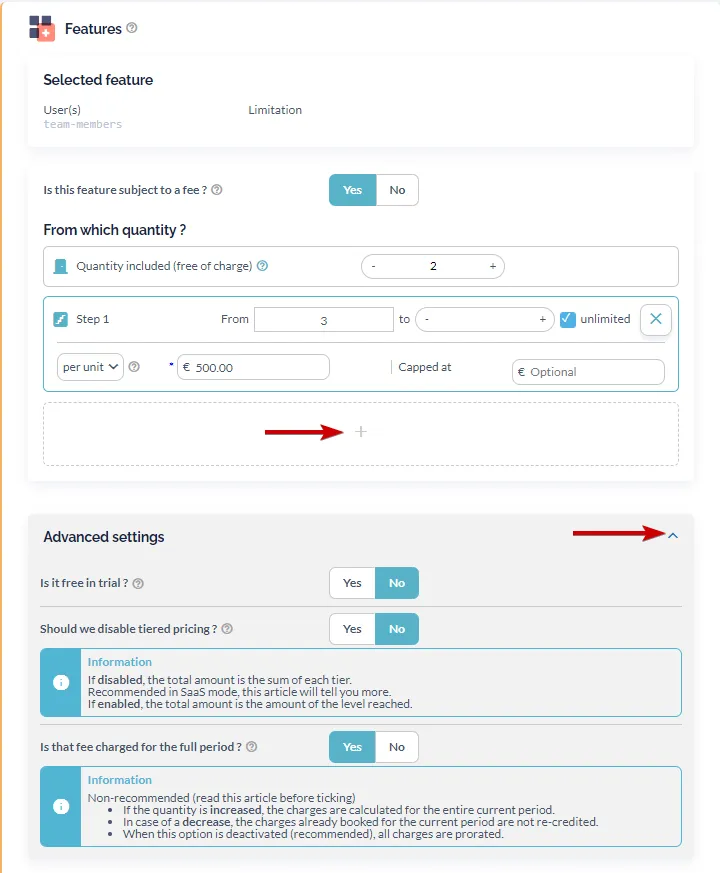
Set the fields associated with “Limitation” type features:
- A price (you can also define it as free).
- An included quantity (number of items included in the price of the offer or subscription).
- Multiple pricing tiers.
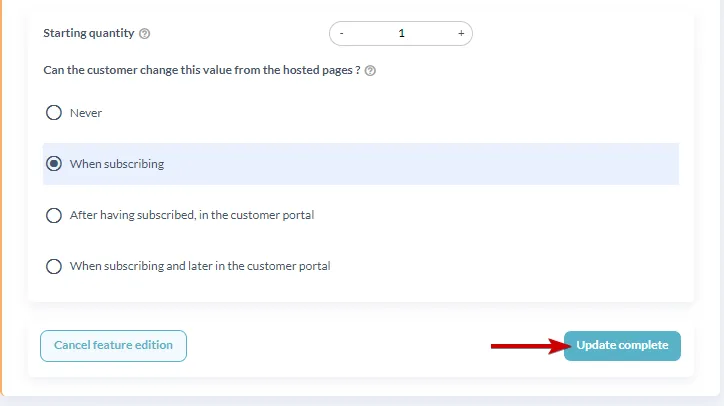
- The declared quantity at the start of the subscription.
- Advanced pricing options.
- Access limitations to the feature (Allow customers to modify it themselves).
For more information
Section titled “For more information”Learn how to configure other types of features: