

How to update the features in a subscription?
Procedure
Section titled “Procedure”1. Go to the subscription to be modified.
Section titled “1. Go to the subscription to be modified.”- Click on “Subscribers” from the main menu.
- Search for the subscription from one of the pre-filtered lists or using the search bar.
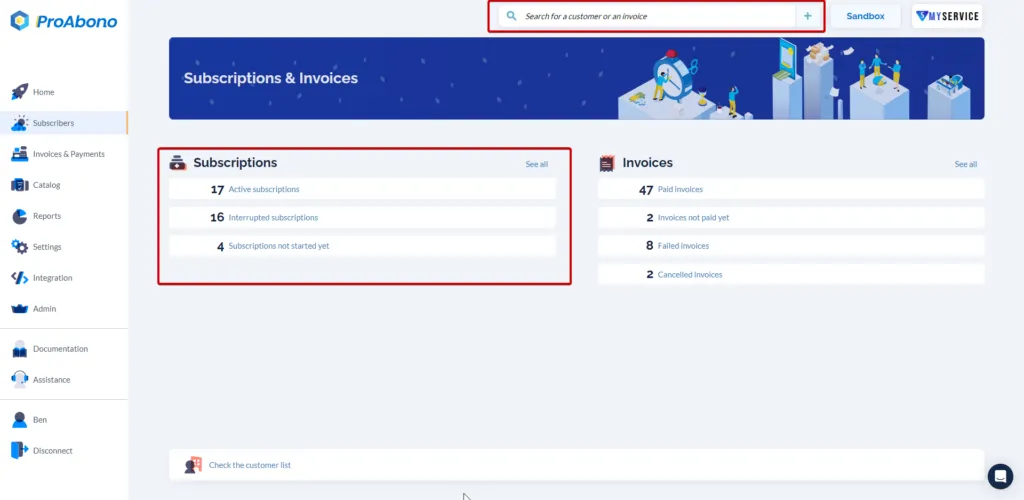
2. Access the modification form
Section titled “2. Access the modification form”Once on the subscription page:
- Open the “Actions” menu.
- Click on the “Update” button.
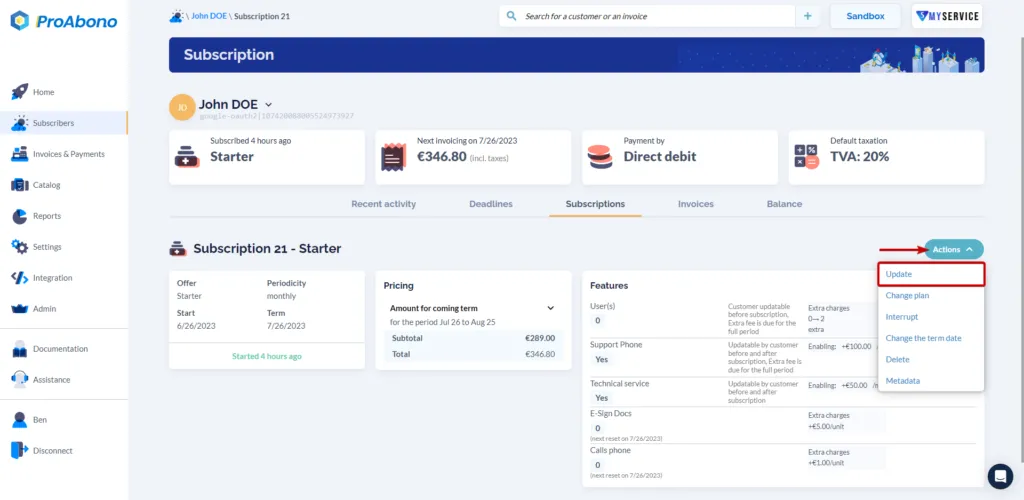
3. Make the desired modifications
Section titled “3. Make the desired modifications”Once on the subscription editing form, scroll down to the “features” tile.
If you want to add a characteristic
- Click on the “+ Add” button.
- Then search for the desired characteristic.
- Click on one of the search results to access the configuration step for that characteristic.
If you want to edit a characteristic
- Click on the “Edit” button (pencil icon)
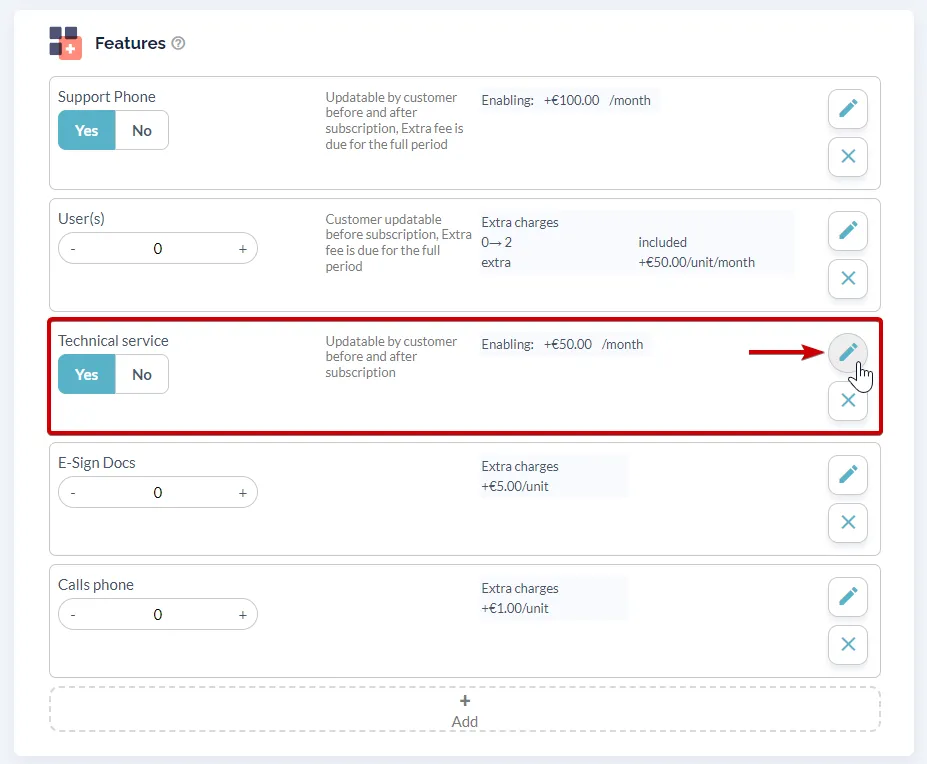 You will then access the feature editing menu where you can make all the desired modifications.
If you want to delete a characteristic
- Click on the cross.
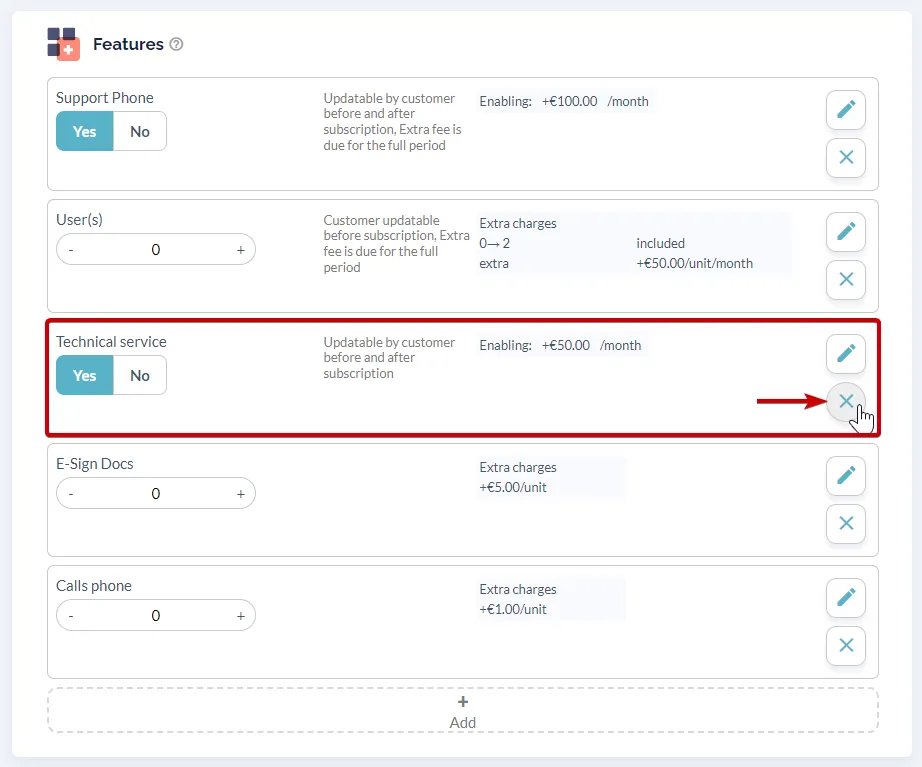
4. Validate to confirm your modifications
Section titled “4. Validate to confirm your modifications”Simply click on “Save” at the bottom of the page.