

How to update customer billing address ?
Context
Section titled “Context”Billing-related data is crucial for proper invoice management. In case of input errors or if your customer changes their billing address, you need to update this information.
Customers can update their billing information independently through:
- The subscription process of one of your offers
- Directly in the customer portal under the Billing Details section
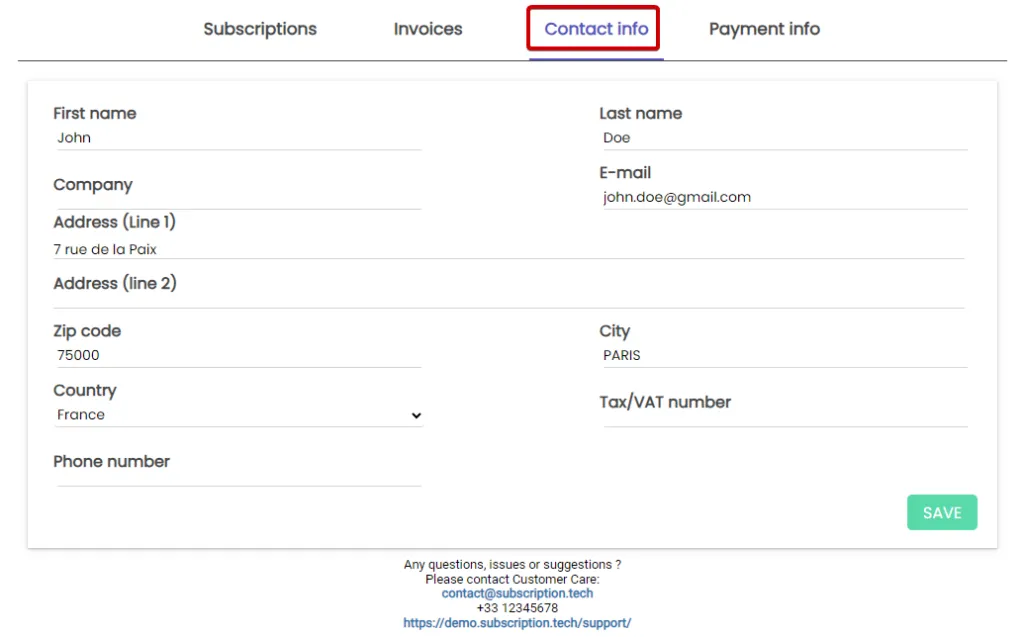
Example: Here is the billing address registration form, which can be found in the Billing Details section of the customer portal.
Procedure
Section titled “Procedure”1. Go to the customer’s profile.
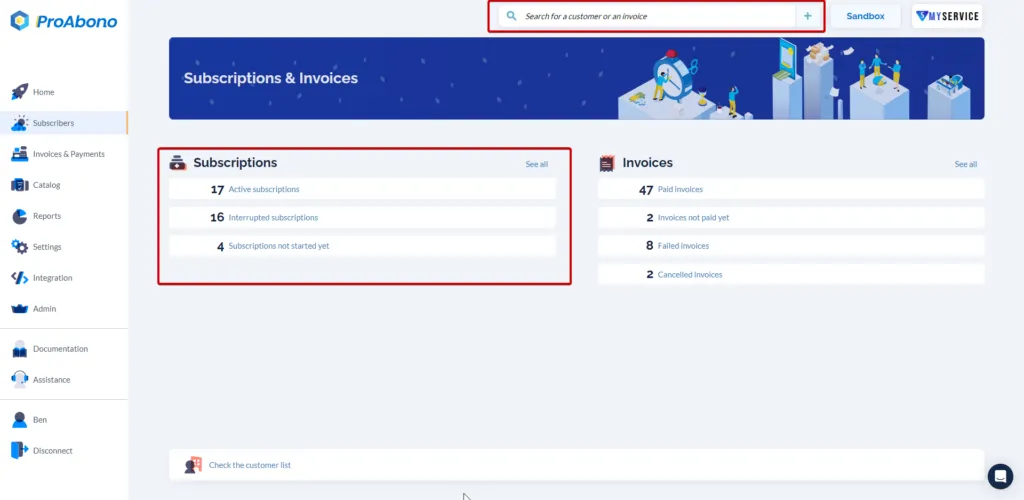
Section titled “1. Go to the customer’s profile.”- Click on “Subscribers” from the left menu.
- Access the customer’s profile by searching for them using the search bar or the list of customers.
2. Open the modification form.
Section titled “2. Open the modification form.”Once on the customer’s profile:
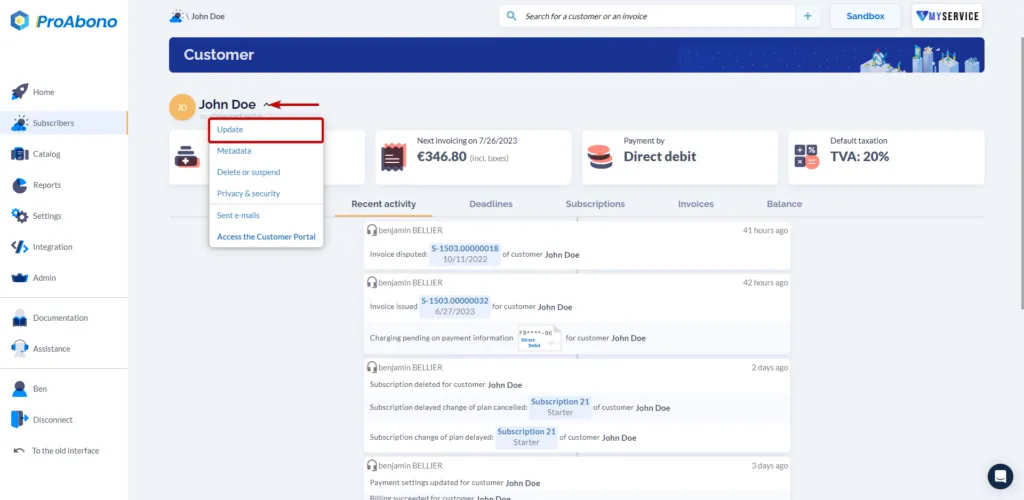
- Open the “Action” menu (chevron).
- Click on the “U_pdate_” button.
3. Apply your changes
Section titled “3. Apply your changes”Once on the modification form:
- Scroll down to the billing address.
- Modify the desired fields.
4. Save your changes
Section titled “4. Save your changes”- Don’t forget to click the “Save” button at the bottom of the page to confirm your modifications.
For more information
Section titled “For more information”To update a customer’s billing address using API, please refer to our dedicated documentation.
Another crucial data for proper invoicing that you may need to update is the customer’s payment method.
To learn more: How to update a customer’s payment method?