

How to cancel an invoice ?
Context
Section titled “Context”Deleting or modifying an invoice is illegal!
However, it is still possible to cancel it, provided that you also issue a credit note containing the ‘negative’ of that invoice. This credit note will be automatically generated by ProAbono upon cancellation.
What can be canceled?
Section titled “What can be canceled?”Only invoices that have not been paid yet (in the ‘Payment Due’ state) can be canceled.
Even if you cannot cancel a paid invoice anymore, you still have the option to issue a refund.
Procedure
Section titled “Procedure”1. Go to the invoice detailed page.
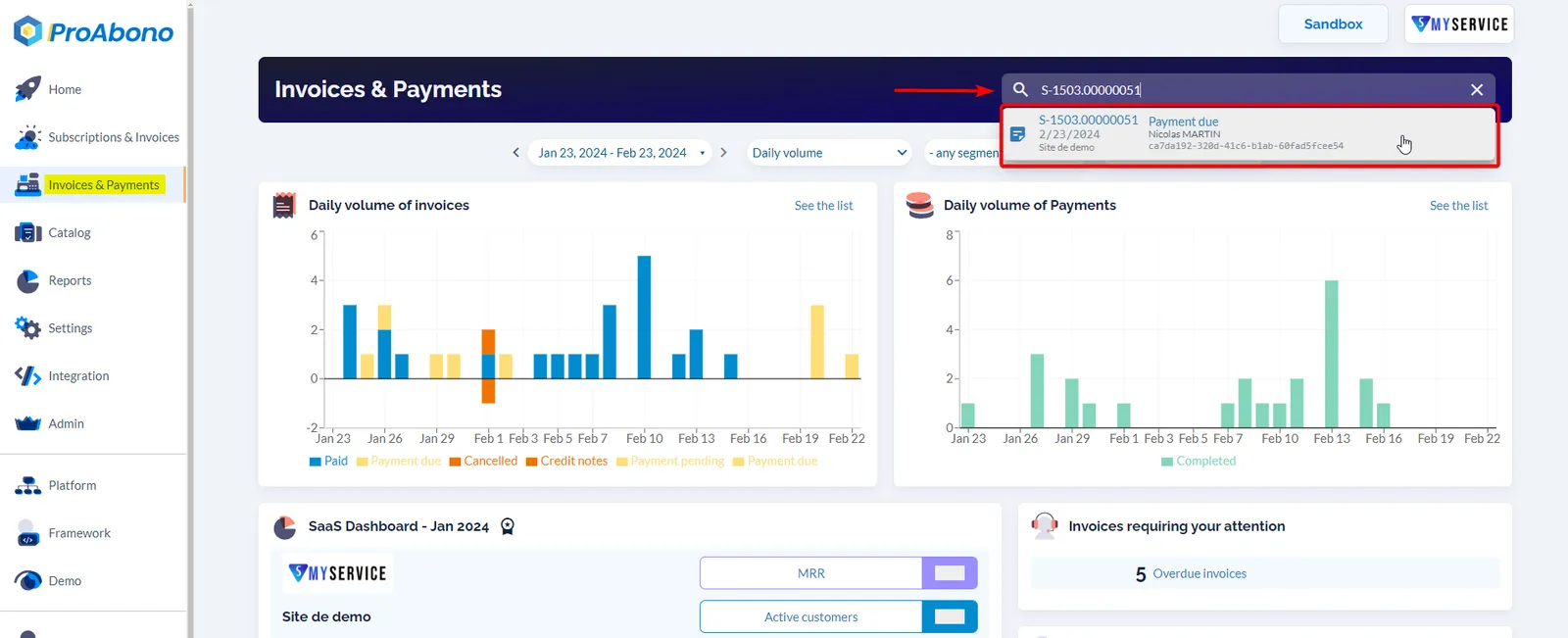
Section titled “1. Go to the invoice detailed page.”- Click on “Invoices & Payments” from the left-hand menu.
- Search for the invoice by entering its number
- Select the invoice found.
2. Open the cancellation form
Section titled “2. Open the cancellation form”Once on the invoice page:
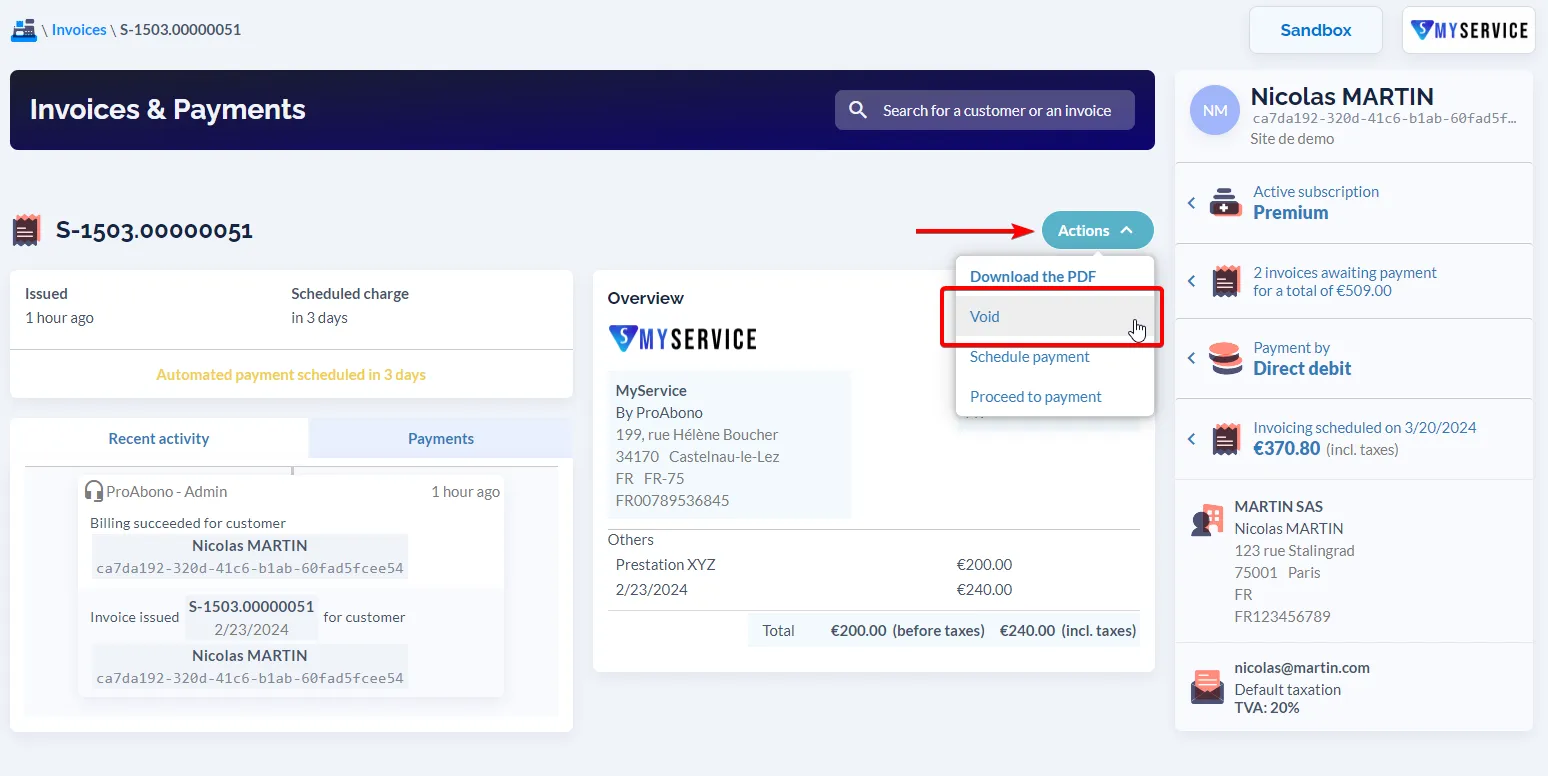
- Open the “Actions” menu.
- Click on “Void”.
3. Fill in the required information
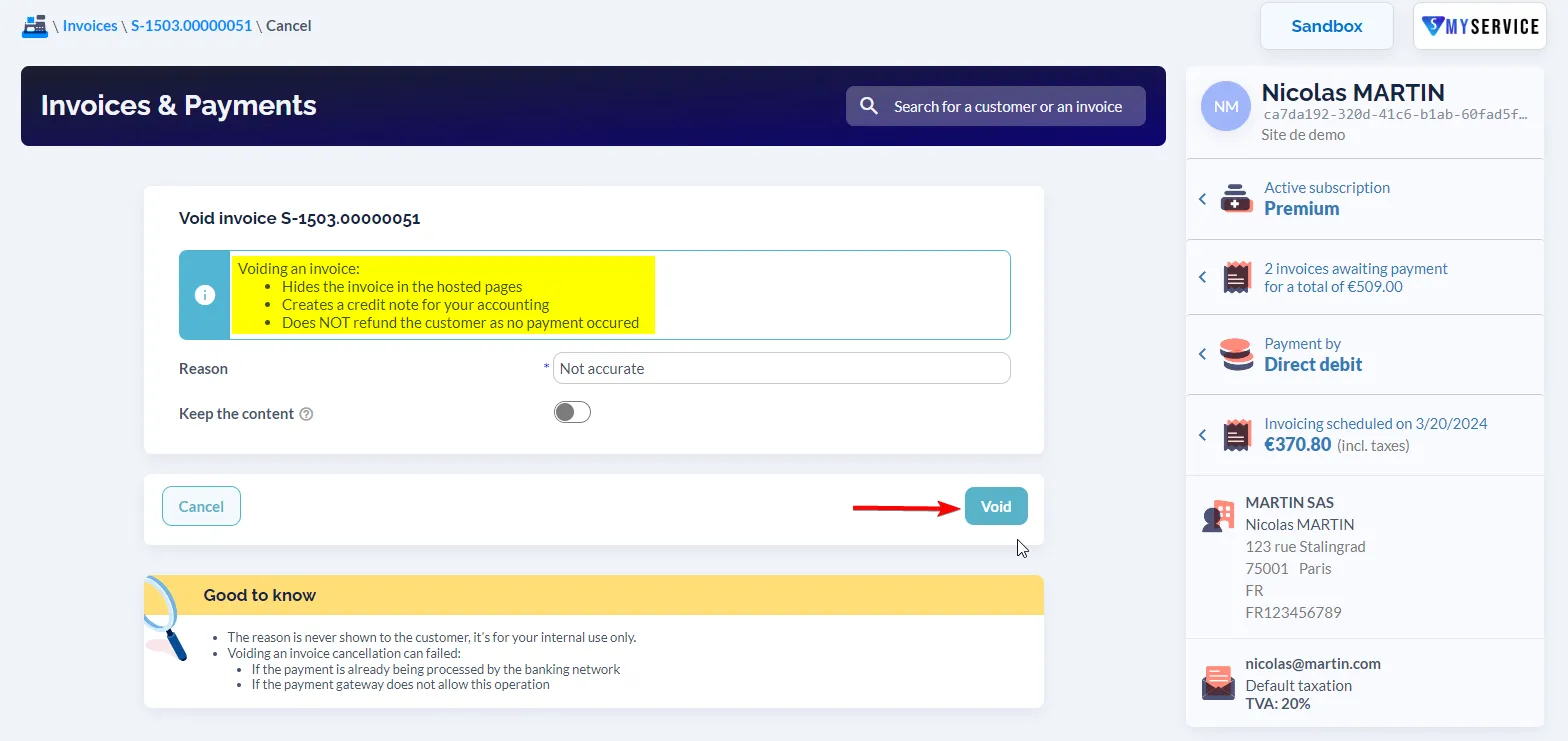
Section titled “3. Fill in the required information”A reason must be provided to justify this cancellation.
4. Save
Section titled “4. Save”- Click on the “Void” button to proceed with your action.
If your request has been successfully processed, the invoice will appear with the status “Voided”.
Further Steps
Section titled “Further Steps”Here are other ways to correct an invoice: