

How to terminate a subscription ?
Context
Section titled “Context”If you want to terminate a customer’s access to your service and stop the associated billing, you can terminate their subscription.
Use case:
- One of your customers no longer wishes to use your service.
Prerequisites
Section titled “Prerequisites”- You must already have a subscription in the “started” state.
Procedure
Section titled “Procedure”1. Go to the subscription details
Section titled “1. Go to the subscription details”- Click on “Subscribers” from the left menu.
- Select the relevant subscription.
2. Open the termination form
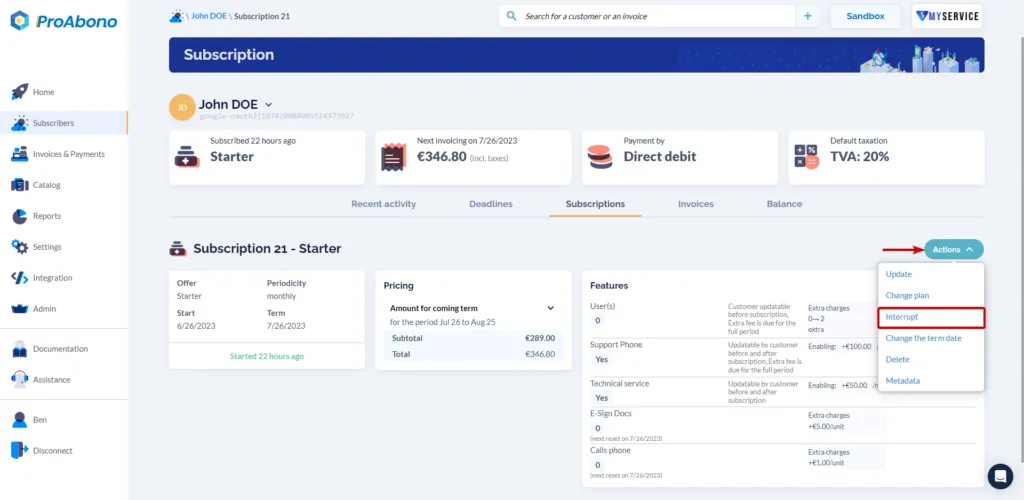
Section titled “2. Open the termination form”Once on the subscription details page:
- Open the “Actions” menu.
- Click on the “Interrupt” button.
3. Choose the type of termination
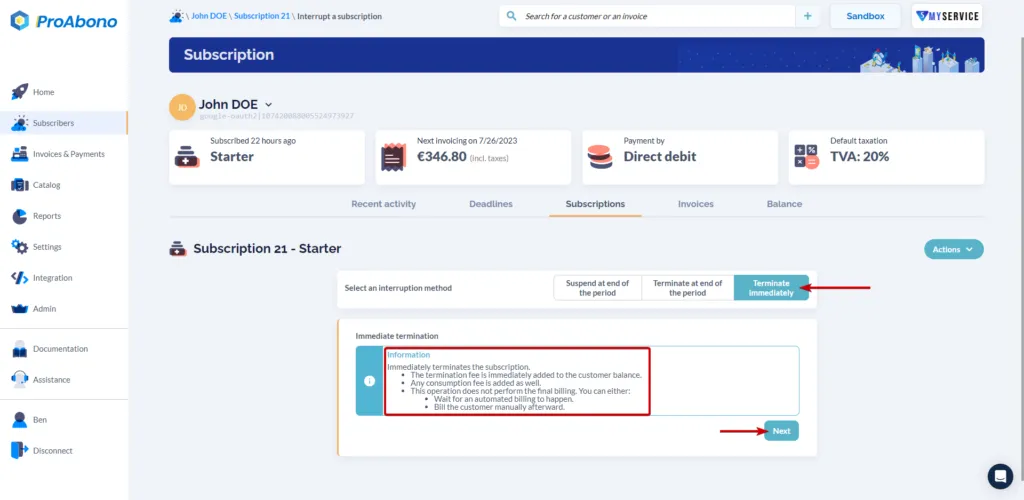
Section titled “3. Choose the type of termination”If you want the termination to take immediate effect:
- Click on the “Terminate immediately” button
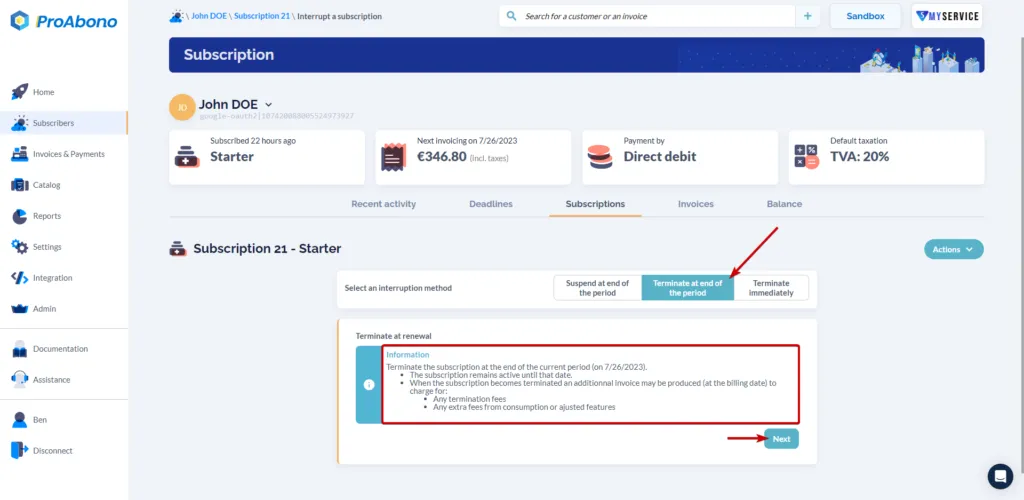
If you want the termination to take effect at the end of the current period:
- Click on the “Terminate at renewal” button
4. Confirm your termination
Section titled “4. Confirm your termination”All that’s left is to confirm the action to validate the termination:
- Click on the “Yes, terminate immediately” button if you have chosen an immediate termination.
- Click on the “Yes, terminate at renewal” button if you have chosen a termination at renewal.
If everything went well, you will see the termination date (or scheduled termination) on the subscription details page.
To go further
Section titled “To go further”If you do not want to permanently delete the subscription but rather temporarily suspend it.
- Consult the documentation: How to suspend a subscription?
Your customer also has the option to terminate their subscription from the customer portal.
- To learn more, see the termination from the customer portal page.