

How to update an offer ?
Context
Section titled “Context”Once you have created your first offers and started your first subscriptions, you may want to modify certain elements of your offers.
The actions you can perform when modifying an offer are based on the following elements:
- The general information that identifies your offer
- Name
- Technical reference
- The pricing of the offer
- Startup fees
- Fixed amount
- Cancellation fees
- Cost of features
- The billing period, minimum commitment, and trial period
- Adding discounts
All information related to offers is accessible and modifiable from the catalog section of your ProAbono back office.
2. Procedure
Section titled “2. Procedure”1. Go to the offer catalog.
Section titled “1. Go to the offer catalog.”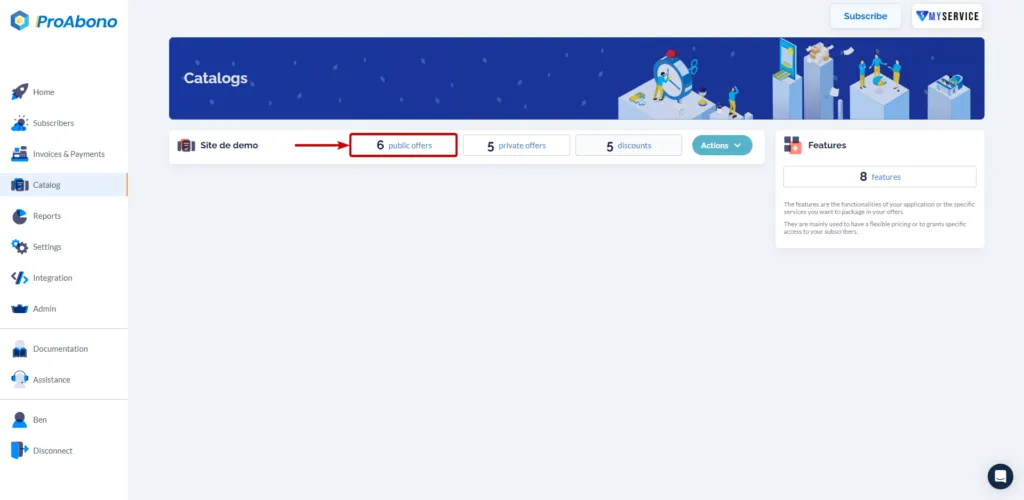
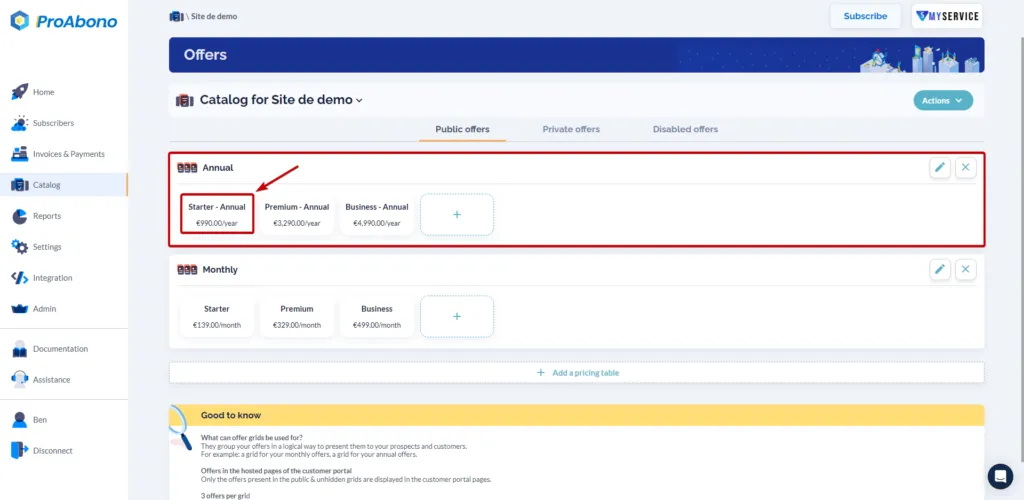
2. Access the editing form
Section titled “2. Access the editing form”- Select the offer you want to modify.
3. Make the desired modifications.
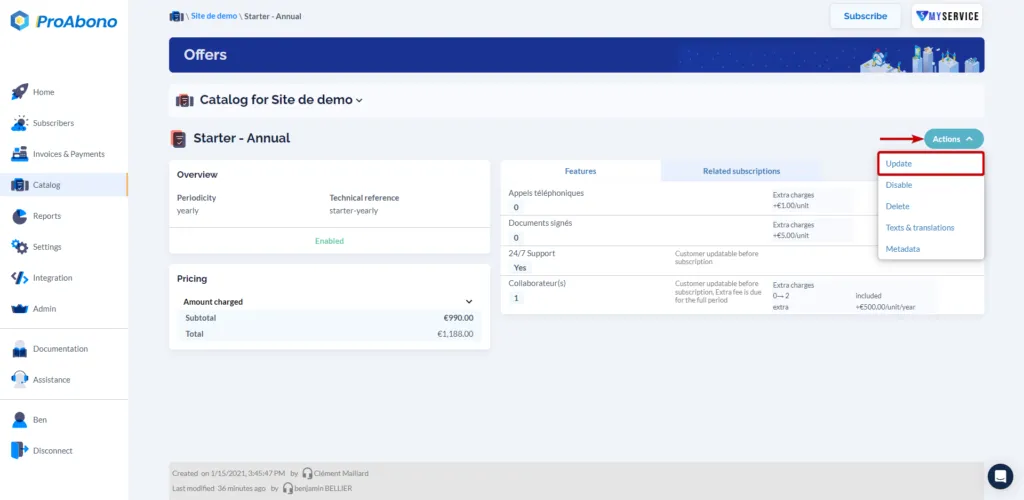
Section titled “3. Make the desired modifications.”- Click on the “Actions” button and then “Update”.
- Once in the offer editing menu, you will have access to the existing content and can modify, add, or delete the elements that make up the offer.
4. Save the modifications
Section titled “4. Save the modifications”Simply click on the “Save” button at the bottom of the page to apply your modifications.
2. With the API
Section titled “2. With the API”You can also use the API to modify your offers.