

How to initiate an invoice's direct debit ?
Context
Section titled “Context”When a customer has a registered automatic payment method, all invoices issued as part of their subscription lifecycle will have a payment notice. By default, there is a 3-day period between invoice issuance and the first attempted payment.
Once this period has elapsed, ProAbono automatically sends a payment order to the connected payment gateway, which then debits the customer’s bank account.
However, it is possible to force the payment of an invoice.
Before taking this action, it is necessary to have a connected payment gateway that supports the registration of automatic payment methods for both credit cards (CB) and SEPA.
In what cases can you trigger (force) payment?
Section titled “In what cases can you trigger (force) payment?”- If you do not want to wait for the default 3-day period imposed by ProAbono.
- When changing payment method to automatic mode.
- To resolve a dispute.
Procedure
Section titled “Procedure”1/ Select an unpaid or disputed invoice.
Section titled “1/ Select an unpaid or disputed invoice.”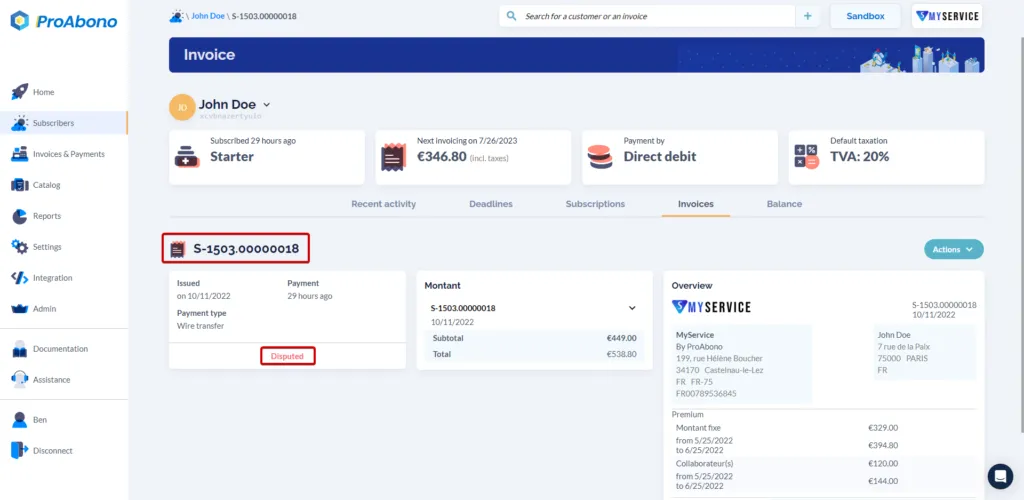
2/ Open the payment form.
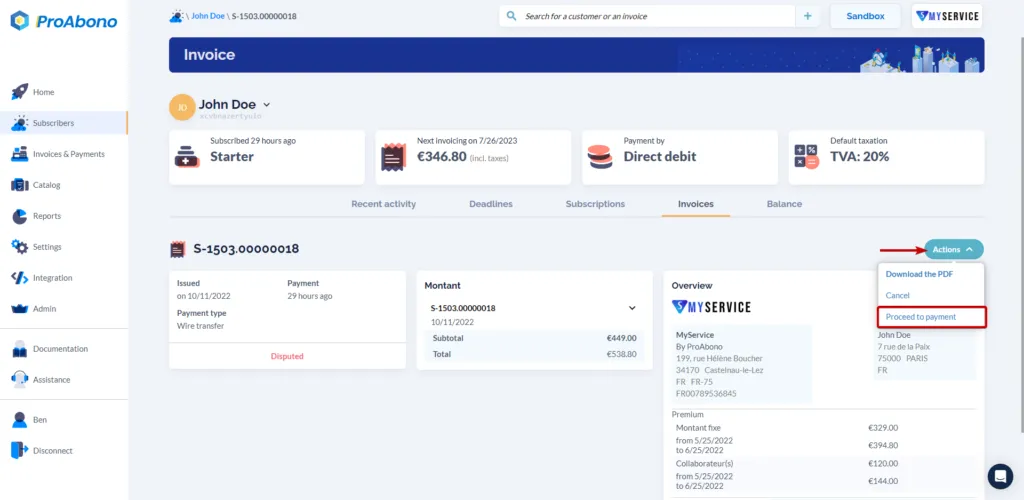
Section titled “2/ Open the payment form.”- Open the “Actions” menu.
- Click the “Proceed to payment” button.
- Choose the action “Charge now”.
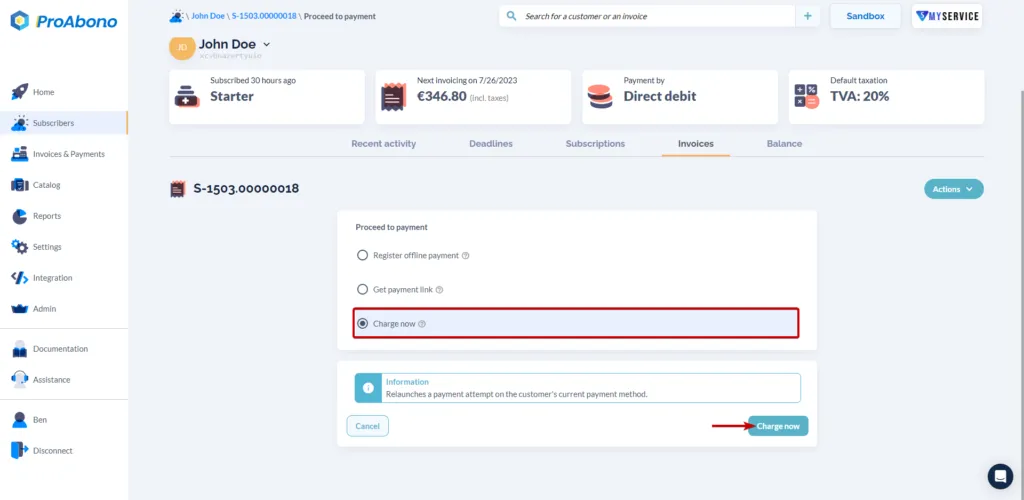
3/ Confirm the action trigger
Section titled “3/ Confirm the action trigger”- Click the “Charge now” button.