

How to apply a discount to a subscription ?
Context
Section titled “Context”If you want to reduce the amount of a subscription, you can simply apply a discount to it.
Prerequisites
Section titled “Prerequisites”- Already have a started subscription (a customer who has subscribed to an offer).
- Already have created a discount.
Procedure
Section titled “Procedure”1. Go to the customer’s profile
Section titled “1. Go to the customer’s profile”- Click on “Subscribers” from the left menu.
- Select the relevant customer.
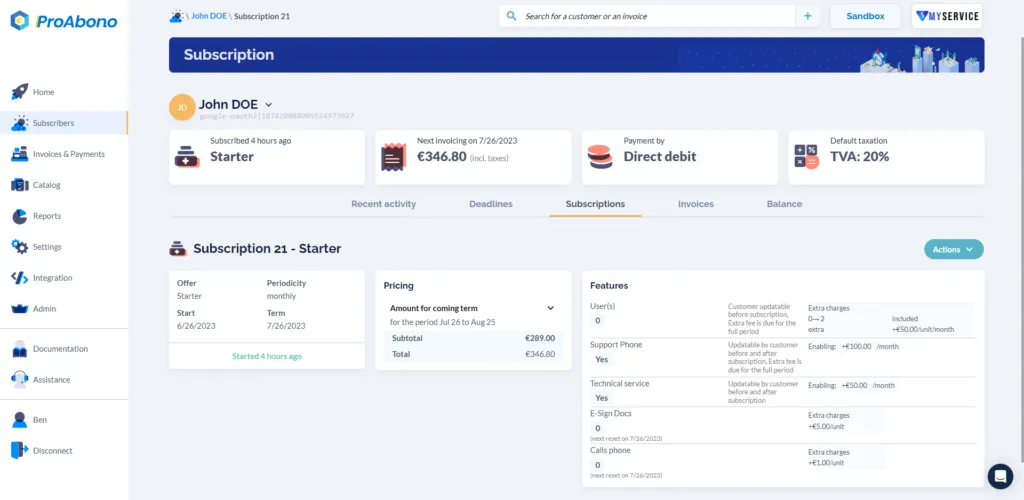
2. Go to the subscription editing page
Section titled “2. Go to the subscription editing page”Once on the customer’s profile:
- Click on the “Subscriptions” tab
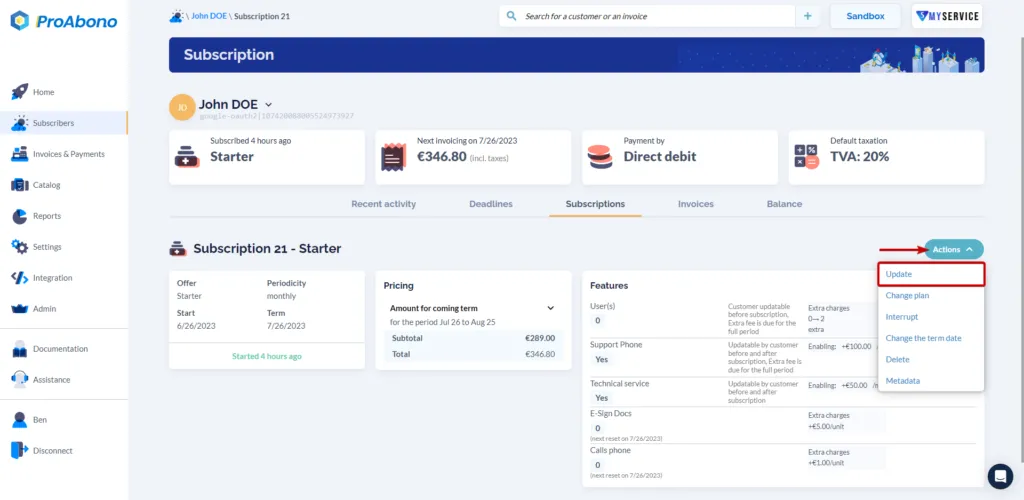
- Open the “Actions” menu
- Click on the “Update” button.
3. Add the discount
Section titled “3. Add the discount”Once on the subscription editing page:
- Scroll down to the “Discount” section (below the features)
- Click on the “Add” button.
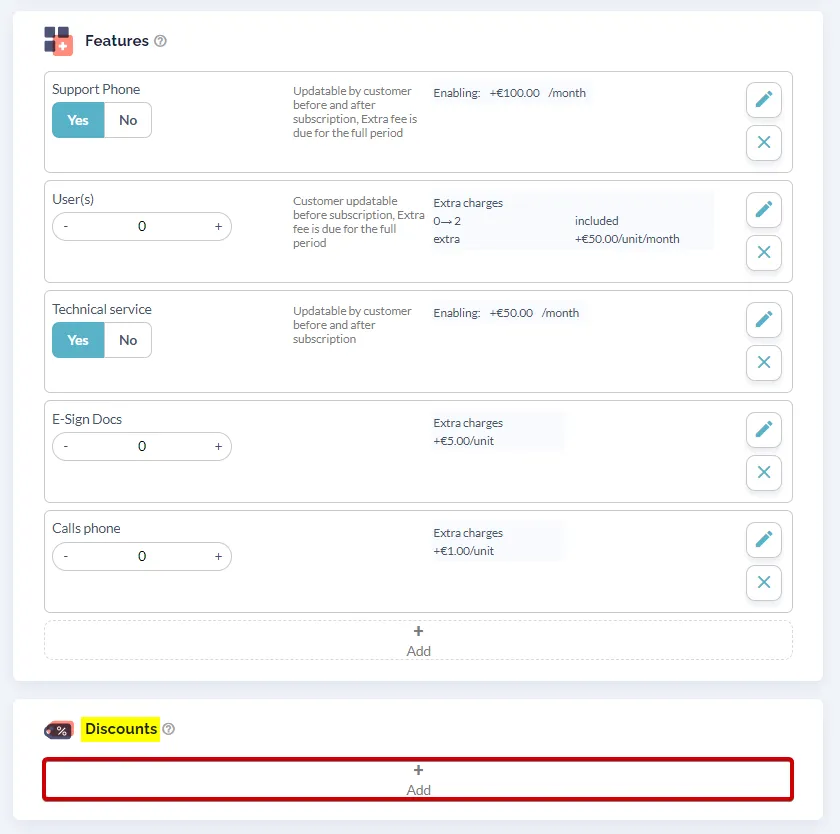
- Choose the desired discount from your list of discounts.
In this example, we will apply a 15 % All time | V.I.P Discount.
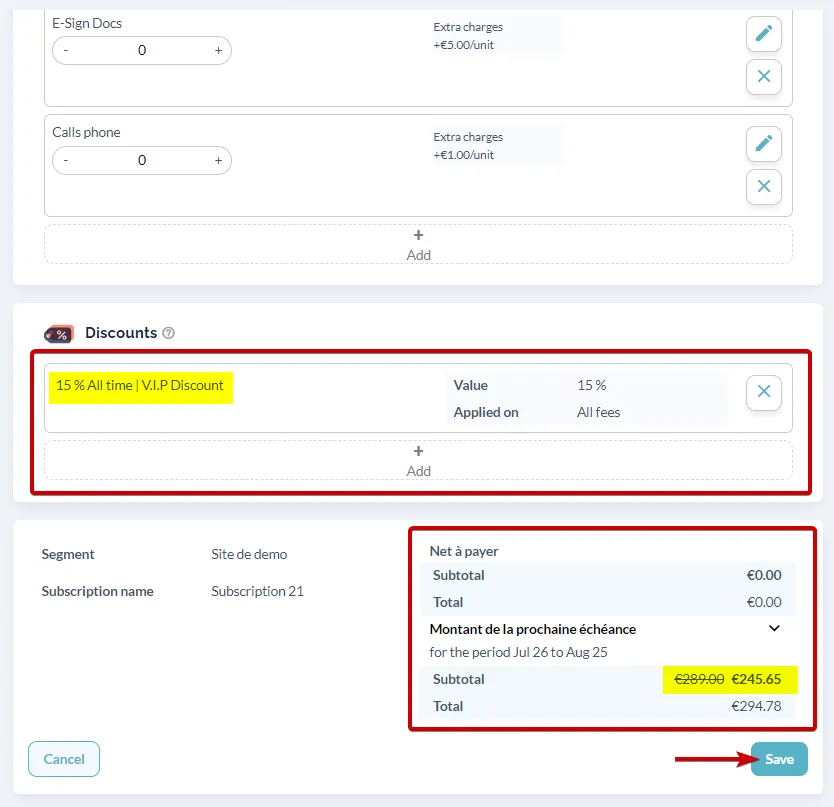
In the summary at the end of the editing page, it is clear that the discount will take effect at the next renewal. The invoice will be reduced for the nexts periods (the duration of the discount is unlimited).
4. Save the modifications
Section titled “4. Save the modifications”Remember to click on the “Save” button to finalize your changes.
The discount is now successfully added to your subscription.