

How to add a discount to an offer?
Context
Section titled “Context”You can add a discount to an offer in order to reduce the amount of subscriptions for customers subscribing to that offer.
Prerequisites
Section titled “Prerequisites”- You must have already created an offer.
- A discount can be added on the fly, but you can also prepare them in advance. For that, refer to the documentation: How to create a discount?
Procedure
Section titled “Procedure”1. Go to the offer details
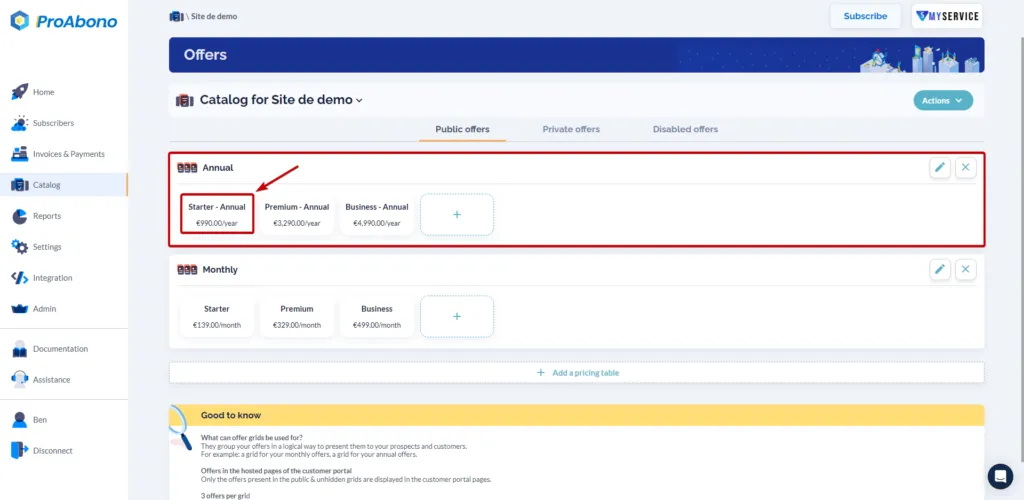
Section titled “1. Go to the offer details”- Click on “Catalog” in the left menu.
- Go to the details page of an offer.
2. Go to the offer editing page
Section titled “2. Go to the offer editing page”Once on the offer details page:
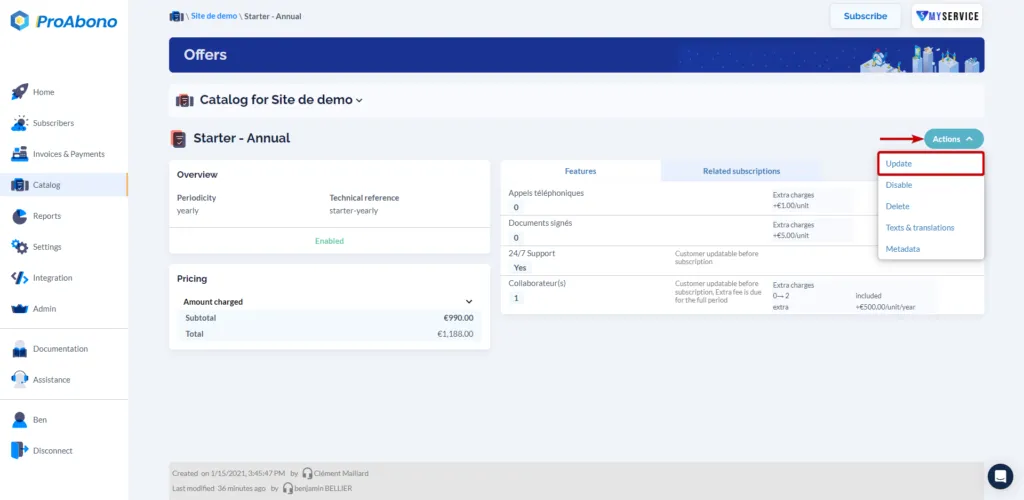
- Open the “Actions” menu
- Click on the “Update” button
3. Add the discount
Section titled “3. Add the discount”Once on the offer editing page:
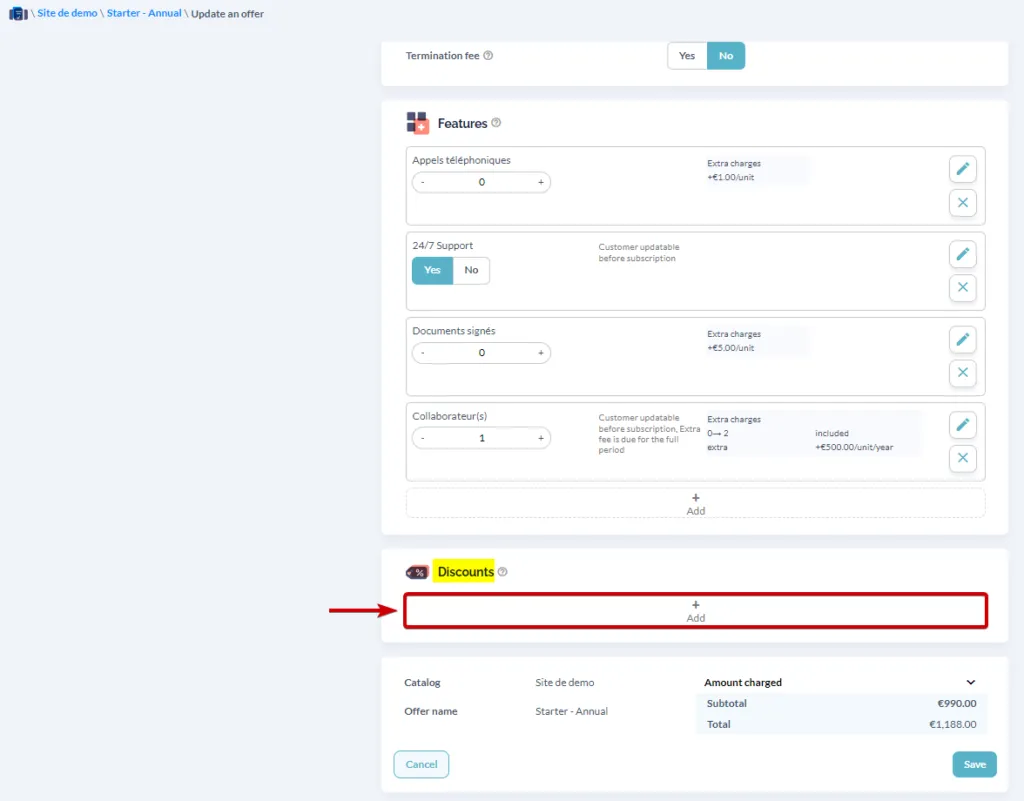
- Scroll down to the “Discount” section (below the “Features”)
- Click on the “+ Add” button.
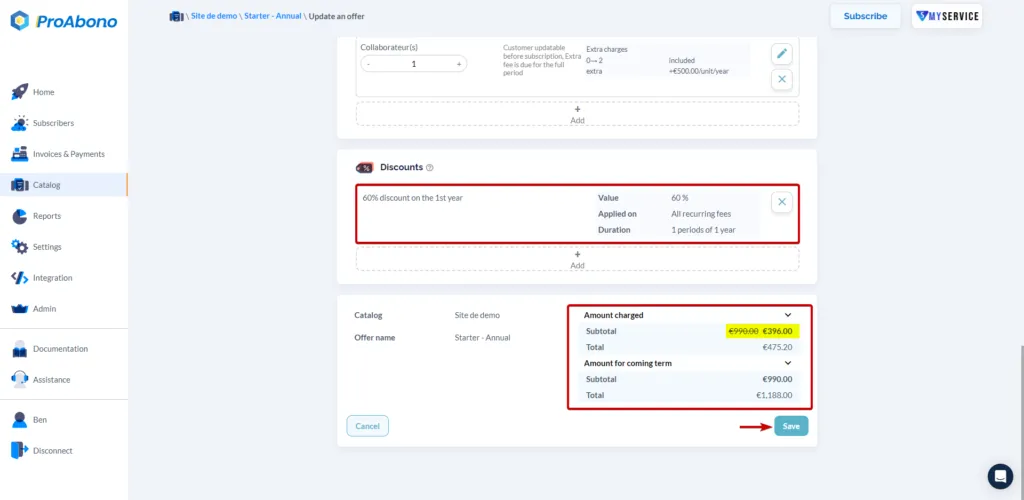
- Choose the desired discount from your list of discounts.
4. Save your changes
Section titled “4. Save your changes”Remember to click on the “Save” button to finalize your modifications.
The discount is now associated with your offer. The next customers who subscribe to this offer will benefit from the discount.