

How to revoke encrypted links?
Context
Section titled “Context”Encrypted links are used to allow the customer to securely subscribe or access the customer portal. These links provide access to sensitive data, and you must implement appropriate measures to ensure that only the relevant customer can access them.
- Only an authenticated user in your application should have access to their specific links.
- Your authentication system should adhere to state-of-the-art security practices.
- If you enable automatic emails, we strongly recommend confirming your users’ registration through double opt-in.
If you believe that a customer’s encrypted links may have been disclosed insecurely, you can revoke all previously created links for that customer to immediately cut off access to sensitive data.
Procedure
Section titled “Procedure”1. Select the desired customer
Section titled “1. Select the desired customer”- Click on “Subscribers” from the left menu.
- Go to the customer profile by searching for the customer using the search engine or the customer list.
2. Open the page “Privacy & Security”
Section titled “2. Open the page “Privacy & Security””From a customer’s profile:
- Open the “Actions” menu
- Click on the “Privacy & Security” button.
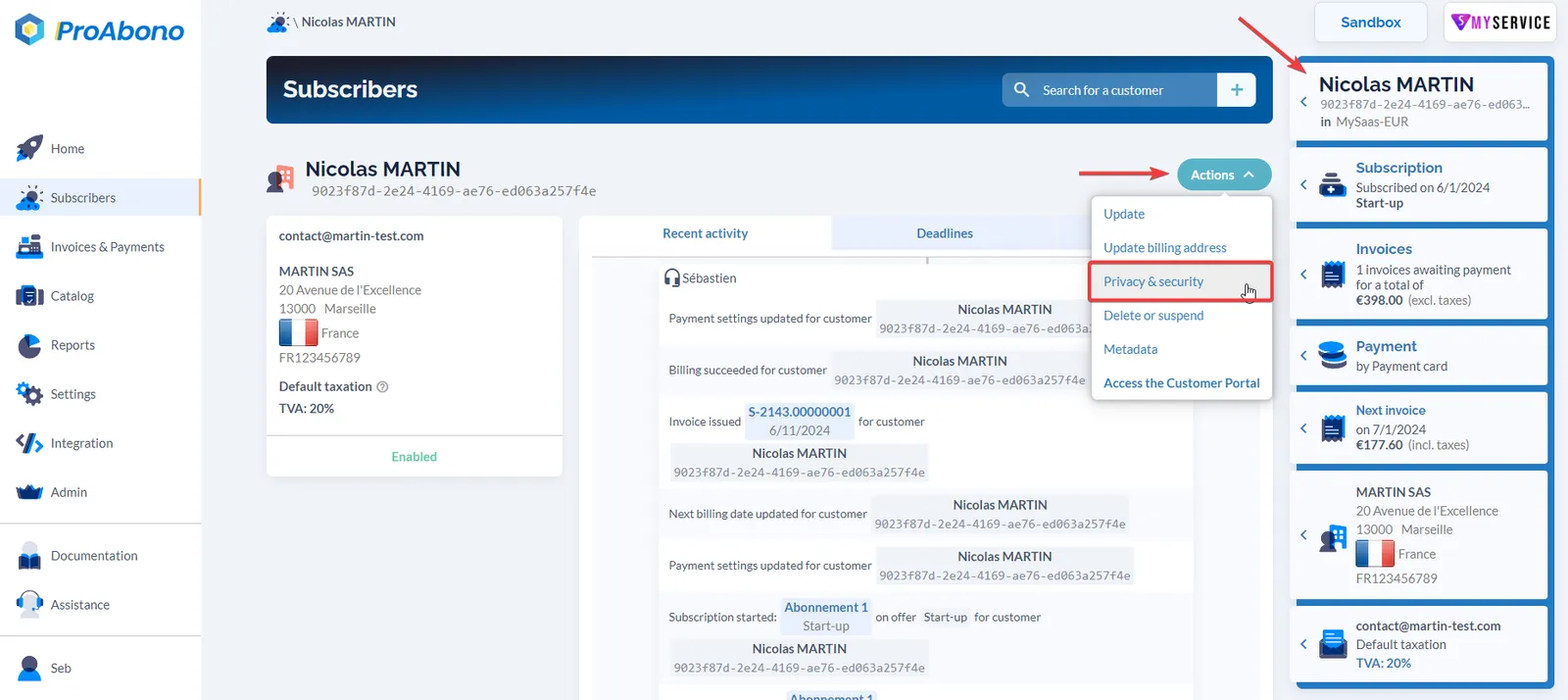
3. Choose the action to take
Section titled “3. Choose the action to take”From the privacy page:
- Click on the “Revoke private links” button.
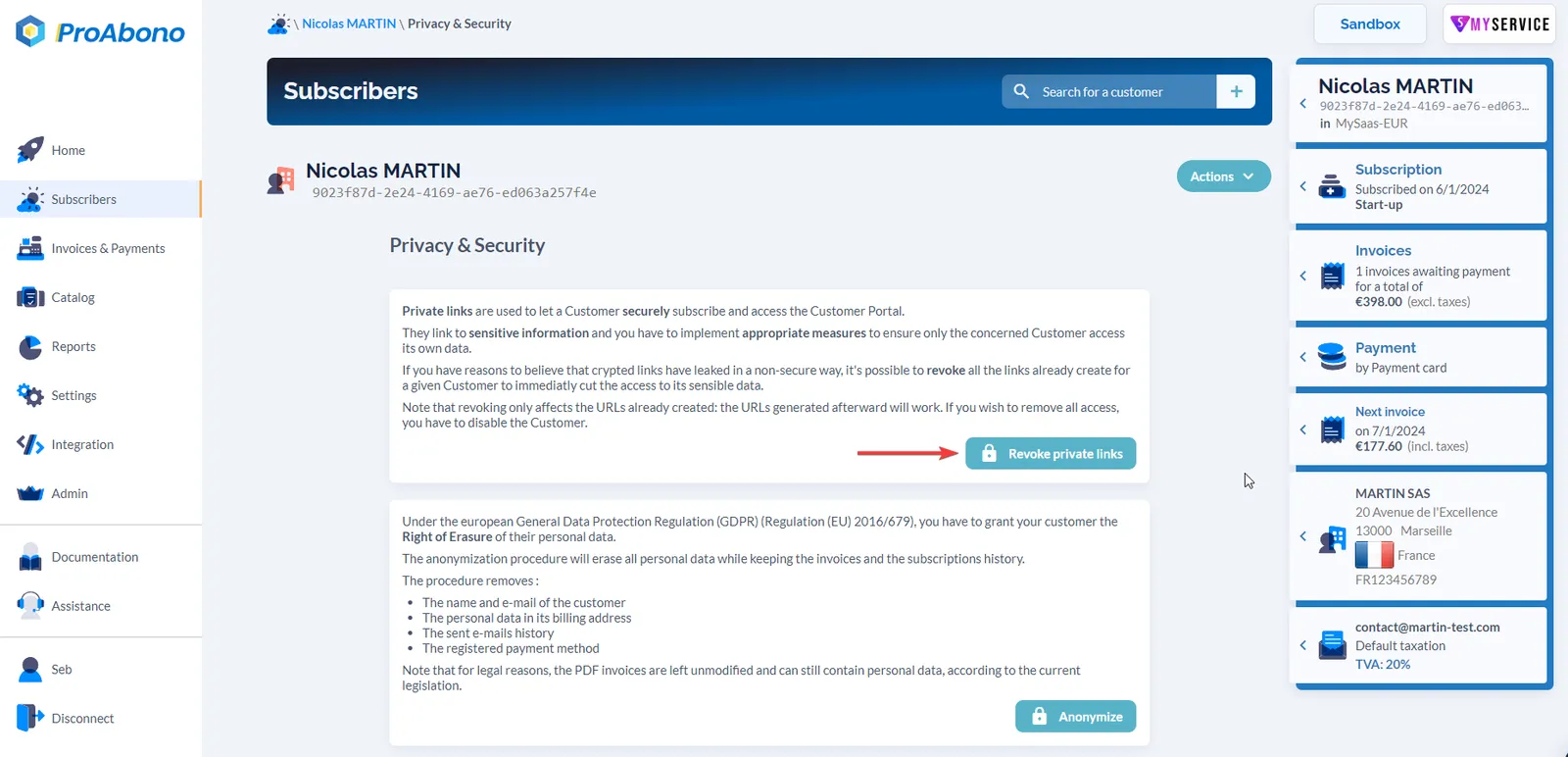
4. Confirm your choice
Section titled “4. Confirm your choice”Click on “Yes, I am sure” in the confirmation popup.
For further information
Section titled “For further information”You may also want to erase a customer’s personal data. For more details, consult the documentation: