How to anonymize Customers ?
Context
Section titled “Context”Some of your customer’s data, such as personal information (name, email, billing address, etc.), is considered personal data. ProAbono offers an Anonymization procedure to help you comply with relevant regulations, such as the European General Data Protection Regulation (GDPR).
How does it work?
Section titled “How does it work?”The procedure performs a series of actions to eliminate all traces of personal data from the ProAbono database:
- Deletion of the customer’s Email
- Deletion of the sent email history
- Deletion of the customer’s recent activity
- Deletion of the webhook notification history
- Deletion of any configured subscriptions (with ‘initialized’ status)
- If the customer is a company (the Company field is present in the billing address):
- Replacement of the customer’s Name with the company name
- Deletion of the Name / First Name / Phone fields from the billing address
- If the customer is an individual (the Company field is empty):
- Deletion of the customer’s Name
- Deletion of the Name / First Name / Phone / Address fields from the billing address
Procedure
Section titled “Procedure”1. Select the desired customer
Section titled “1. Select the desired customer”- Click on “Subscribers” from the left menu.
- Go to the customer profile by searching for the customer using the search engine or the customer list.
2. Access the dedicated actions page
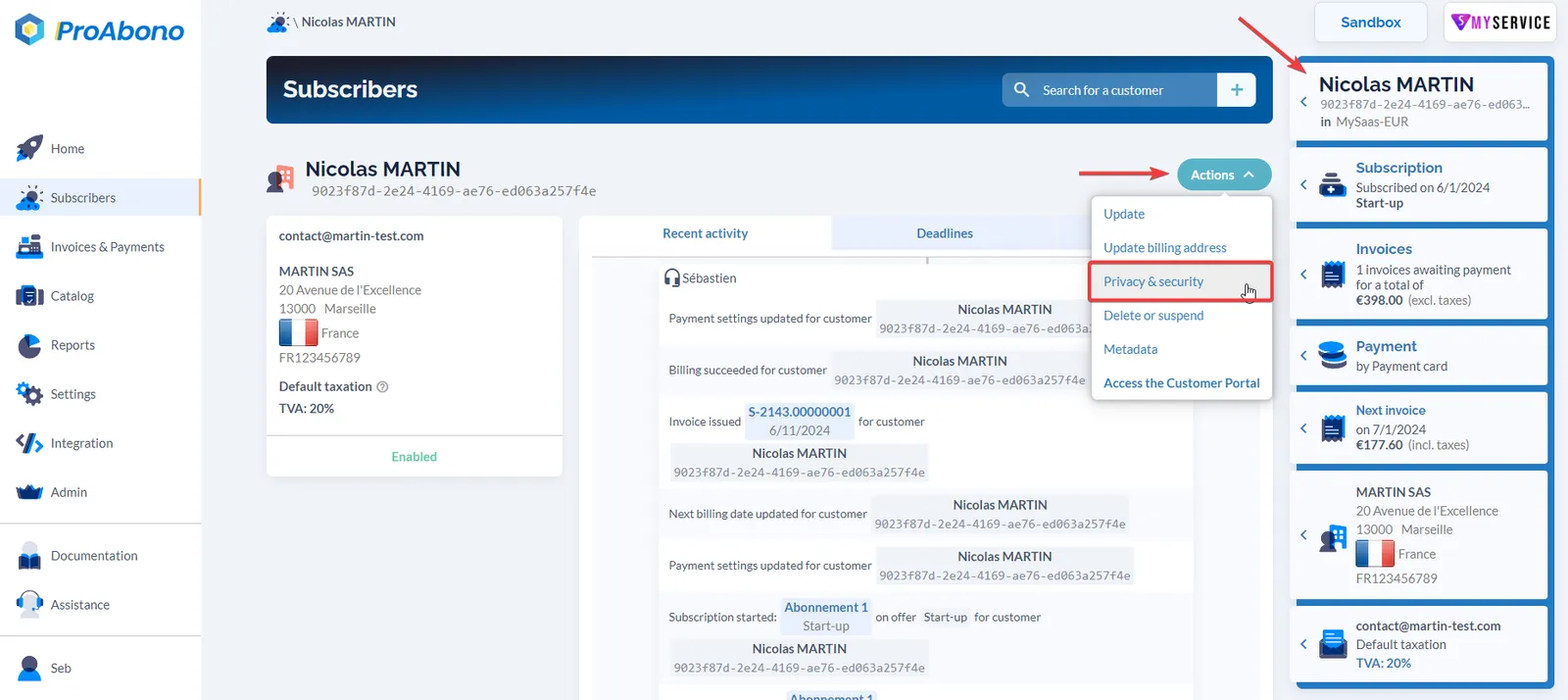
Section titled “2. Access the dedicated actions page”- Open the “Actions” menu
- Click on the “Privacy & Security” button.
3. Go to the customer’s profile
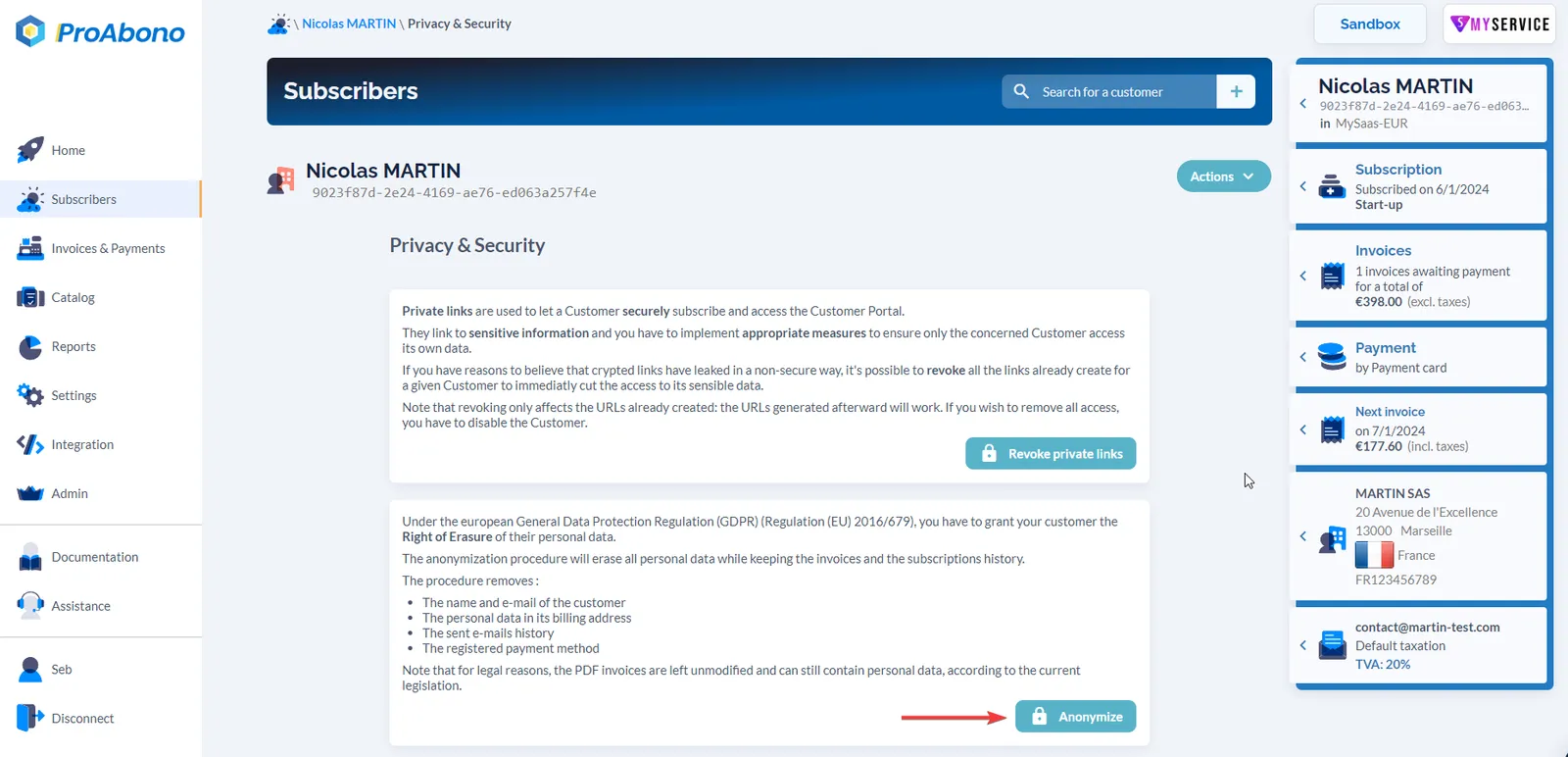
Section titled “3. Go to the customer’s profile”- Click on the “Anonymize” button.
- Confirm your action by clicking on the “Yes, I am sure” button.