

How to manage agent's rights in my ProAbono business?
Context
Section titled “Context”As part of using ProAbono, you have the ability to add agents to give them access to the ProAbono back office.
These agents will have their own personal access with a username and password that they will determine during the completion of the addition process.
It is then possible to define specific rights and restrictions for each agent if needed.
1. Procedure
Section titled “1. Procedure”1. Go to the Admin section
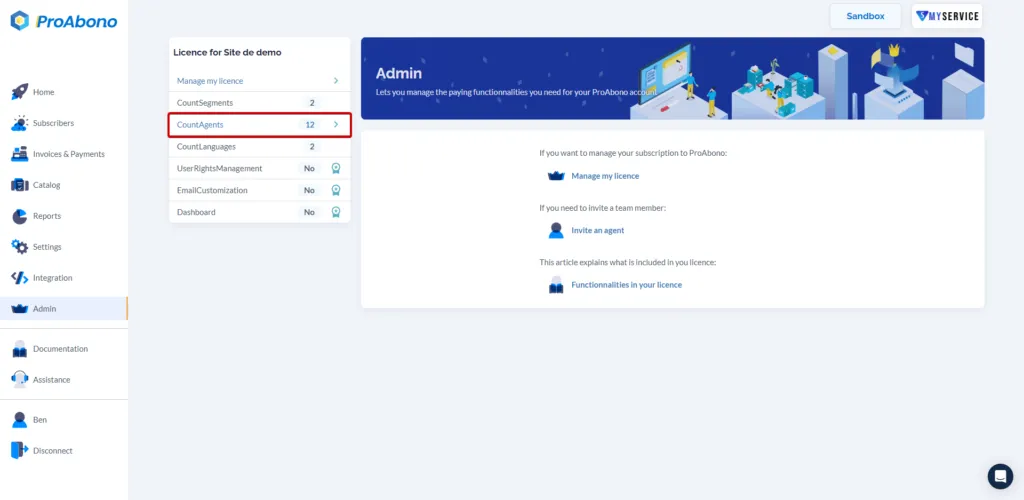
Section titled “1. Go to the Admin section”- Click on the “Admin” button from the left menu.
- Click on the “Agent” section.
2. Access the agent’s rights management form
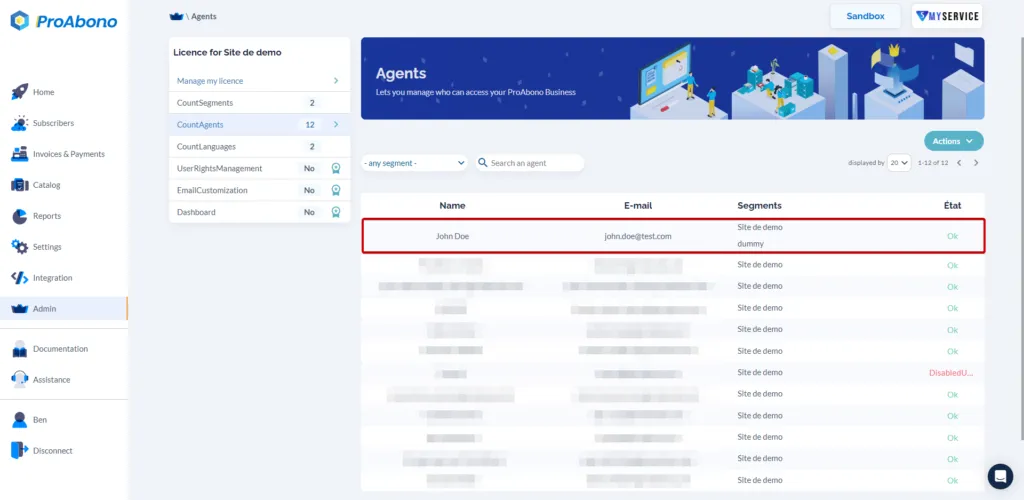
Section titled “2. Access the agent’s rights management form”- Select the relevant agent from your list of agents.
3. Customize the agent’s rights and restrictions
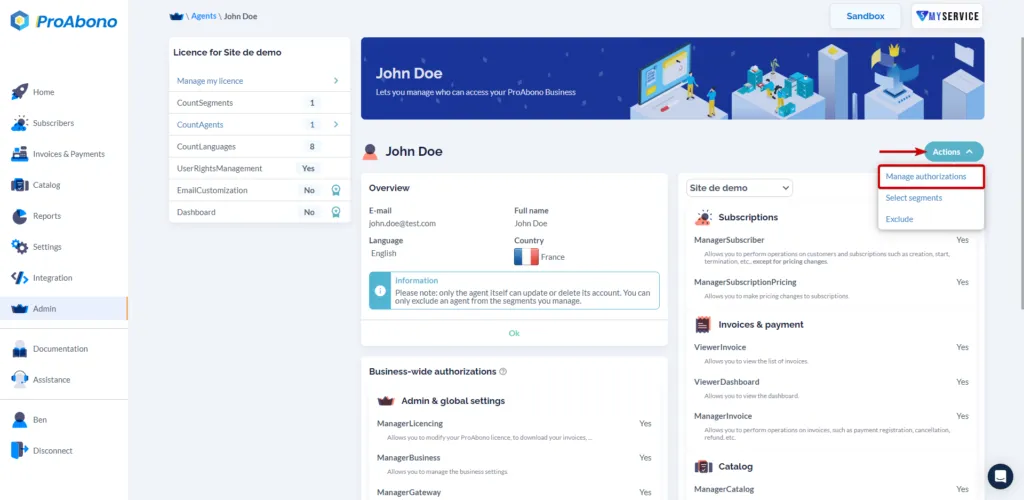
Section titled “3. Customize the agent’s rights and restrictions”Once on the detailed page of the selected agent’s rights, you just need to:
- Click on the “Actions” button.
- Click on “Manage authorizations”.
4. Define your agent’s rights
Section titled “4. Define your agent’s rights”By default, an agent has all the existing rights in ProAbono. Customizing the rights is done by restricting different permissions.
You can define rights based on major functional sections of the back office:
- Global permissions
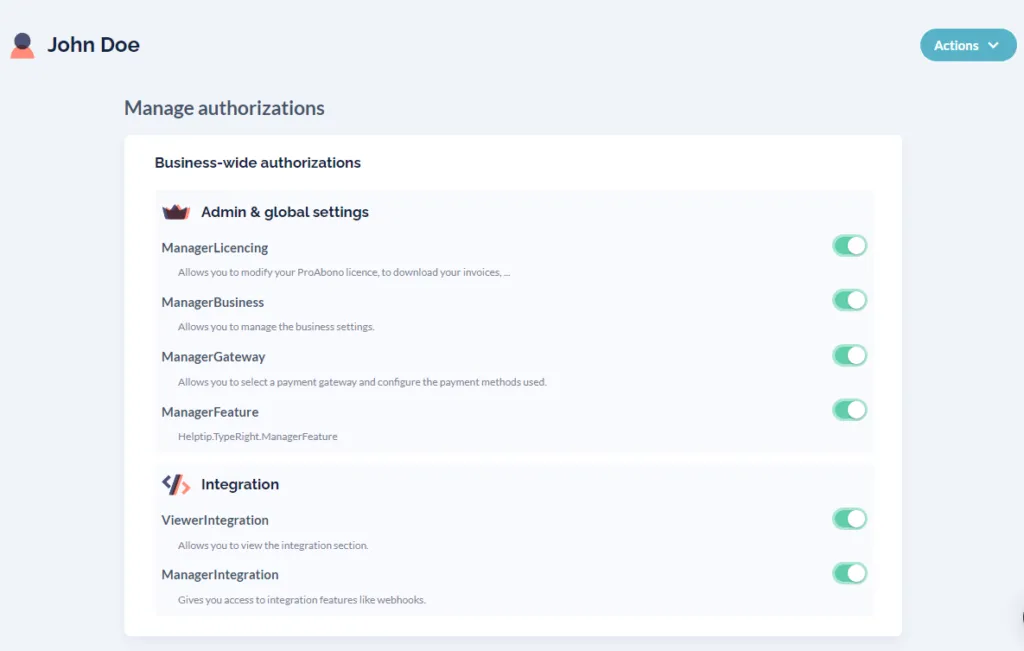
- By segment present in your ProAbono Business.
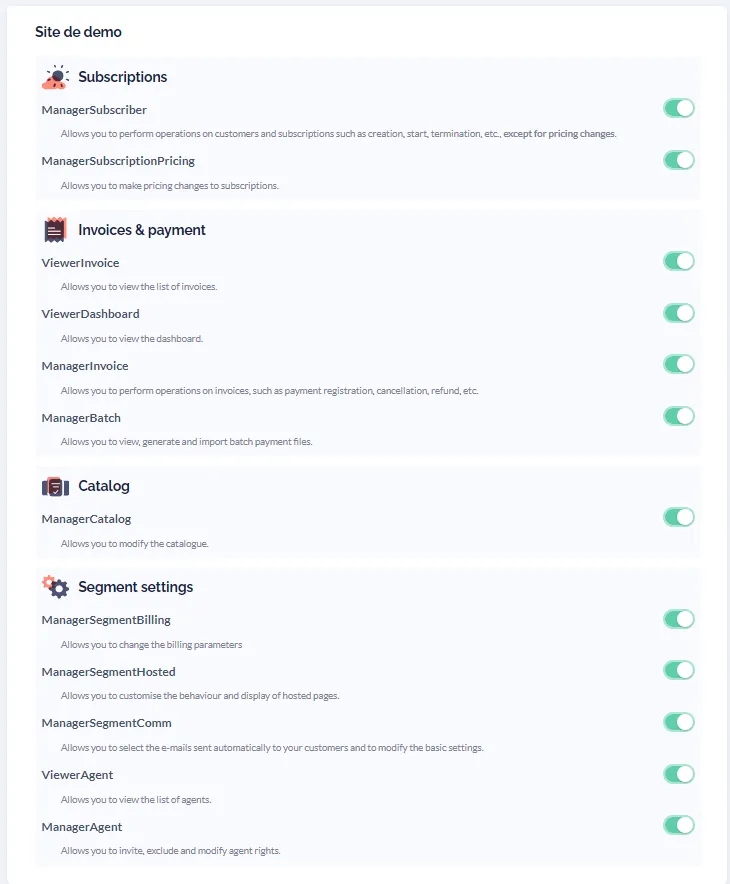
Once you have finished customizing your agent’s rights, click on “Save”.