

How to delete a Feature ?
Context
Section titled “Context”If you want to learn more about features.
Procedure
Section titled “Procedure”Attention! A feature can only be deleted if there are no active subscriptions associated with it and if it is not included in any offers in your catalog. If either of these two conditions is not met, deletion is not possible.
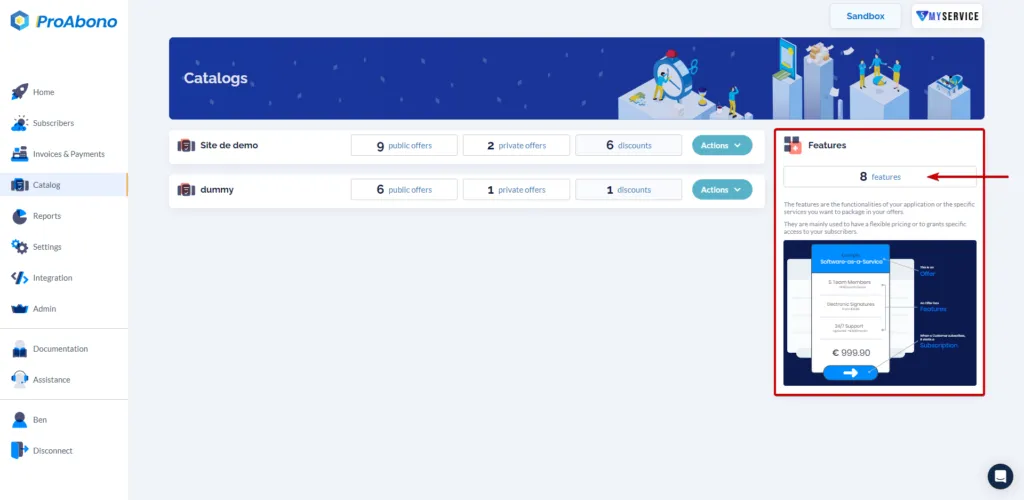
1. Access the dedicated section
Section titled “1. Access the dedicated section”- Click on the “Catalog” button from the main menu.
- Click on the “Features” button.
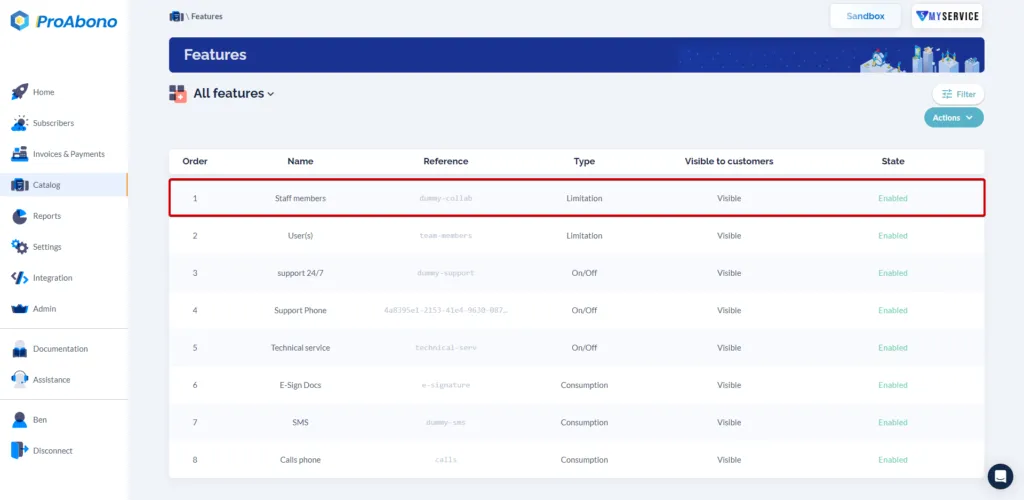
2. Open the relevant feature
Section titled “2. Open the relevant feature”Once on the page listing all your features:
- Click on the relevant feature
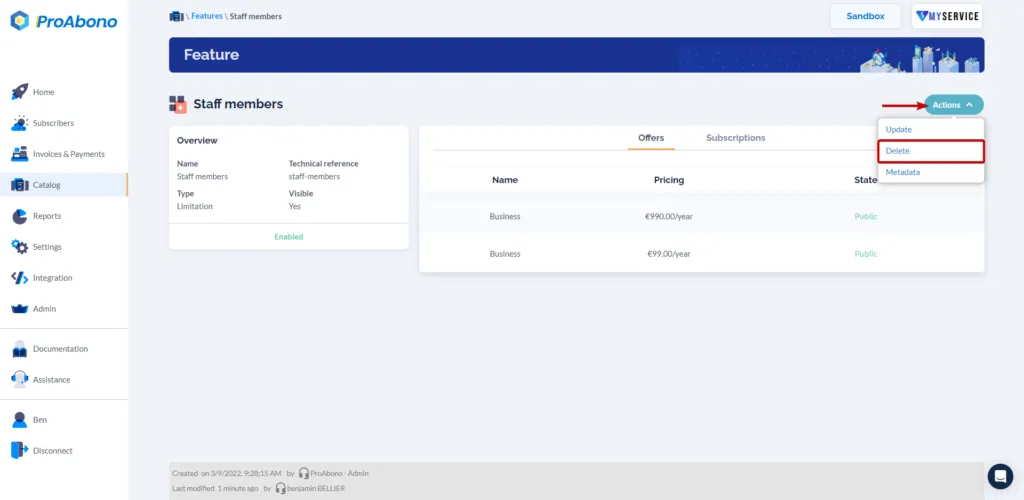
3. Open the deletion form
Section titled “3. Open the deletion form”- Open the “Actions” menu
- Click on the “Delete” button
4. Delete the feature
Section titled “4. Delete the feature”A verification will be performed to inform you whether you can delete the feature or not:
- There are subscriptions that use this feature, so you cannot delete it.
- OR
- No subscription uses this feature, so you can safely delete it.
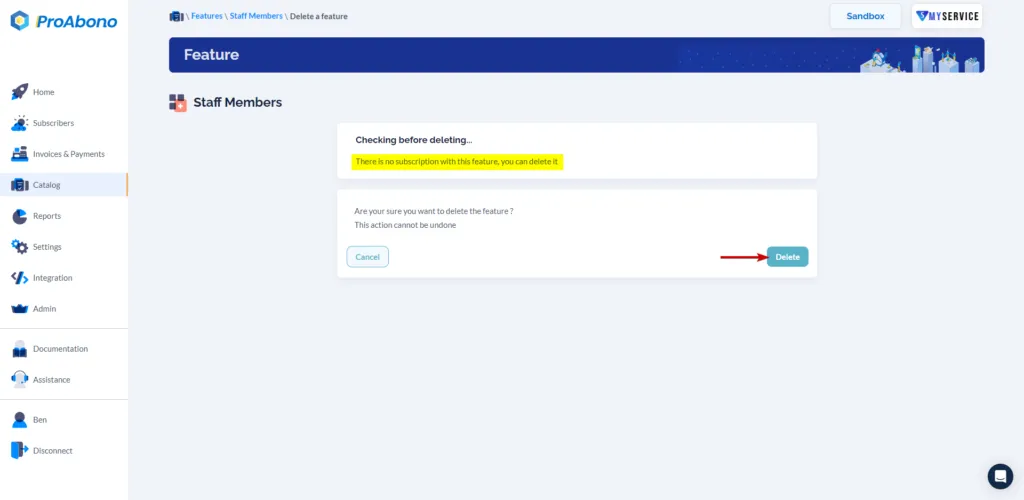
5. Confirm
Section titled “5. Confirm”Simply click on the “Delete” button to finalize the deletion.
If everything went well, the deleted feature will no longer be available on the page listing your features.