

How to disable an Offer ?
Context
Section titled “Context”If you have an outdated offer or you no longer want to present it to your customers temporarily, you can do so by disabling it.
You can also permanently delete it.
These actions can be performed at any time, however, in the case of deletion, you can only do so if no active subscription is based on this offer.
Procedure
Section titled “Procedure”1. Go to the offer page
Section titled “1. Go to the offer page”- Click on the “Catalog” button from the left menu.
- Choose one of the categories (e.g., public offers) to access the list of offers in your segment.
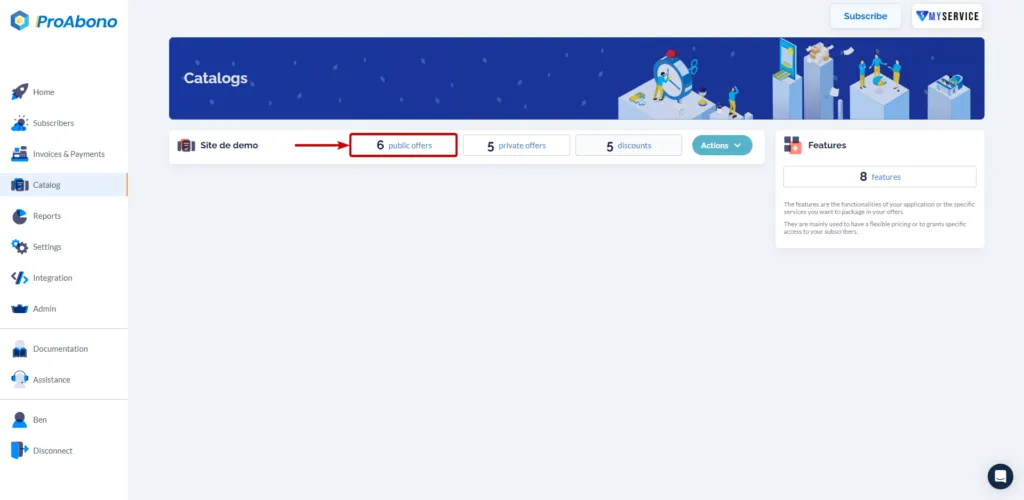
- Select the offer you want to disable.
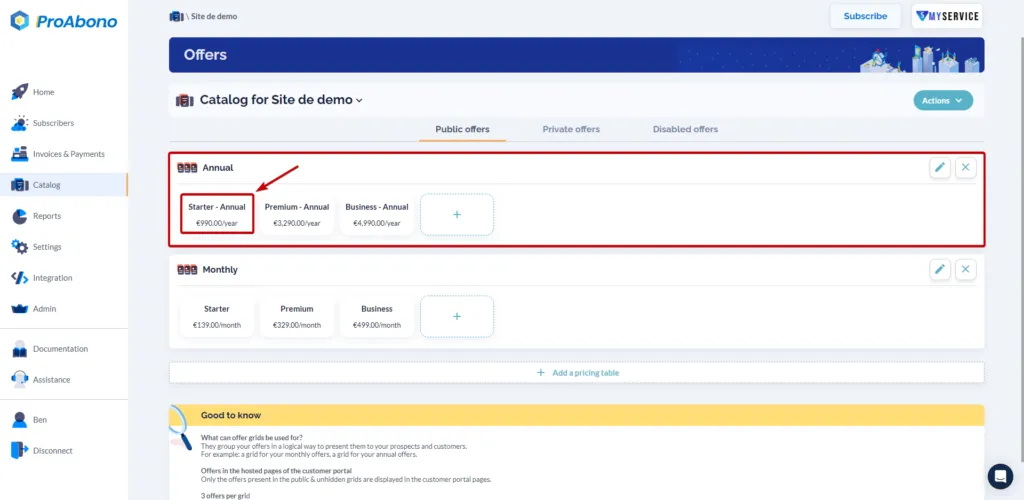
2. Open the disable form
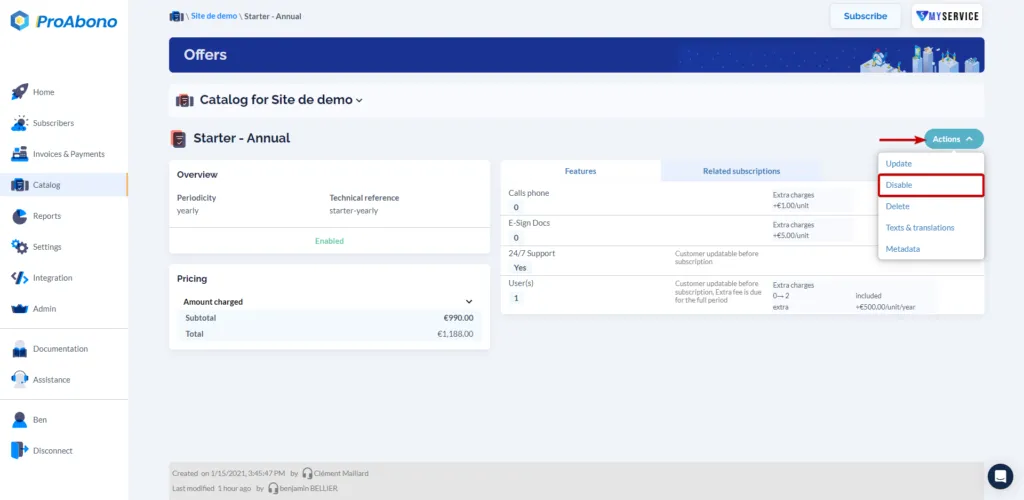
Section titled “2. Open the disable form”From the offer page:
- Open the “Actions” menu
- Click on “Disable”
3. Confirm the form
Section titled “3. Confirm the form”Simply click on “Disable” to finalize the action.
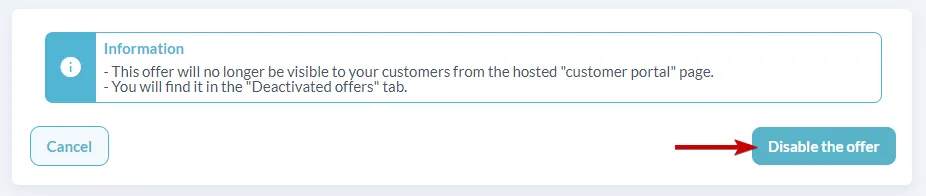
Once disabled, the offer will no longer be available for subscription. It will not be selectable either in the subscription creation process from the back office or for your customers on the offers page of the customer portal.
You can find all your offers in the “Disabled Offers” tab of the catalog.