

How to re-order offers in a Pricing Table?
Context
Section titled “Context”The order of the offers determines how the offers will be displayed on the hosted pages.
Process
Section titled “Process”1. Access the desired catalog
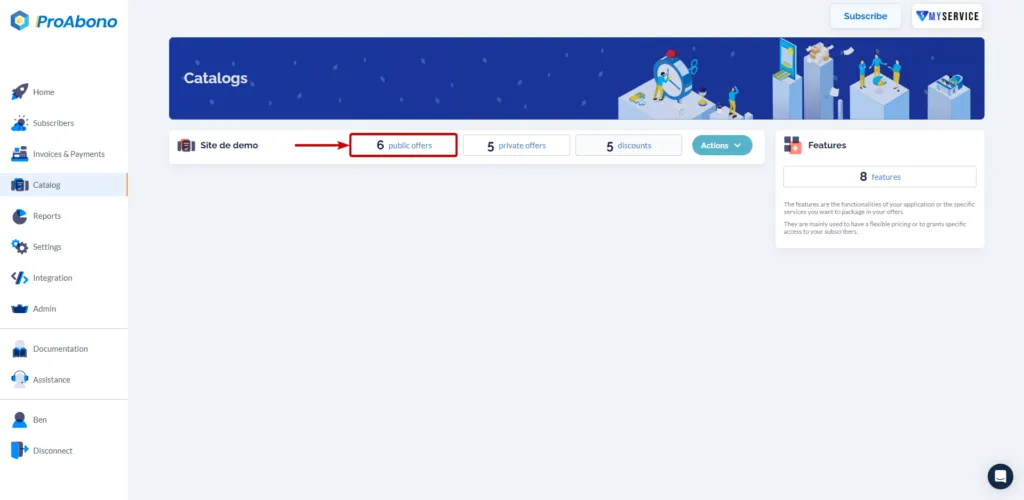
Section titled “1. Access the desired catalog”- Click on “Catalog” in the left menu.
- Click on “Public Offers” to access the catalog of the associated segment.
2. Access the editing form
Section titled “2. Access the editing form”In this example, we will modify the order of the offers in the pricing table “Special Offers - Summer 2023”.
- Click on the small pencil icon associated with the desired pricing table.
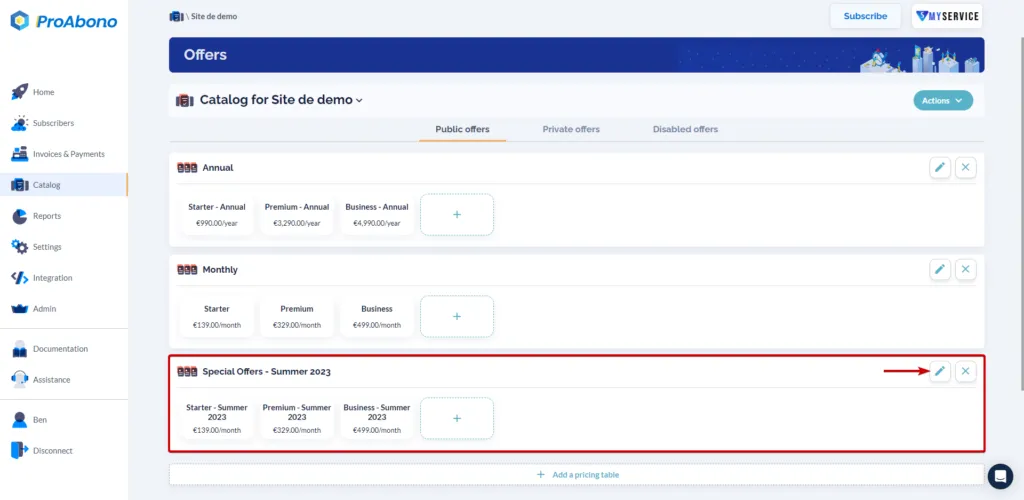 The "Business - Summer 2023" offer is currently displayed in the third position. We will redefine the order to move it into second position, even if it is more expensive than the "Premium - Summer 2023" offer.
2. Arrange the offers in your pricing table
Section titled “2. Arrange the offers in your pricing table”- Click on the offers in the desired order and save your changes.
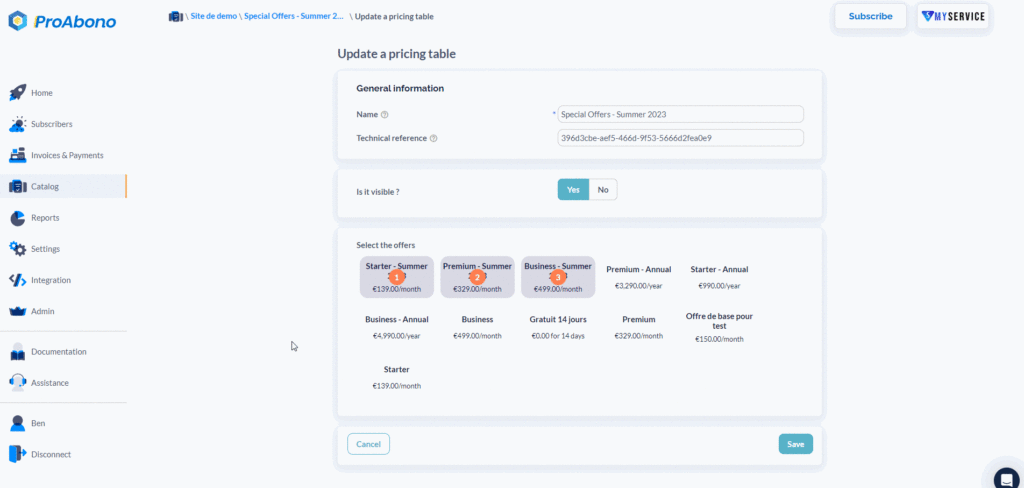
The offers are now in the intended/selected order for our example.
You now know how to proceed to define the order of your offers in each of your pricing tables.