

How to activate/deactivate tiered pricing?
Context
Section titled “Context”By default, when modeling pricing tiers in an offer in ProAbono, a Tiered Pricing structure is applied.
[caption id=“” align=“aligncenter” width=“340”]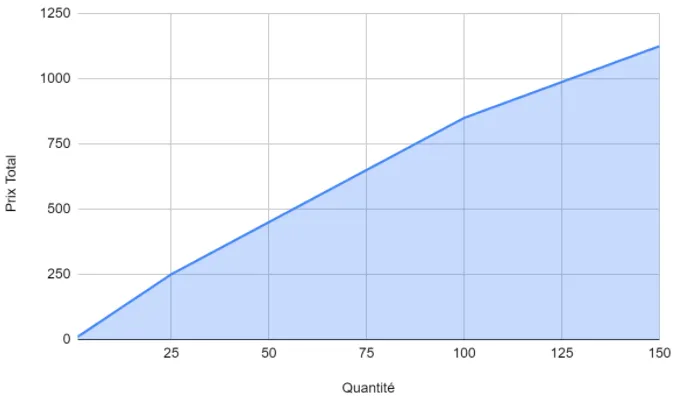 Price evolution with Tiered Pricing[/caption]
If you prefer to apply Volume-based Pricing, you need to disable Tiered Pricing in the advanced pricing options.
[caption id=“” align=“aligncenter” width=“340”]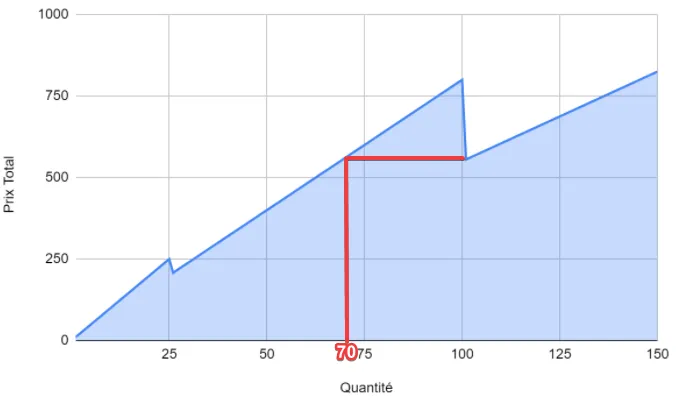 Price evolution with Volume-based Pricing[/caption]
Procedure
Section titled “Procedure”1. Access the offer details
Section titled “1. Access the offer details”- Click on the “Catalog” button in the left menu.
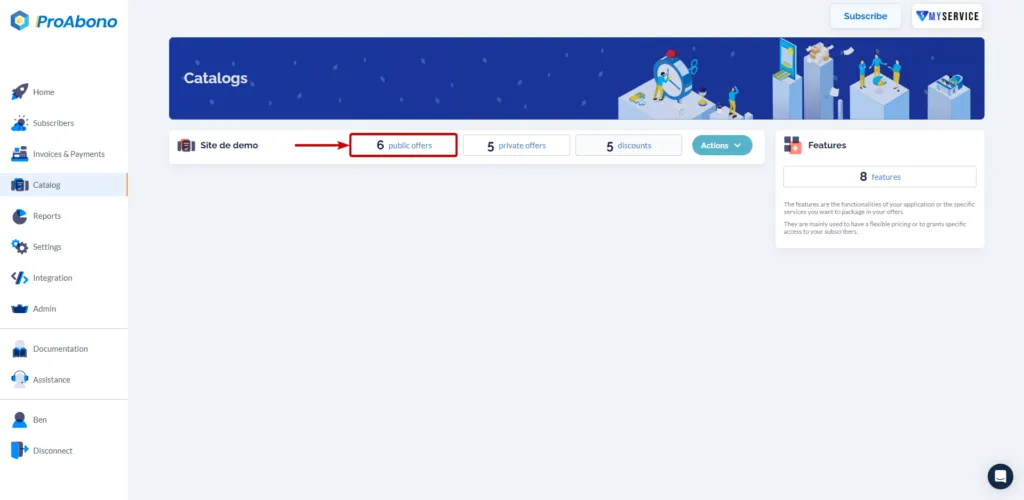
- Choose one of the categories (e.g., public offers) to access the list of offers in your segment.
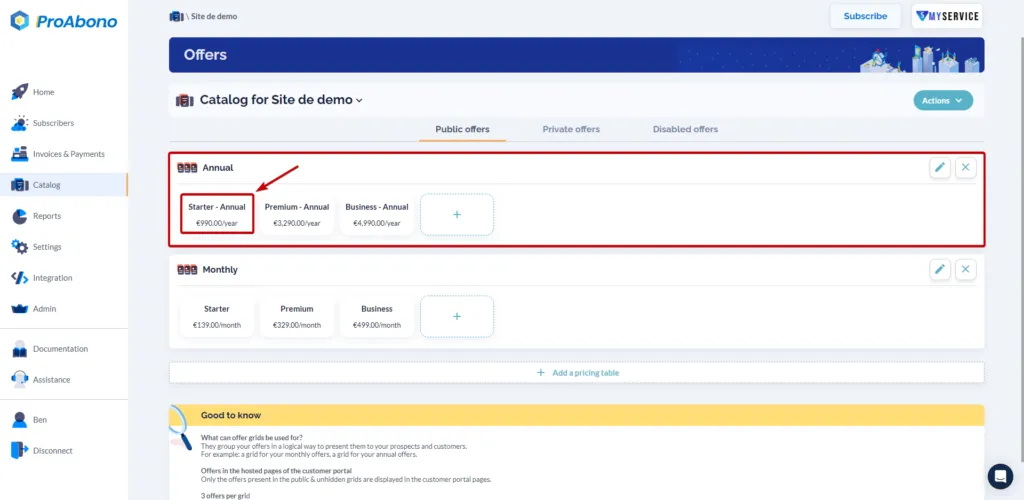
- Click on the “+” button to create a new offer or select the offer you want to modify.
2. Open the creation/modification form
Section titled “2. Open the creation/modification form”If you clicked on the creation button, you will be directly redirected to the editing page.
If you are modifying an existing offer:
- Open the “Actions” menu
- Click on “Modify”
3. Modify the pricing type
Section titled “3. Modify the pricing type”- Scroll down to the “Advanced Pricing” section and open it.
- Answer “No” to the question “Disable Tiered Pricing”
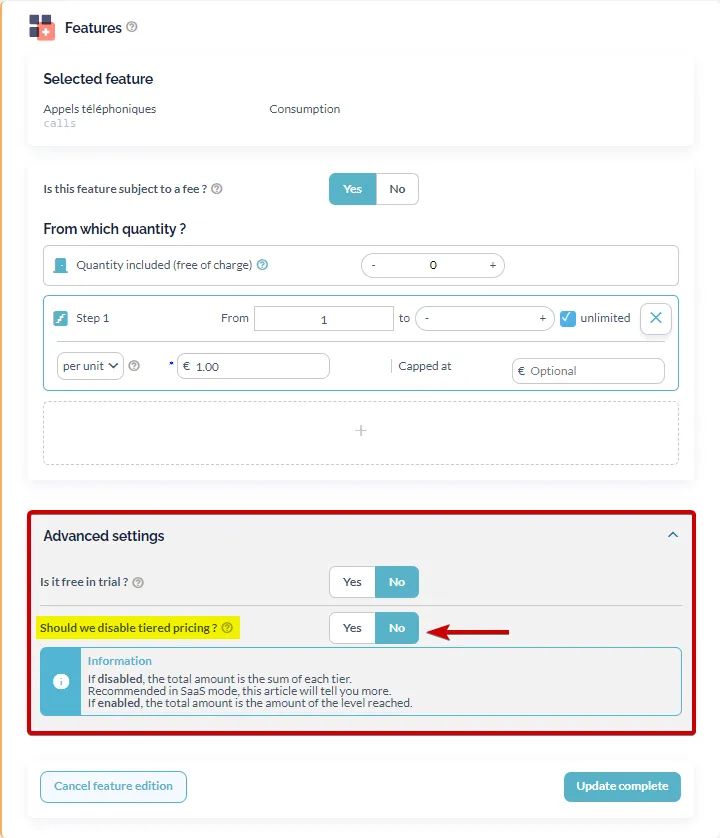
4. Save the form
Section titled “4. Save the form”Simply click on “Save” or “Update complete” at the bottom of the page to apply your modifications.