

How do I delete a Pricing Table ?
Context
Section titled “Context”If you have a pricing table that you no longer need or want to present to your customers, you can simply delete it. This action can be performed at any time, but you cannot delete the default offer (first on the list).
Procedure
Section titled “Procedure”1. Access the dedicated section
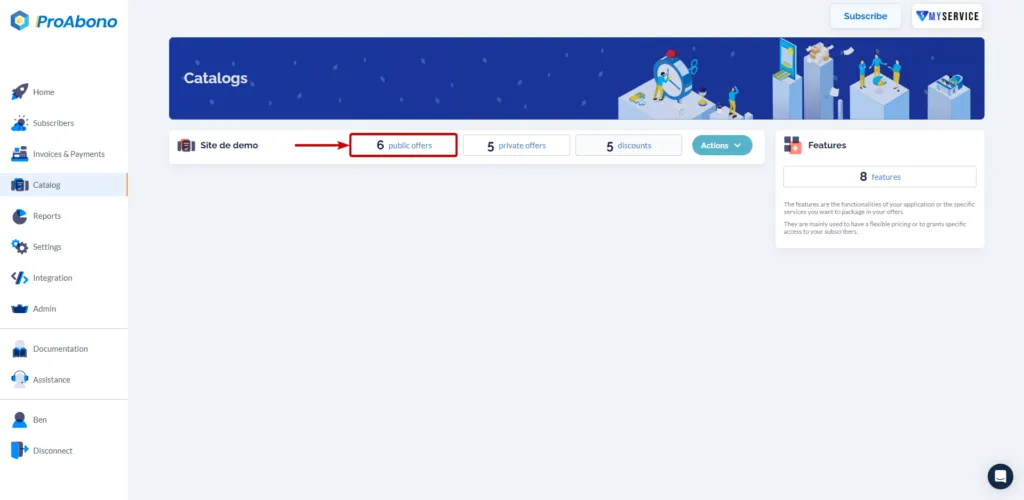
Section titled “1. Access the dedicated section”- Click on “Catalog” from the left menu.
- Select the pricing table you want to delete by accessing the associated catalog (segment) through one of the tiles (e.g., public offers).
2. Open the deletion form
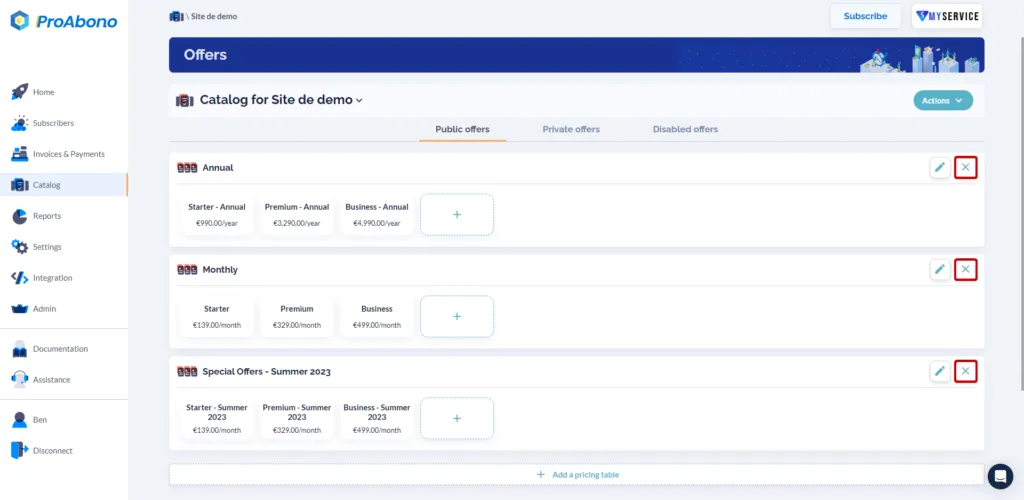
Section titled “2. Open the deletion form”From the offer catalog:
- Click on the “x” (cross) button of the relevant pricing table.
3. Confirm the deletion
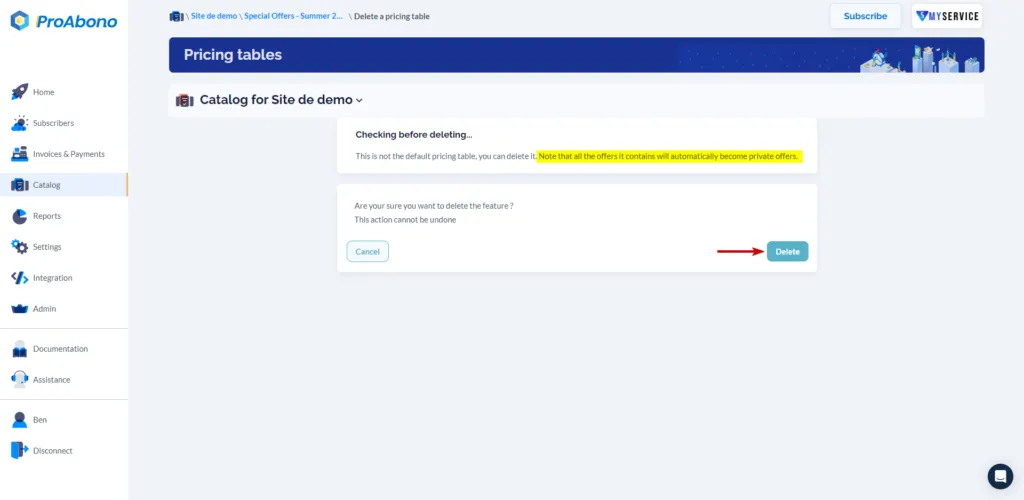
Section titled “3. Confirm the deletion”Simply click on “Delete” to finalize the deletion.
If everything went well, the pricing table will no longer appear in your catalog.
For further information
Section titled “For further information”To delete a pricing table using the API, please refer to our associated documentation.