

How do I modify a Pricing Table ?
Context
Section titled “Context”If you have followed our recommendation by integrating the customer portal into your website, new customers will be created automatically. However, you still have the option to add a customer from the Back-office.
Procedure
Section titled “Procedure”1. Access the offer catalog
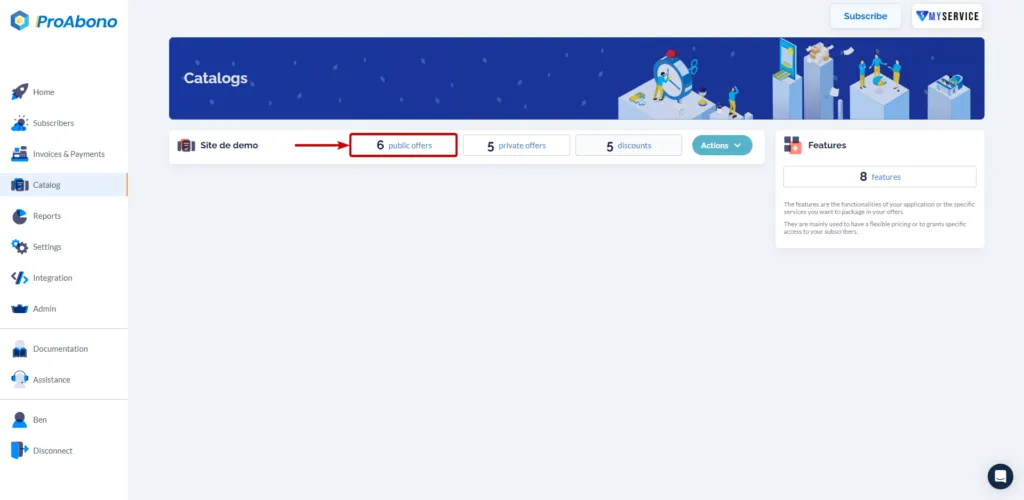
Section titled “1. Access the offer catalog”- Click on “Catalog” from the left menu.
- Choose one of the categories (e.g., public offers) to access the list of offers in your segment.
2. Open the modification form
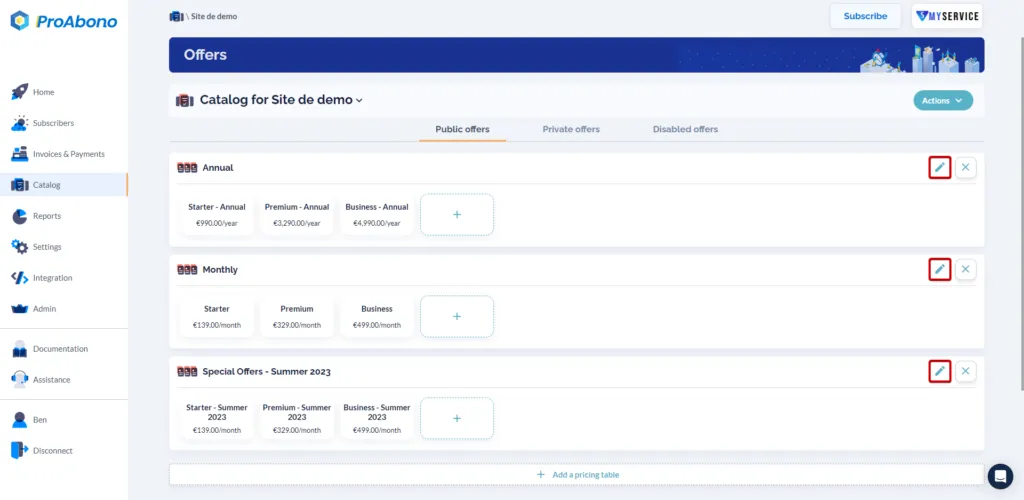
Section titled “2. Open the modification form”- Click on the small edit button (pencil) of the relevant pricing table.
3. Modify what you want
Section titled “3. Modify what you want”- Name and Technical reference
- Is it visible?
- Choose the offers that will be presented through this pricing table.