How to validate a webhook
Context
Section titled “Context”To secure the exchange of confidential data, ProAbono requires a validation step for Webhooks to confirm their activation.
For this, ProAbono will simply verify that the destination URL is indeed a URL that you control by sending a unique verification code.
If you want to learn more about Webhooks.
Prerequisites
Section titled “Prerequisites”- Have created a webhook
Procedure
Section titled “Procedure”1. Select the webhook to validate
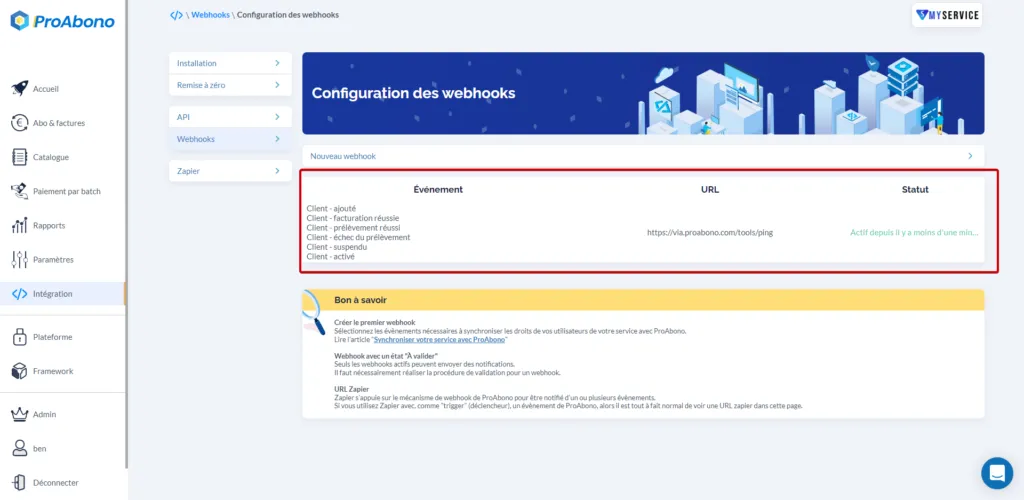
Section titled “1. Select the webhook to validate”- Click on “Integration” from the main menu.
- Then click on “Webhooks configuration”
- Then click on the line corresponding to the desired webhook.
2. Access the validation process
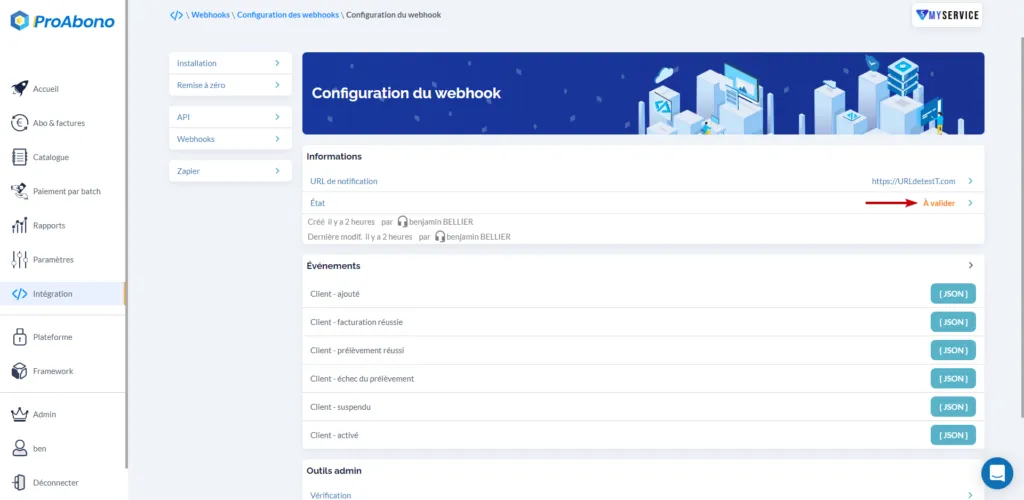
Section titled “2. Access the validation process”- Click on the “To be validated” status.
3. Initiate the verification
Section titled “3. Initiate the verification”Click on the “Send verification code” button.
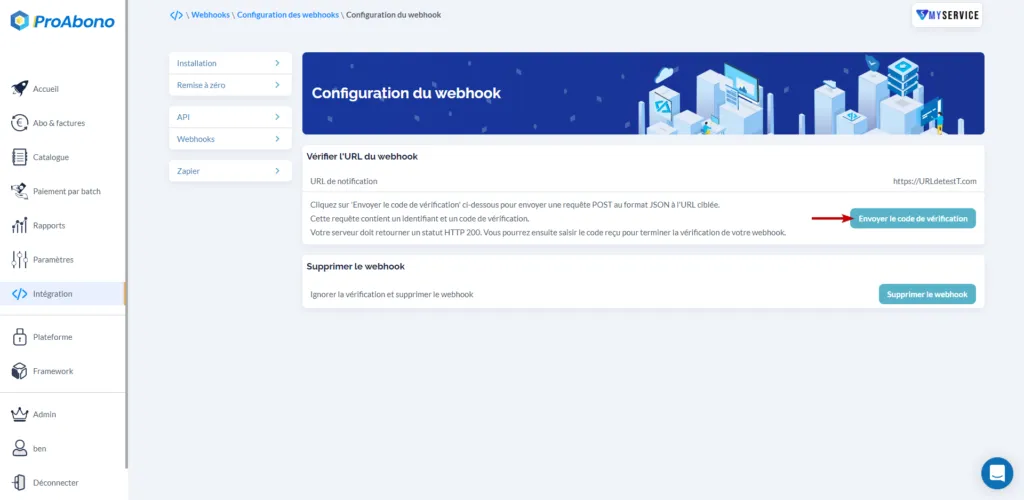
This will trigger a POST request with a verification code in JSON format to the defined notification URL.
4. Enter your verification code
Section titled “4. Enter your verification code”Enter the received verification code (in the request body) to confirm the activation of your webhook.
If everything went well, you will see the Status change to “Active”. Congratulations, your webhook is now valid and operational.