How to delete a webhook
Context
Section titled “Context”Procedure
Section titled “Procedure”1. Select the Webhook to edit
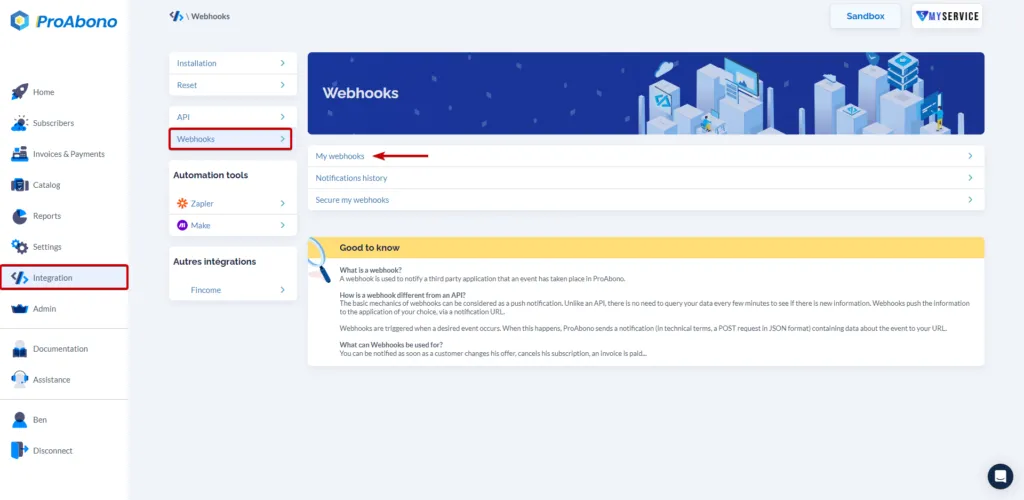
Section titled “1. Select the Webhook to edit”- Click on “Integration” in the left menu.
- Then click on “Webhook configuration”.
- Then click on the line corresponding to the desired Webhook.
2. Access the status change page
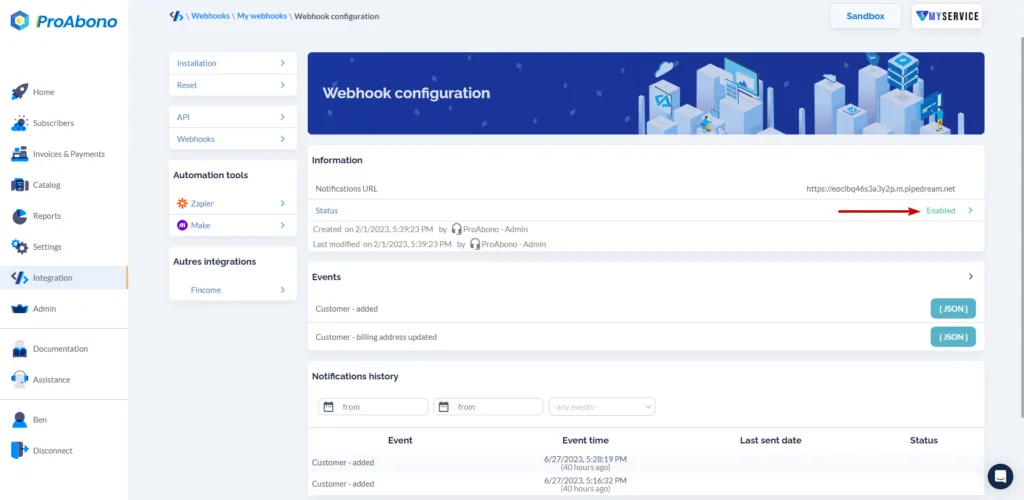
Section titled “2. Access the status change page”Click on the line displaying the status (“Active”) to access the status change page of your Webhook.
3. Permanently delete the webhook
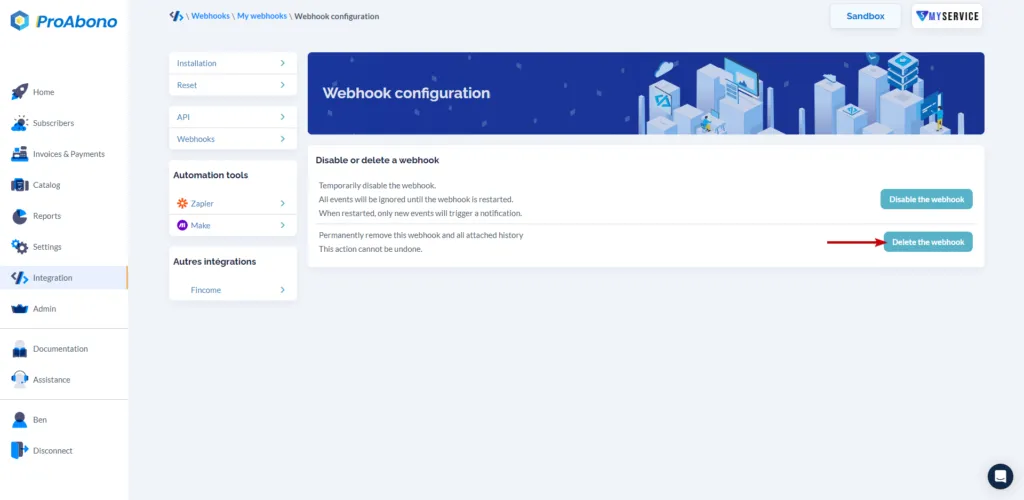
Section titled “3. Permanently delete the webhook”- Click on the “Delete webhook” button if you want to permanently delete the webhook. You will no longer have access to the associated notification history. This action is irreversible.