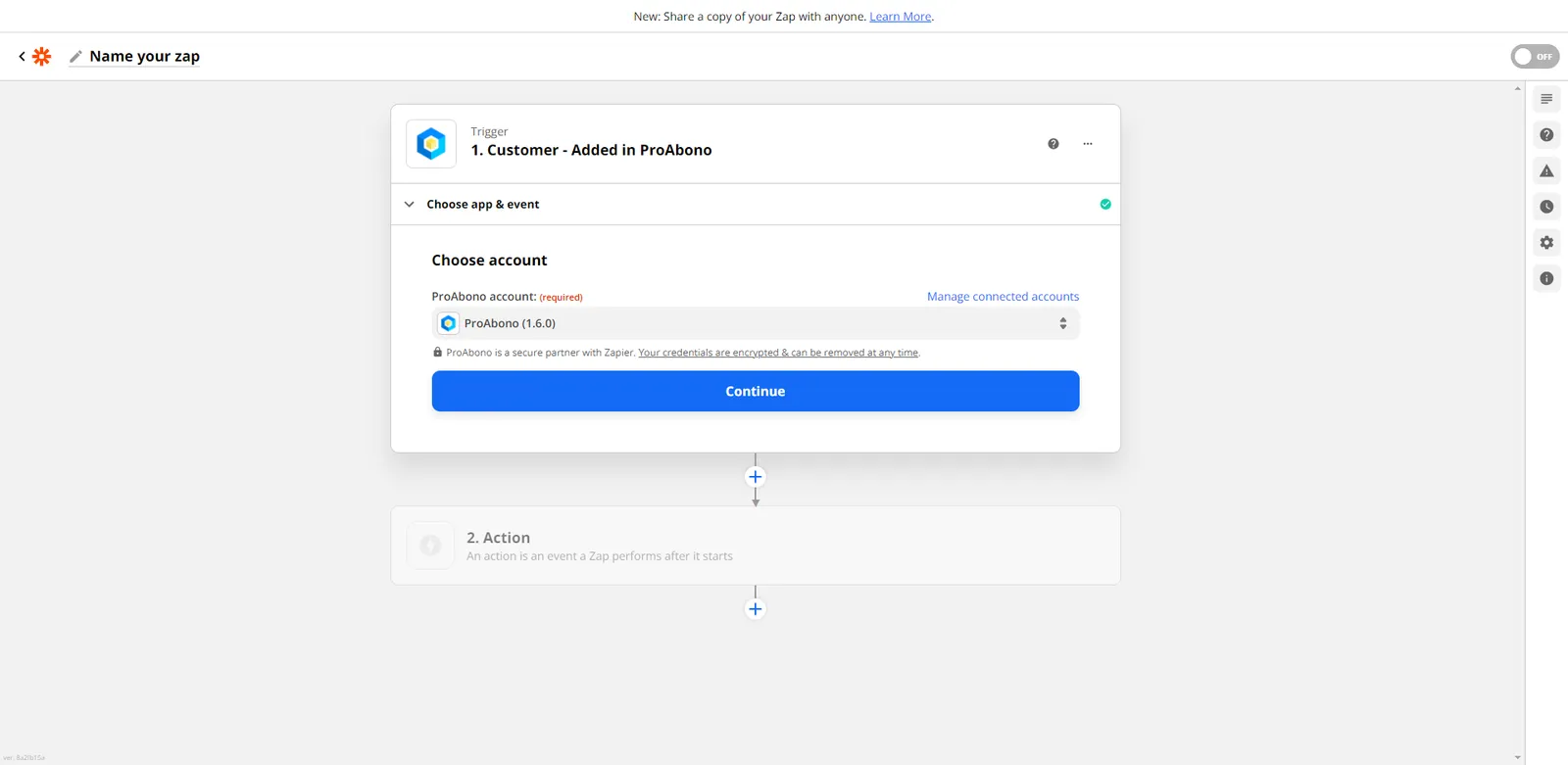
How to connect a new account on Zapier
Context
Section titled “Context”Zapier is an online tool for automating repetitive tasks in your daily applications. It allows you to create workflows based on a trigger event to chain actions. It enables you to easily connect multiple applications.
Procedure
Section titled “Procedure”If you are setting up ProAbono for the first time on your Zapier account,
You will need to:
- Connect your ProAbono account by clicking on the “Sign in to ProAbono” button.
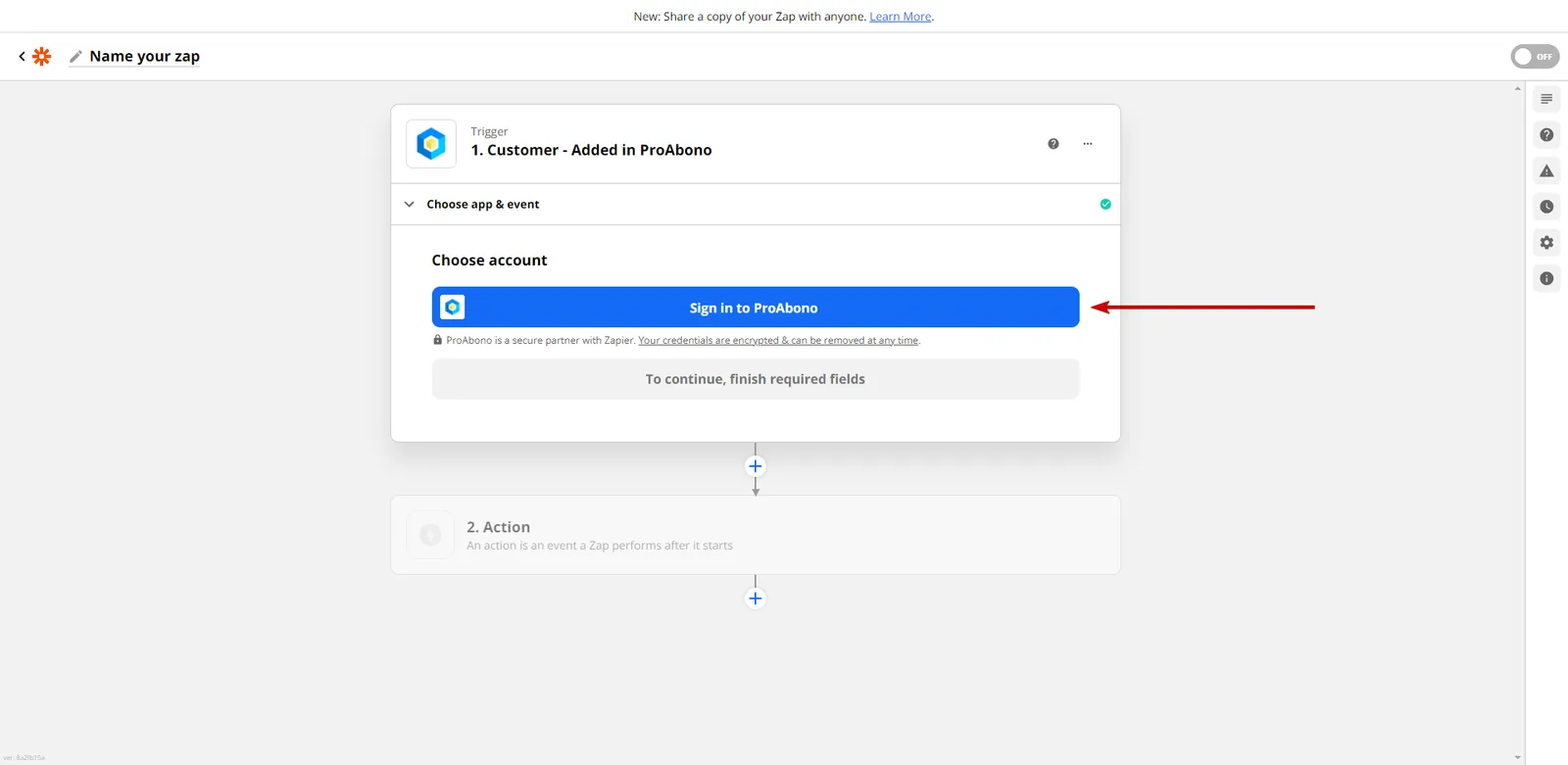
- A new window will appear.
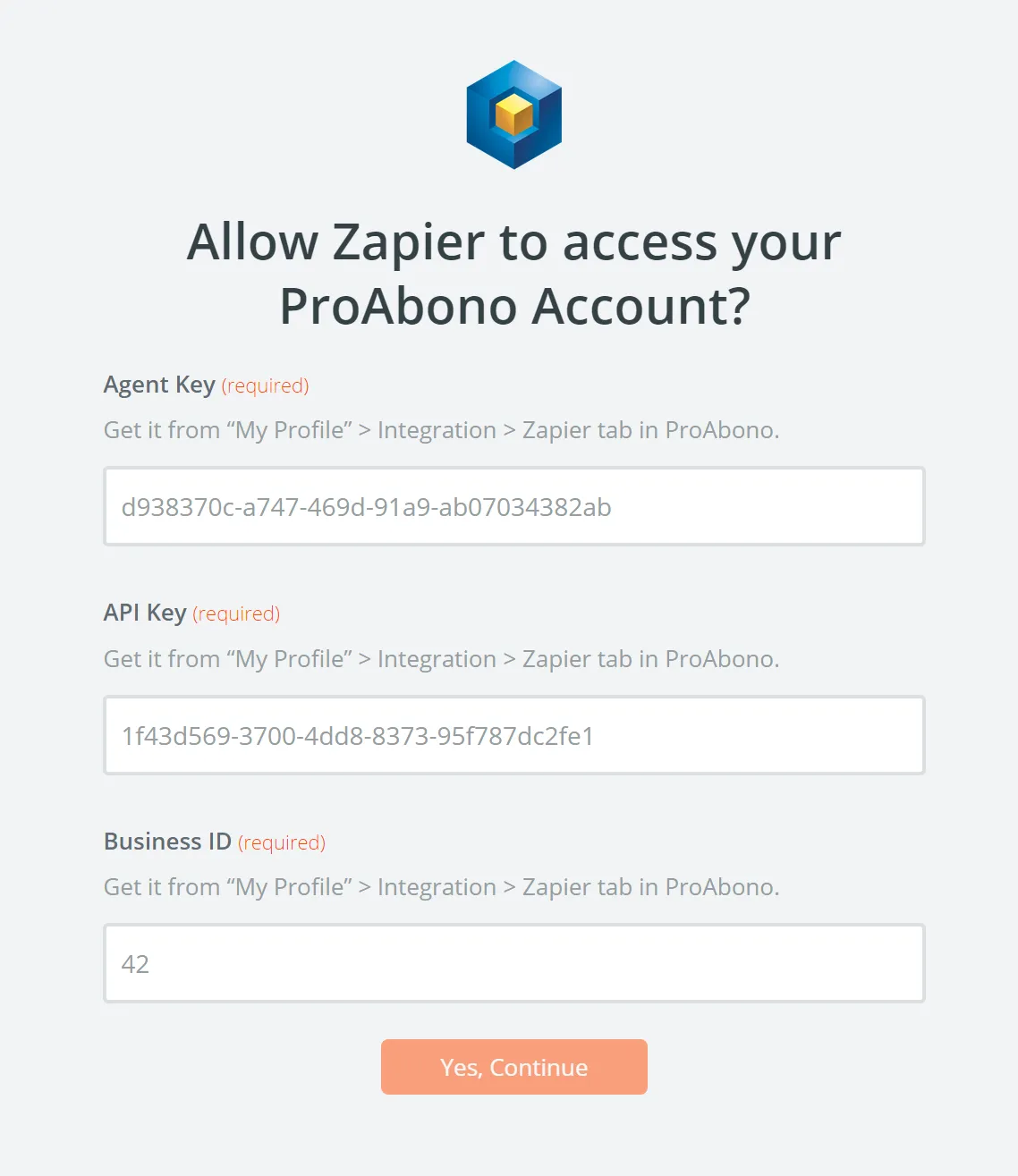 Fill out the form with your:
- Agent Key
- API Key
- Business ID
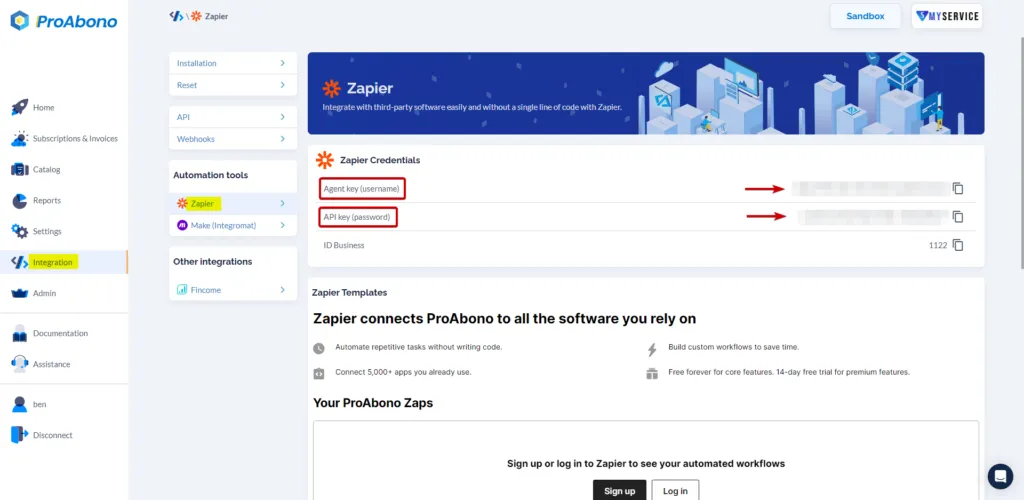
You can find these elements in the Integration section of the ProAbono back office (Zapier section)
- Click on the “Yes, continue” button.
Once the connection is established, you will see your ProAbono account available in the account selection.